

На этой странице приведен полный список тестов, входящих в набор тестов Camera Image Test Suite (ITS), который является частью Android Compatibility Test Suite (CTS) Verifier. Тесты ITS являются функциональными, то есть они не измеряют качество изображения, а проверяют, работают ли все заявленные функции камеры должным образом. Этот документ поможет разработчикам и тестировщикам понять, как работают отдельные тесты и как устранять неполадки при сбоях.
Тесты ITS обновляются или добавляются с каждой версией Android, как описано в примечаниях к выпуску Camera ITS для этой версии Android. Обновления выходят по мере того, как пользователи или разработчики сообщают об ошибках. Дополнения вносятся на основе сообщений об ошибках от пользователей и разработчиков, а также по результатам проверки корректности работы новых функций фреймворка камеры.
В Android 17 и более поздних версиях тесты Camera ITS разделены на два действия в CTS Verifier, чтобы обеспечить параллельное выполнение и сократить время тестирования: одно действие для тестов feature_combination и sensor_fusion, а другое – для всех остальных тестов. Подробнее о том, как сократить время тестирования…
ITS камеры проверяет тесты по требуемым свойствам камеры, уровню API и уровню класса производительности мультимедиа (MPC). Для уровня API в ITS используется ro.product.first_api_level, чтобы блокировать тесты, добавленные на определенном уровне API, которые проверяют негативный пользовательский опыт для функциональности на более низких уровнях API. ITS использует ro.vendor.api_level, чтобы блокировать тесты функций, добавленных на определенном уровне API и требующих новых аппаратных возможностей. Если для устройства определено свойство ro.odm.build.media_performance_class, то в зависимости от уровня MPC в ITS требуется выполнить определенные тесты.
Тесты сгруппированы по сценам в следующих разделах:
scene0: метаданные съемки, дрожание, гироскоп, вибрация.scene1: экспозиция, чувствительность, компенсация экспозиционного числа, YUV по сравнению с JPEG и RAW.scene2: распознавание лиц, тесты, требующие цветных сцен.scene3: улучшение резкости, движение объективаscene4: соотношение сторон, кадрирование, зона обзора.scene6: Zoomscene7: переключение между камерами.scene8: замер экспозиции и баланса белого в области.scene9: сжатие JPEG.scene_extensions: расширения камеры.scene_tele: Переключение на телеобъективscene_video: пропущенные кадры.
Тестовые сцены на основе sensor_fusion и установки Gen2
feature_combination: комбинации функцийscene_flash: автоматическая вспышка, минимальная частота кадров.scene_gen2_chart– тесты с использованием бумажной таблицы Gen2.scene_ip. Сравнение изображений, полученных с помощью приложения камеры по умолчанию и Jetpack Camera App (JCA).sensor_fusion: смещение по времени между камерой и гироскопом.
scene5: затенение объектива.
Тестовая сцена для планшетов с широкой цветовой гаммой
scene_wide_gamut: цветовой профиль и диапазон Wide Gamut.
Описание каждой сцены приведено в отдельных разделах.
Тестовые сцены на планшете
scene0
Для тестов не требуется информация о конкретной сцене. Однако во время тестирования гироскопа и вибрации телефон должен быть неподвижен.
test_jitter
Измеряет дрожание временных меток камеры.
Протестированные API:
android.hardware.camera2.CaptureResult#SENSOR_TIMESTAMPandroid.hardware.camera2.CaptureRequest#CONTROL_AE_TARGET_FPS_RANGE
Пройдено. Разница между кадрами составляет не менее 30 мс.
На рисунке ниже обратите внимание на небольшой диапазон оси Y. Дрожание на самом деле небольшое на этом графике.
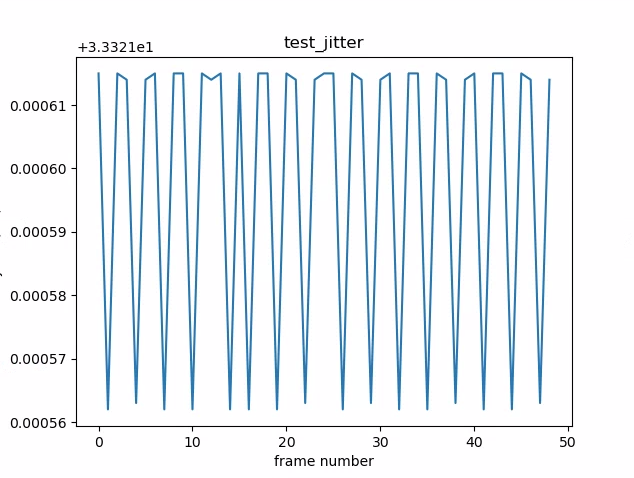
Рисунок 1. График test_jitter.
test_metadata
Проверяет действительность записей метаданных, просматривая результаты захвата и объекты характеристик камеры. В этом тесте используются значения экспозиции и усиления auto_capture_request, поскольку содержимое изображения не имеет значения. Это быстрый тест, который выполняется за короткое время, требует минимальной настройки и сигнализирует о значительном количестве сбоев в последующих тестах.
Не запускайте весь набор тестов, пока не будет пройден тест test_metadata.
Протестированные API:
android.hardware.camera2.CameraCharacteristics#INFO_SUPPORTED_HARDWARE_LEVELandroid.hardware.camera2.CameraCharacteristics#SCALER_CROPPING_TYPEandroid.hardware.camera2.CameraCharacteristics#SENSOR_BLACK_LEVEL_PATTERNandroid.hardware.camera2.CameraCharacteristics#SENSOR_INFO_TIMESTAMP_SOURCEandroid.hardware.camera2.CaptureRequest#SENSOR_FRAME_DURATIONandroid.hardware.camera2.CaptureResult#SENSOR_ROLLING_SHUTTER_SKEW
Соответствует требованиям. Уровень аппаратного обеспечения, теги rollingShutterSkew и frameDuration, timestampSource, croppingType, blackLevelPattern, pixel_pitch, зона обзора и гиперфокальное расстояние указаны и имеют допустимые значения.
test_request_capture_match
Проверяет, записывает ли устройство правильные значения экспозиции и усиления, считывая метаданные съемки. Это быстрый тест на сбой, поскольку он требует минимальной настройки и сигнализирует о значительном количестве сбоев в последующих тестах.
Не запускайте весь набор тестов, пока не будет пройден тест test_request_capture_match.
Протестированные API:
android.hardware.camera2.CameraCharacteristics#SENSOR_INFO_EXPOSURE_TIME_RANGEandroid.hardware.camera2.CameraCharacteristics#SENSOR_INFO_SENSITIVITY_RANGEandroid.hardware.camera2.CaptureRequest#SENSOR_EXPOSURE_TIMEandroid.hardware.camera2.CaptureRequest#SENSOR_SENSITIVITYandroid.hardware.camera2.CaptureResult#SENSOR_EXPOSURE_TIMEandroid.hardware.camera2.CaptureResult#SENSOR_SENSITIVITY
Пройдено. Значения метаданных запроса и записи совпадают во всех кадрах.
test_sensor_events
Для устройств, которые рекламируют поддержку объединения датчиков, этот тест проверяет, запрашивает ли устройство и выводит ли события датчиков. Ожидаемые датчики: акселерометр, гироскоп и магнитометр. Этот тест работает, только если экран включен, то есть устройство не находится в режиме ожидания. Это быстрый тест, который выполняется за короткое время, требует минимальной настройки и сигнализирует о сбое теста объединения датчиков. Тесты сцены sensor_fusion не должны запускаться, если тест test_sensor_events не пройден или не пропущен.
Протестированные API:
Тест пройден. События для каждого датчика получены.
test_solid_color_test_pattern
Проверяет, правильно ли генерируются одноцветные тестовые шаблоны для отключения камеры. Если поддерживается отключение камеры, то должны поддерживаться и тестовые таблицы сплошного цвета. Если отключение камеры не поддерживается, то тестовые шаблоны сплошного цвета проверяются, только если эта возможность заявлена.
Если поддерживаются необработанные изображения, также тестируется назначение цветов. Тестирование проводилось с черным, белым, красным, синим и зеленым цветами. Для камер, которые не поддерживают необработанные изображения, тестируется только черный цвет.
Протестированные API:
android.hardware.camera2.CameraCharacteristics#SENSOR_AVAILABLE_TEST_PATTERN_MODESandroid.hardware.camera2.CaptureResult#SENSOR_TEST_PATTERN_DATAandroid.hardware.camera2.CaptureResult#SENSOR_TEST_PATTERN_MODE
Пройдено. Поддерживаемые сплошные тестовые шаблоны имеют правильный цвет, а изображение имеет низкую дисперсию.
test_test_pattern
Проверяет параметр android.sensor.testPatternMode, чтобы захватить кадры для каждого допустимого тестового шаблона, и проверяет, правильно ли генерируются кадры для сплошных цветов и цветных полос. Тест включает следующие шаги:
- Захватывает изображения для всех поддерживаемых тестовых шаблонов.
- Проверяет правильность отображения сплошного цвета и цветных полос.
Протестированные API:
android.hardware.camera2.CameraCharacteristics#SENSOR_AVAILABLE_TEST_PATTERN_MODESandroid.hardware.camera2.CaptureResult#SENSOR_TEST_PATTERN_MODE
Пройден. Поддерживаемые тестовые шаблоны генерируются правильно.

Рисунок 2. Пример test_test_patterns.
test_tonemap_curve
Тестирует преобразование тестового шаблона из необработанного формата в YUV с линейной тональной компрессией. Для этого теста требуется android.sensor.testPatternMode = 2 (COLOR_BARS), чтобы сгенерировать идеальный шаблон изображения для преобразования тональной компрессии. Проверяет, что конвейер имеет правильные цветовые выходы с линейной тональной картой и идеальным вводом изображения (зависит от test_test_patterns).
Протестированные API:
android.hardware.camera2.CaptureRequest#DISTORTION_CORRECTION_MODEandroid.hardware.camera2.CaptureRequest#SENSOR_TEST_PATTERN_MODEandroid.hardware.camera2.CaptureRequest#TONEMAP_CURVEandroid.hardware.camera2.CaptureRequest#TONEMAP_MODE
Тест пройден. Изображения YUV и RAW похожи друг на друга.

Рисунок 3. Пример необработанного изображения test_tonemap_curve.
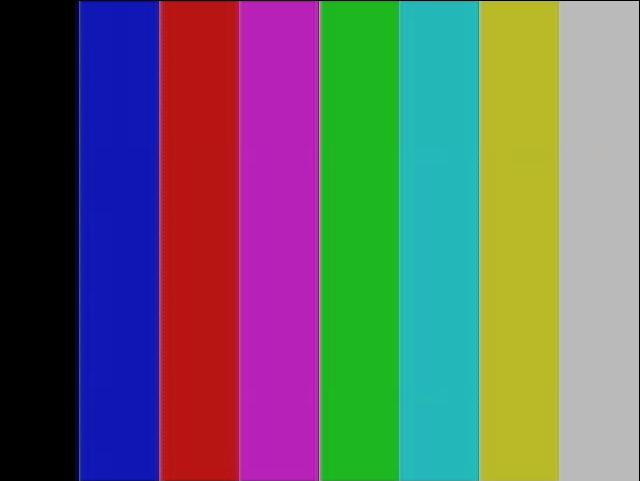
Рисунок 4. Пример test_tonemap_curve YUV.
test_unified_timestamp
Проверяет, находятся ли события изображения и датчика движения в одном временном домене. Это быстрый тест, который выполняется за короткое время, требует минимальной настройки и сигнализирует о сбое теста объединения датчиков. Тесты сцены sensor_fusion не должны выполняться, если тест test_unified_timestamp не пройден или не пропущен.
Протестированные API:
android.hardware.camera2.CaptureResult#SENSOR_TIMESTAMPandroid.hardware.Sensorandroid.hardware.SensorEventandroid.hardware.Sensor#TYPE_ACCELEROMETERandroid.hardware.Sensor#TYPE_GYROSCOPE
Пройдено. Временные метки движения находятся между временными метками двух изображений.
test_vibration_restriction
Проверяет, правильно ли работает вибрация на устройстве.
Протестированные API:
android.hardware.Sensorandroid.hardware.SensorEventandroid.hardware.Sensor#TYPE_ACCELEROMETERandroid.os.Vibratorandroid.hardware.camera2.CameraDevice#setCameraAudioRestriction
Успешно. Устройство не вибрирует, когда звук отключен с помощью API camera audio restriction.
scene1_1
scene1 – серая диаграмма. Серая таблица должна занимать 30% поля зрения камеры в центре. Серая диаграмма должна умеренно усложнять работу 3A (AE, AWB и AF), поскольку в центральной области нет никаких объектов.
Однако запрос на захват указывает всю сцену, которая включает в себя достаточно функций для сходимости 3A.
Камеры с ограниченным углом обзора можно тестировать на стендах для камер с ограниченным или широким углом обзора. Если камера с узким полем зрения тестируется на установке для широкого поля зрения, диаграмма масштабируется на 2/3, чтобы указать границы серой диаграммы в поле зрения и помочь 3A сойтись. Подробное описание тестовых стендов для камер можно найти в статье Camera ITS-in-a-box.
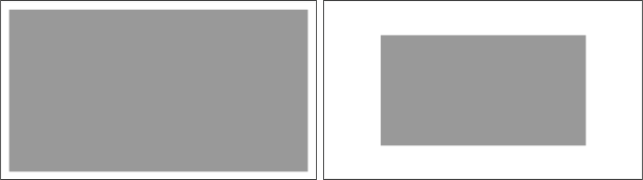
Рисунок 5. Полноразмерная диаграмма scene1 (слева), диаграмма в масштабе 2/3 (справа).
test_ae_precapture_trigger
Проверяет конечный автомат автоэкспозиции при использовании триггера предварительной съемки. Выполняет пять запросов вручную с отключенной автоэкспозицией. Последний запрос содержит триггер предварительной съемки AE, который следует игнорировать, поскольку AE отключена.
Протестированные API:
android.hardware.camera2.CaptureRequest#CONTROL_AE_MODEandroid.hardware.camera2.CaptureRequest#CONTROL_AE_PRECAPTURE_TRIGGERandroid.hardware.camera2.CaptureResult#CONTROL_AE_STATE
Пройдено. AE сходится.
test_auto_vs_manual
Тесты, в которых снимки делались автоматически и вручную, выглядят одинаково.
Протестированные API:
android.hardware.camera2.CaptureRequest#COLOR_CORRECTION_GAINSandroid.hardware.camera2.CaptureRequest#COLOR_CORRECTION_TRANSFORMandroid.hardware.camera2.CaptureResult#TONEMAP_CURVEandroid.hardware.camera2.CaptureResult#TONEMAP_MODE
Соответствует требованиям. Коэффициенты усиления и преобразования, заданные вручную для баланса белого и указанные в каждом результате съемки, совпадают с автоматическим балансом белого estimate, который определяется алгоритмом 3A камеры.
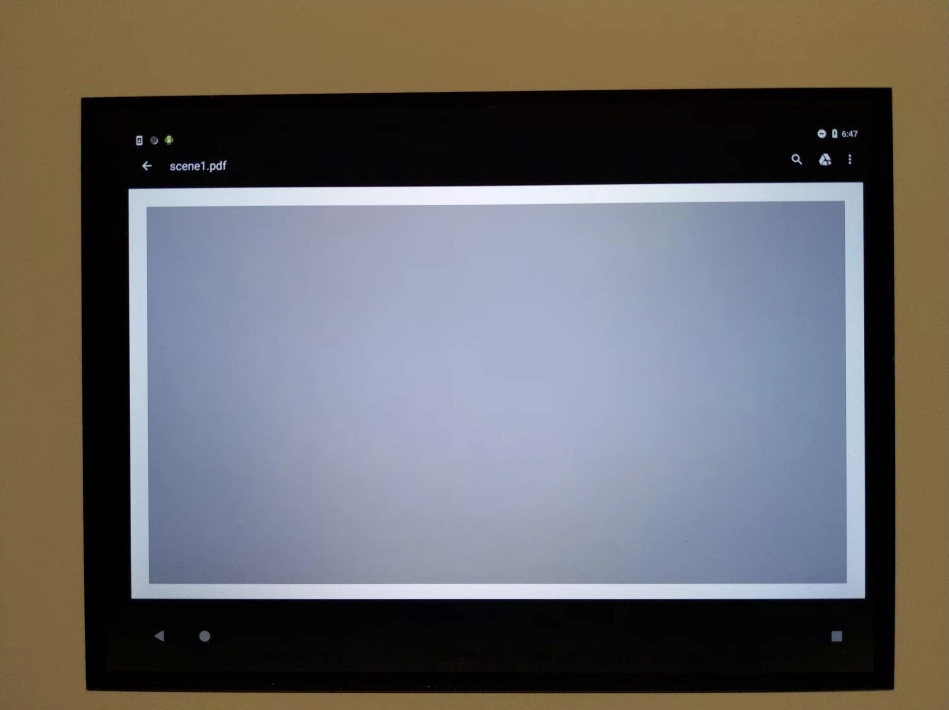
Рисунок 6. Пример автоматического эксперимента test_auto_vs_manual.
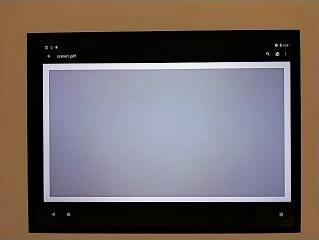
Рисунок 7. Пример баланса белого test_auto_vs_manual.
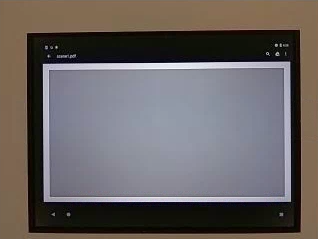
Рисунок 8. Пример преобразования баланса белого вручную в тесте test_auto_vs_manual.
test_black_white
Проверка того, что устройство создает полностью черно-белые изображения. Делает два снимка: первый – с очень низким усилением и короткой выдержкой (получается черное фото), а второй – с очень высоким усилением и длинной выдержкой (получается белое фото).
Протестированные API:
android.hardware.camera2.CaptureRequest#SENSOR_EXPOSURE_TIMEandroid.hardware.camera2.CaptureRequest#SENSOR_SENSITIVITY
Pass: создает черно-белые изображения. Насыщенные каналы белых изображений имеют значения RGB [255, 255, 255] с погрешностью менее 1 %.

Рисунок 9. test_black_white, пример черного цвета.
Рисунок 10. test_black_white, пример белого цвета.
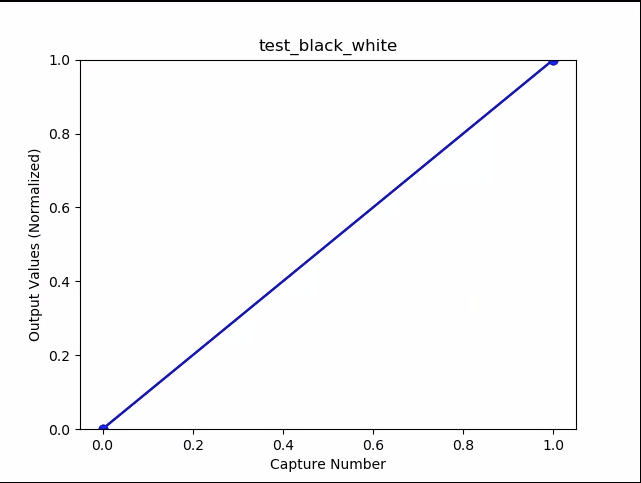
Рис. 11. Пример графика средних значений test_black_white.
test_burst_capture
Проверяет, может ли весь конвейер захвата поддерживать скорость захвата в полном размере и процессорное время.
Протестированные API:
Пройдено. Сделана серия снимков в полном размере, проверено наличие пропущенных кадров и яркость изображения.
test_burst_sameness_manual
Делает 5 серий по 50 снимков с ручными настройками и проверяет, что все они идентичны. Этот тест позволяет выявить отдельные кадры, которые обрабатываются иначе или содержат артефакты.
Протестированные API:
android.hardware.camera2.CameraMetadata#REQUEST_AVAILABLE_CAPABILITIES_MANUAL_SENSORandroid.hardware.camera2.CameraMetadata#SYNC_MAX_LATENCY_PER_FRAME_CONTROL
Заявка одобрена. Изображения идентичны визуально и по значениям RGB.
Несоответствие. На диаграмме среднего значения RGB в начале каждой серии виден резкий подъем или спад.
- Допустимое отклонение составляет 3% для
first_API_level< 30. - Допустимое отклонение составляет 2% для
first_API_level>= 30.
Рис. 12. Пример среднего значения test_burst_sameness_manual.
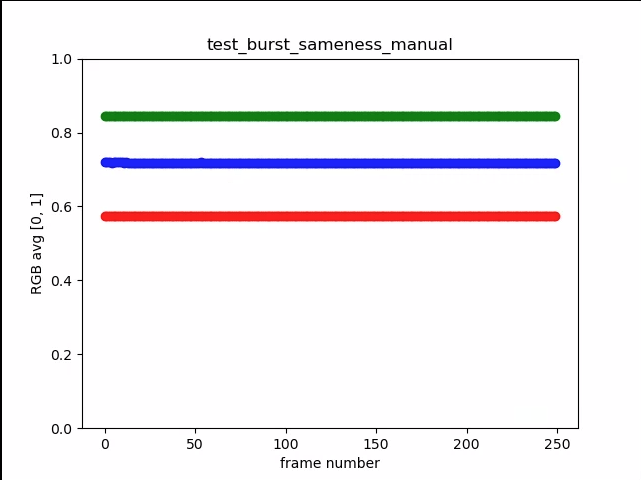
Рисунок 13. test_burst_sameness_manual_plot_means
test_crop_region_raw
Проверяет, что потоки RAW нельзя обрезать.
Протестированные API:
android.hardware.camera2.CameraCharacteristics#SENSOR_INFO_ACTIVE_ARRAY_SIZEandroid.hardware.camera2.CaptureResult#SCALER_CROP_REGIONandroid.hardware.camera2.CaptureRequest#SCALER_CROP_REGION
Пройдено. Изображения YUV обрезаются по центру, а RAW – нет.
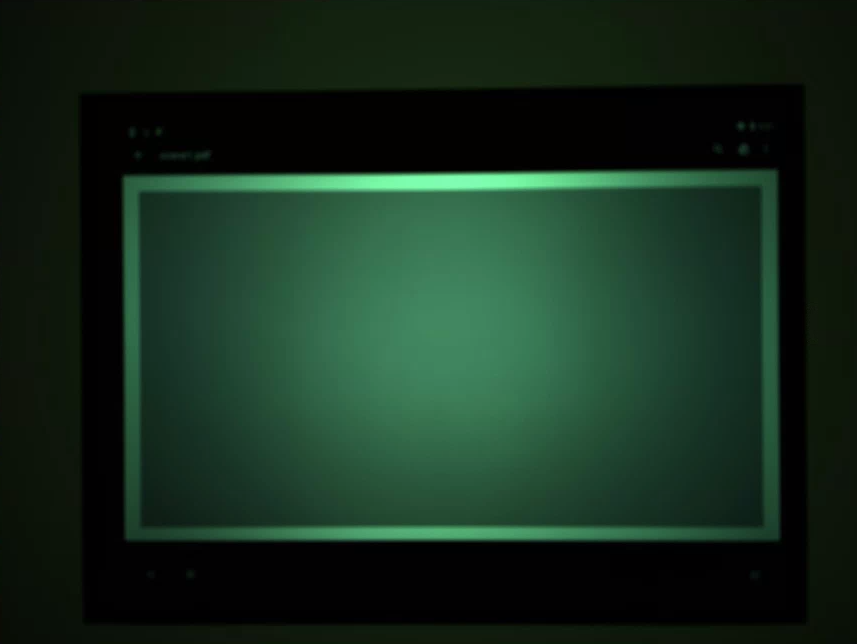
Рис. 14. Пример необработанного кадрирования test_crop_region_raw comp raw crop.
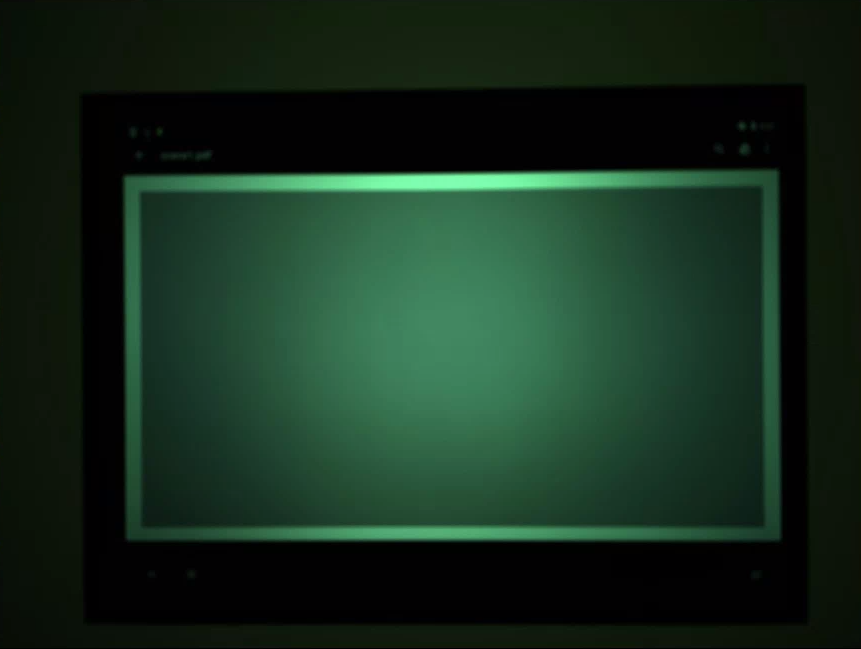
Рисунок 15. Полный пример test_crop_region_raw comp raw.

Рис. 16. Пример кадрирования YUV в тесте test_crop_region_raw.
Рисунок 17. Полный пример test_crop_region_raw YUV.
test_crop_regions
Проверяет, работают ли области кадрирования. Берет полное изображение и создает фрагменты пяти разных областей (углы и центр). Делает снимки с кадрированием для пяти регионов. Сравнивает значения фрагмента и обрезанного изображения.
Протестированные API:
android.hardware.camera2.CameraCharacteristics#SENSOR_INFO_ACTIVE_ARRAY_SIZEandroid.hardware.camera2.CaptureRequest#SCALER_CROP_REGION
Заявка одобрена. Изображение кадрированной области совпадает с фрагментом, который соответствует кадрированному изображению.
test_ev_compensation
Проверяет, применяется ли компенсация экспозиционного числа. Тест состоит из базового и продвинутого разделов.
В базовом разделе проверяется, что компенсация экспозиционного числа применяется с использованием диапазона, созданного с помощью CONTROL_AE_COMPENSATION_STEP. Для каждого значения компенсации экспозиции делается восемь кадров.
В расширенном разделе экспозиция увеличивается в восемь шагов, а измеренная яркость сравнивается с ожидаемой. Ожидаемые значения рассчитываются на основе яркости изображения без компенсации экспозиционного числа. Если рассчитанные значения превышают диапазон фактических значений изображения, ожидаемое значение насыщается. Тест считается непройденным, если ожидаемые и измеренные значения не совпадают или если изображения переэкспонируются в пределах пяти шагов.
Протестированные API:
android.hardware.camera2.CameraCharacteristics#CONTROL_AE_COMPENSATION_STEPandroid.hardware.camera2.CaptureRequest#CONTROL_AE_EXPOSURE_COMPENSATIONandroid.hardware.camera2.CaptureRequest#CONTROL_AE_LOCKandroid.hardware.camera2.CaptureResult#CONTROL_AE_STATEandroid.hardware.camera2.CaptureRequest#CONTROL_AWB_LOCKandroid.hardware.camera2.CaptureResult#TONEMAP_CURVEandroid.hardware.camera2.CaptureResult#TONEMAP_MODE
Базовый уровень. На изображениях видно, как экспозиция увеличивается в пять шагов, но не становится чрезмерной.
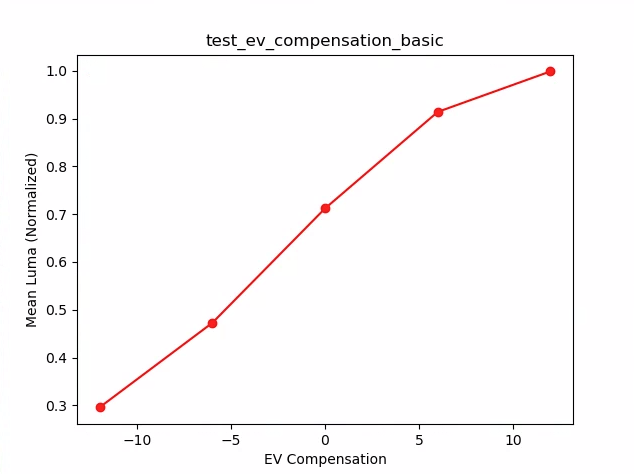
Рисунок 18. test_ev_compensation_basic.
Расширенная проверка. Фиксирует увеличение яркости при увеличении компенсации экспозиции. Восемь кадров, снятых для каждой настройки компенсации экспозиционного числа, имеют стабильные значения яркости.
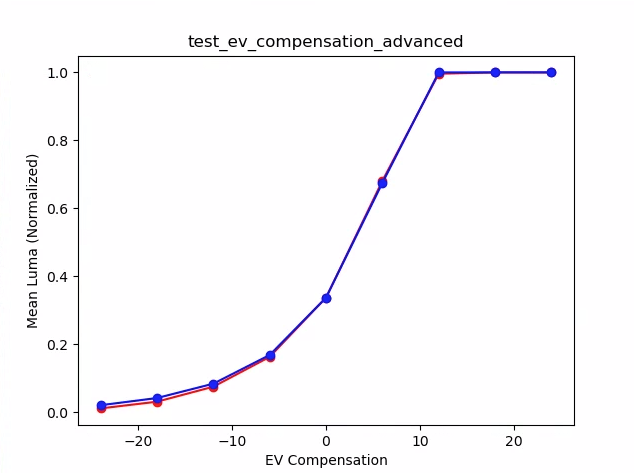
Рис. 19. test_ev_compensation_advanced_plot_means.
test_exposure_x_iso
Проверяет, достигается ли постоянная экспозиция при изменении ISO и времени экспозиции. Делает серию снимков, на которых ISO и время экспозиции сбалансированы.
Яркость результатов должна быть одинаковой, но по мере продвижения по последовательности изображение должно становиться более зашумленным. Проверяет, близки ли средние значения пикселей в выборке друг к другу. Проверяет, что значения изображений не ограничены 0 или 1 (в этом случае они будут выглядеть как плоские линии). Тест также можно запустить с изображениями RAW, установив флаг debug в файле конфигурации.
Протестированные API:
android.hardware.camera2.CaptureRequest#SENSOR_EXPOSURE_TIMEandroid.hardware.camera2.CaptureRequest#SENSOR_SENSITIVITY
Тест пройден. Изображения имеют одинаковую яркость, но при более высоком значении ISO становятся более шумными. Плоскости RGB являются плоскими, когда значение ISO*экспозиция постоянно в тестируемом пространстве усиления.
Механизм сбоя. На рисунке ниже показано, что по мере увеличения значений множителя усиления (ось X) нормализованные средние значения плоскости RGB (ось Y) начинают отклоняться от низких значений множителя усиления.
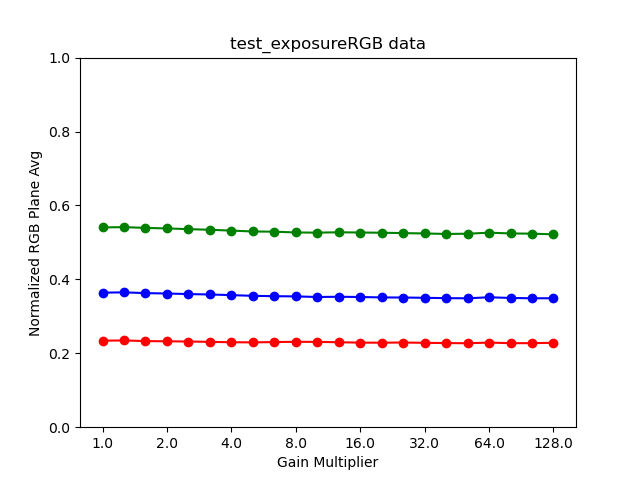
Рисунок 20. test_exposure_plot_means.
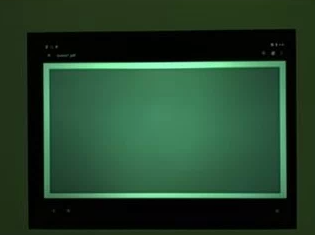
Рисунок 21. test_exposure_mult=1.00.
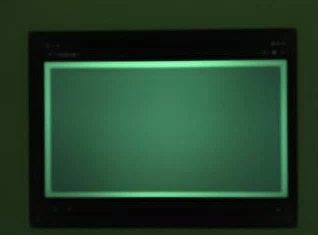
Рис. 22. test_exposure_mult=64.00.
test_latching
Проверяет, что настройки (экспозиция и усиление) фиксируются на правильном кадре для камер FULL и LEVEL_3. Делает серию снимков, отправляя последовательные запросы и меняя параметры съемки между кадрами. Проверяет, соответствуют ли изображения ожидаемым свойствам.
Протестированные API:
Тест пройден. Изображения [2, 3, 6, 8, 10, 12, 13] имеют повышенное значение ISO или экспозиции и отображаются с более высокими средними значениями RGB на графике на следующем рисунке.
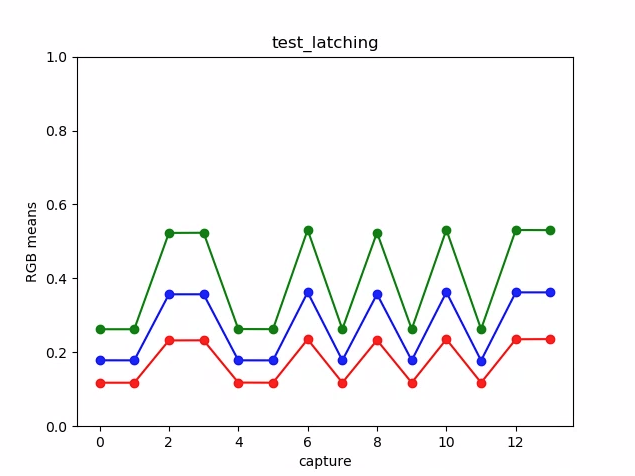
Рис. 23. Пример графика test_latching plot means.
Рисунок 24. test_latching i=00.
Рисунок 25. test_latching i=01.
Рисунок 26. test_latching i=02.
Рисунок 27. test_latching i=03.
Рисунок 28. test_latching i=04.
Рисунок 29. test_latching i=05.
Рисунок 30. test_latching i=06.
Рисунок 31. test_latching i=07.
Рисунок 32. test_latching i=08.
Рисунок 33. test_latching i=09.
Рисунок 34. test_latching i=10.
Рис. 35. test_latching i=11.
Рис. 36. test_latching i=12.
test_linearity
Проверяет, можно ли инвертировать обработку устройства в линейные пиксели. Снимает серию кадров, когда устройство направлено на однородную цель.
Протестированные API:
android.hardware.camera2.CameraCharacteristics#SENSOR_INFO_SENSITIVITY_RANGEandroid.hardware.camera2.CaptureRequest#BLACK_LEVEL_LOCKandroid.hardware.camera2.CaptureRequest#SENSOR_SENSITIVITYandroid.hardware.camera2.CaptureRequest#TONEMAP_CURVEandroid.hardware.camera2.CaptureRequest#TONEMAP_MODE
Проверка пройдена. Значения R, G и B увеличиваются линейно с ростом чувствительности.
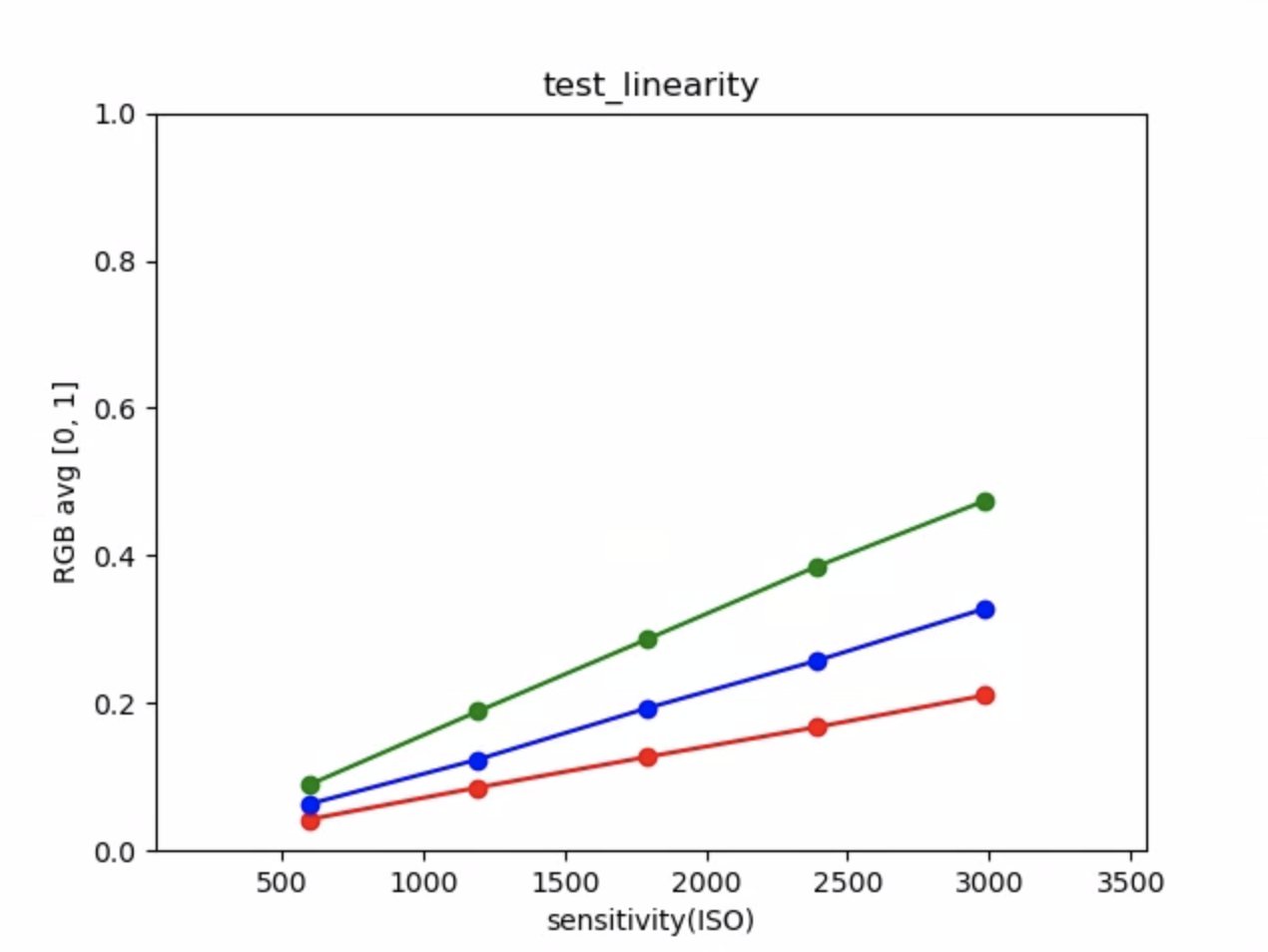
Рис. 37. Пример графика test_linearity plot means.
test_locked_burst
Проверяет блокировку 3A и серийную съемку YUV (с использованием автоматических настроек). Этот тест должен быть пройден даже на устройствах, на которых нет MANUAL_SENSOR или PER_FRAME_CONTROLS.
Тест проверяет согласованность изображений YUV, а проверка частоты кадров выполняется в CTS.
Протестированные API:
android.hardware.camera2.CaptureRequest#CONTROL_AE_LOCKandroid.hardware.camera2.CaptureRequest#CONTROL_AWB_LOCK
Принято. Снимки выглядят единообразно.
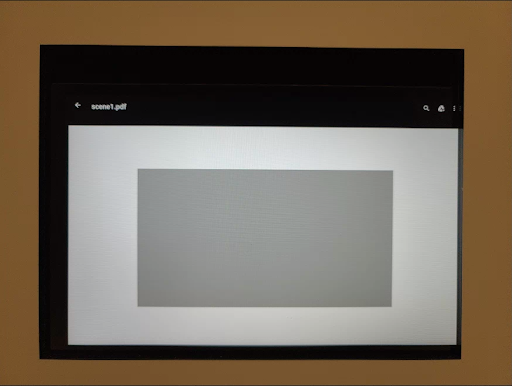
Рис. 38. Пример кадра 0 в тесте test_locked_burst.
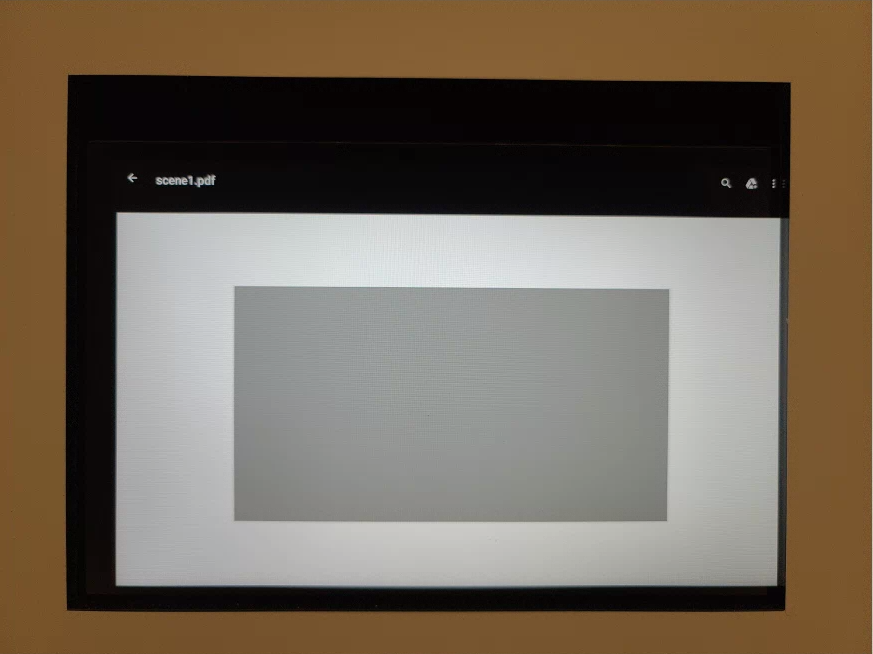
Рис. 39. Пример кадра 1 для test_locked_burst.
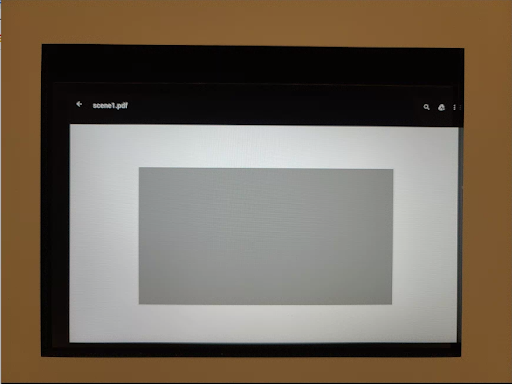
Рисунок 40. Пример кадра 2 в тесте test_locked_burst.
scene1_2
scene 1_2 – это функционально идентичная копия scene 1_1, в которой реализована структура подсцен, чтобы сократить продолжительность scene 1.
test_param_color_correction
Проверяет, применяются ли параметры android.colorCorrection.*, если они заданы.
Делает снимки с разными значениями преобразования и усиления и проверяет, что они выглядят по-разному. Преобразование и усиление выбираются так, чтобы выходное изображение становилось все более красным или синим. Используется линейная тональная компрессия.
Сопоставление тонов – это метод обработки изображений, при котором один набор цветов сопоставляется с другим, чтобы приблизить внешний вид изображений с высоким динамическим диапазоном к среде с более ограниченным динамическим диапазоном.
Протестированные API:
android.hardware.camera2.CaptureRequest#COLOR_CORRECTION_GAINSandroid.hardware.camera2.CaptureRequest#COLOR_CORRECTION_MODEandroid.hardware.camera2.CaptureRequest#COLOR_CORRECTION_TRANSFORM
Соответствует требованиям. Значения R и B увеличиваются в соответствии с преобразованием.
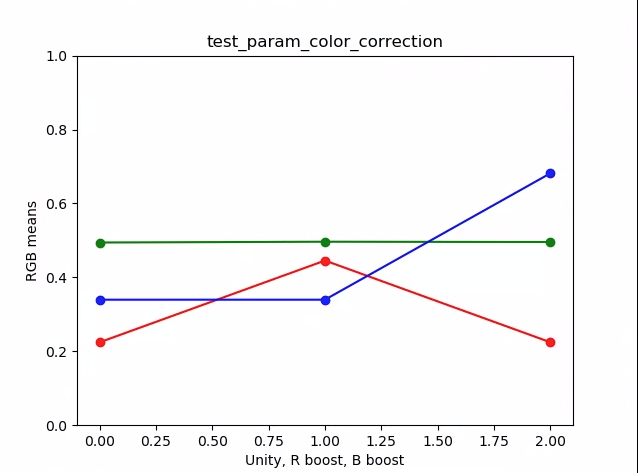
Рис. 41. Пример графика средних значений test_param_color_correction.
На рисунках ниже ось X – это запросы на съемку: 0 – единичное усиление, 1 – усиление красного, 2 – усиление синего.
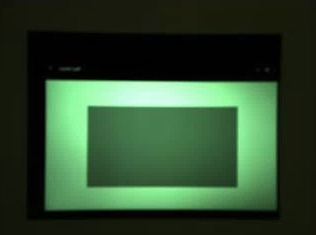
Рисунок 42. Пример test_param_color_correction req=0 unity.
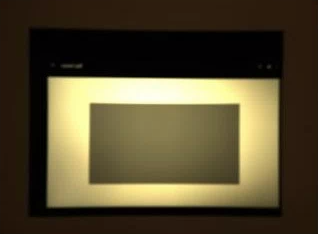
Рисунок 43. Пример усиления красного цвета в тесте test_param_color_correctness req=1.
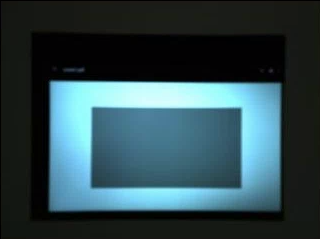
Рис. 44. Пример test_param_color_correction req=2 blue boost.
test_param_flash_mode
Проверяет, применяется ли параметр android.flash.mode. Вручную устанавливает экспозицию на темную сторону, чтобы было очевидно, сработала вспышка или нет, и использует линейную тональную карту. Проверяет центр изображения, чтобы определить, есть ли большой градиент, который создается для проверки того, сработала ли вспышка.
Протестированные API:
Соответствует требованиям. В центре фрагмента изображения есть большой градиент, что указывает на использование вспышки.
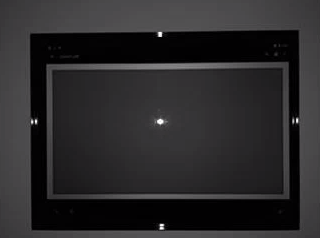
Рисунок 45. Пример test_param_flash_mode 1.

Рисунок 46. Пример одного фрагмента test_param_flash_mode.
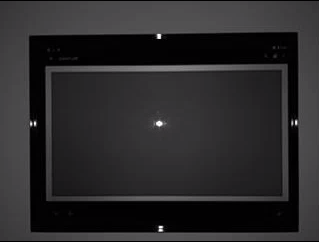
Рисунок 47. Пример test_param_flash_mode 2.

Рисунок 48. Пример двух элементов test_param_flash_mode.
test_param_noise_reduction
Проверяет, правильно ли применяется параметр android.noiseReduction.mode, если он задан. Изображения сняты при тусклом освещении. Использует высокое аналоговое усиление, чтобы на полученном изображении был шум. Делает три снимка: без шумоподавления, с быстрым шумоподавлением и с шумоподавлением высокого качества. Также делает снимок с низким усилением и отключенным шумоподавлением и использует его дисперсию в качестве базовой. Чем выше отношение сигнал/шум, тем лучше качество изображения.
Протестированные API:
Соответствует требованиям. Отношение "сигнал/шум" меняется в зависимости от режима шумопонижения и выглядит примерно так, как на графике ниже.
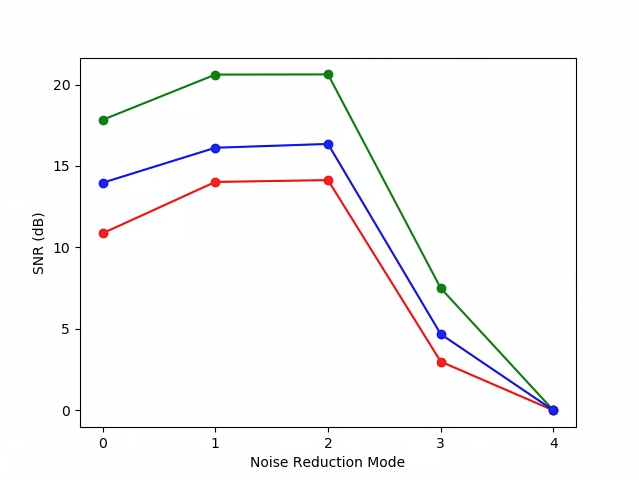
Рисунок 49. Пример графика test_param_noise_reduction с отношениями "сигнал/шум"
0: OFF, 1: FAST, 2: HQ, 3: MIN , 4: ZSL
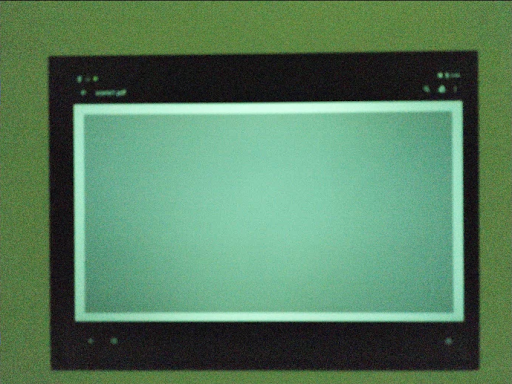
Рис. 50. Пример test_param_noise_reduction high gain nr=0.
Рис. 51. Пример test_param_noise_reduction high gain nr=1.
Рис. 52. Пример test_param_noise_reduction high gain nr=2.
Рисунок 53. Пример test_param_noise_reduction high gain nr=3.
Рисунок 54. Пример низкого усиления test_param_noise_reduction
test_param_shading_mode
Проверяет, применяется ли параметр android.shading.mode.
Протестированные API:
android.hardware.camera2.CaptureRequest#SHADING_MODEandroid.hardware.camera2.CaptureRequest#STATISTICS_LENS_SHADING_MAP_MODEandroid.hardware.camera2.CaptureResult#STATISTICS_LENS_SHADING_CORRECTION_MAP
Тест пройден. Режимы затенения переключаются, а карты затенения объектива изменяются ожидаемым образом.
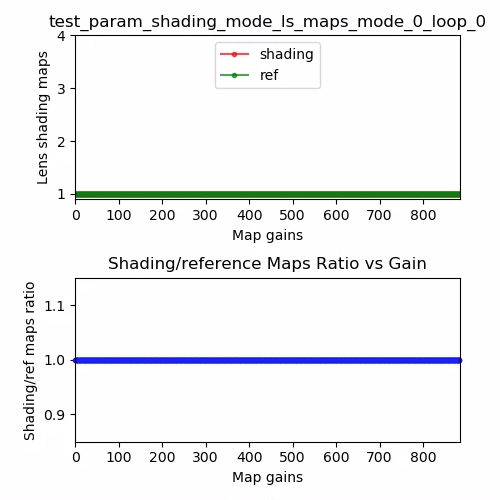
Рис. 55. Карта затенения объектива test_param_shading_mode, пример режима 0, цикла 0.
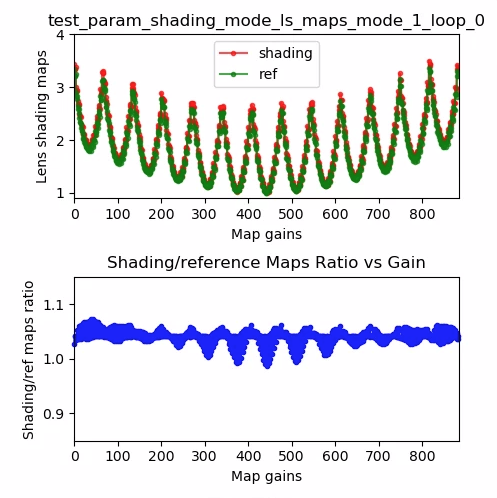
Рис. 56. Пример карты затенения объектива test_param_shading_mode, режим 1, цикл 0.
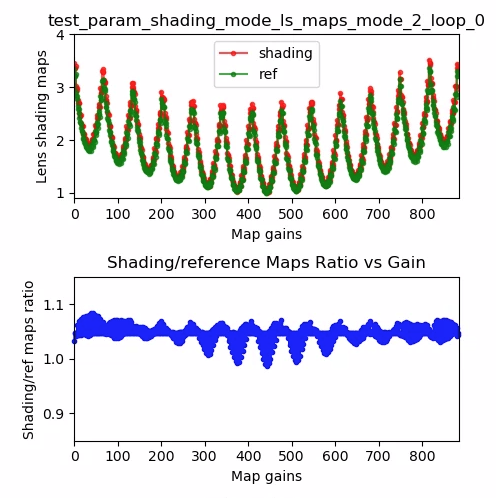
Рис. 57. Пример карты затенения объектива test_param_shading_mode, режим 2, цикл 0.
test_param_tonemap_mode
Проверяет, применяется ли параметр android.tonemap.mode. Применяет разные кривые тонального отображения к каждому каналу R, G, B и проверяет, что выходные изображения изменены должным образом. Этот тест состоит из двух тестов: test1 и test2.
Протестированные API:
android.hardware.camera2.CameraMetadata#TONEMAP_MODE_CONTRAST_CURVEandroid.hardware.camera2.CameraMetadata#TONEMAP_MODE_FASTandroid.hardware.camera2.CaptureRequest#TONEMAP_CURVEandroid.hardware.camera2.CaptureRequest#TONEMAP_MODE
Pass:
test1: у обоих изображений линейная тональная компрессия, но уn=1более крутой градиент. Зеленый канал ярче на изображенииn=1.test2– тональная компрессия та же, но длина другая. Картинки одинаковые.
Рисунок 58. test_param_tonemap_mode с n=0.
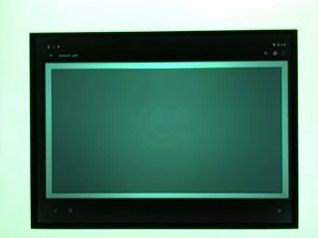
Рисунок 59. test_param_tonemap_mode с n=1.
test_post_raw_sensitivity_boost
Проверяет усиление чувствительности после обработки необработанных данных. Захватывает набор изображений RAW и YUV с разной чувствительностью, публикует комбинацию повышения чувствительности RAW и проверяет, соответствует ли среднее значение выходного пикселя настройкам запроса.
Протестированные API:
android.hardware.camera2.CameraCharacteristics#CONTROL_POST_RAW_SENSITIVITY_BOOST_RANGEandroid.hardware.camera2.CameraMetadata#REQUEST_AVAILABLE_CAPABILITIES_RAWandroid.hardware.camera2.CaptureRequest#CONTROL_POST_RAW_SENSITIVITY_BOOSTandroid.hardware.camera2.CaptureRequest#SENSOR_SENSITIVITY
Тест пройден. Необработанные изображения становятся темнее по мере увеличения усиления, а яркость изображений YUV остается неизменной.

Рис. 60. Пример test_post_raw_sensitivity_boost raw s=3583 boost=0100.

Рисунок 61. Пример test_post_raw_sensitivity_boost raw s=1792 boost=0200.

Рис. 62. Пример test_post_raw_sensitivity_boost raw s=0896 boost=0400.
Рисунок 63. Пример test_post_raw_sensitivity_boost raw s=0448 boost=0800.

Рис. 64. Пример test_post_raw_sensitivity_boost raw s=0224 boost=1600.
Рис. 65. Пример test_post_raw_sensitivity_boost raw s=0112 boost=3199.
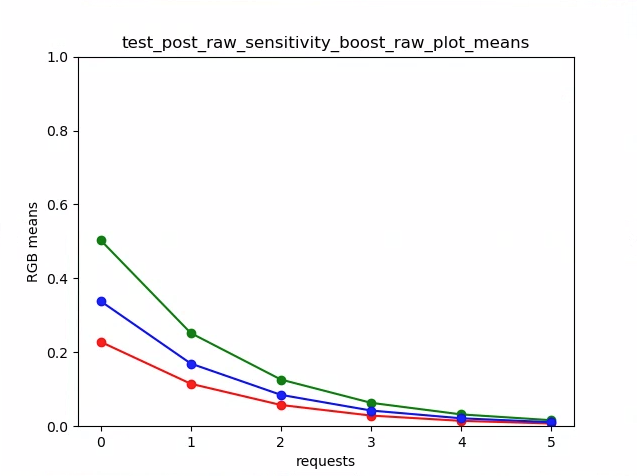
Рис. 66. Пример графика средних значений test_post_raw_sensitivity_boost.

Рисунок 67. Пример test_post_raw_sensitivity_boost YUV s=0112 boost=3199.

Рисунок 68. Пример test_post_raw_sensitivity_boost YUV s=0448 boost=0800.

Рис. 69. Пример test_post_raw_sensitivity_boost YUV s=0896 boost=0400.

Рис. 70. Пример test_post_raw_sensitivity_boost YUV s=1792 boost=0200.

Рисунок 71. Пример test_post_raw_sensitivity_boost YUV s=3585 boost=0100.
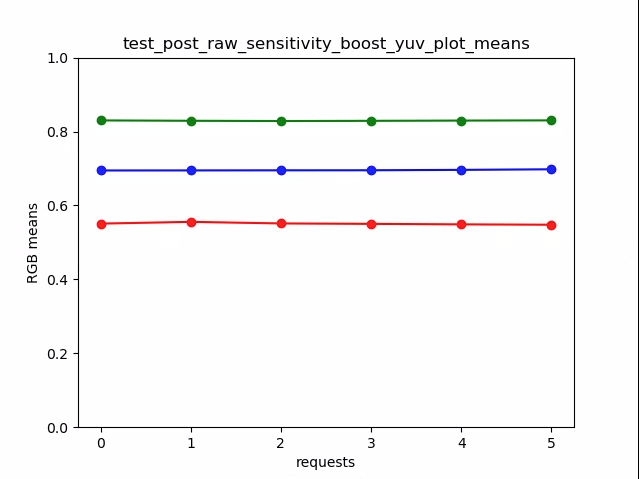
Рисунок 72. Пример test_post_raw_sensitivity_boost_yuv_plot_means.
test_raw_exposure
Делает набор необработанных снимков с увеличивающимся временем экспозиции и измеряет значения пикселей.
Протестированные API:
android.hardware.camera2.CameraMetadata#REQUEST_AVAILABLE_CAPABILITIES_RAWandroid.hardware.camera2.CaptureRequest#SENSOR_EXPOSURE_TIME
Пройдено. При увеличении ISO (усиления) пиксели становятся более чувствительными к свету, поэтому график смещается влево.
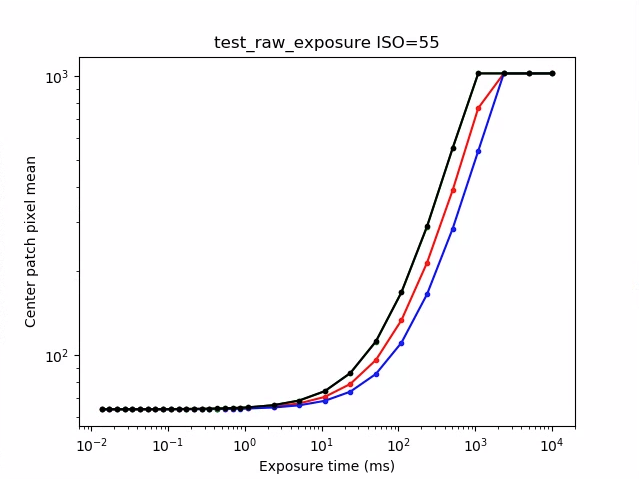
Рисунок 73. Пример test_raw_exposure ISO=55.
10⁰ – это 1 мс, 10¹ – 10 мс, а 10⁻¹ – 0,1 мс.
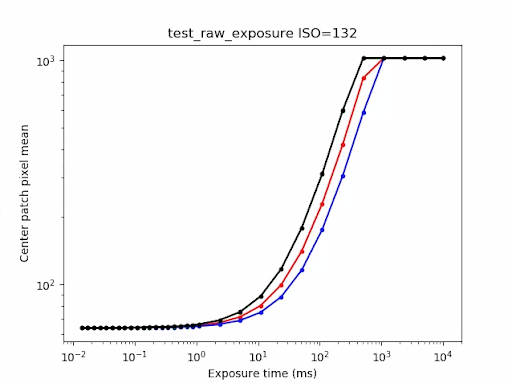
Рисунок 74. Пример test_raw_exposure ISO=132.
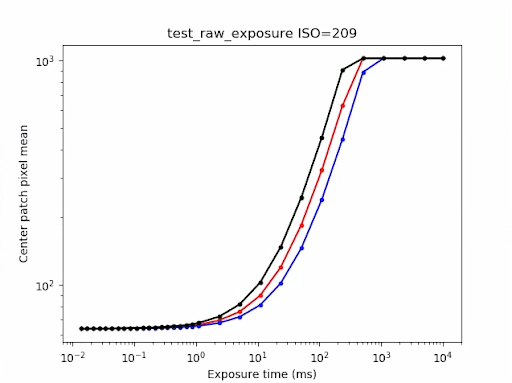
Рис. 75. Пример test_raw_exposure ISO=209.
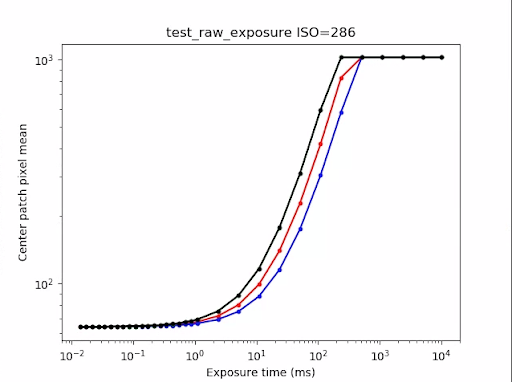
Рисунок 76. Пример test_raw_exposure ISOs=286.
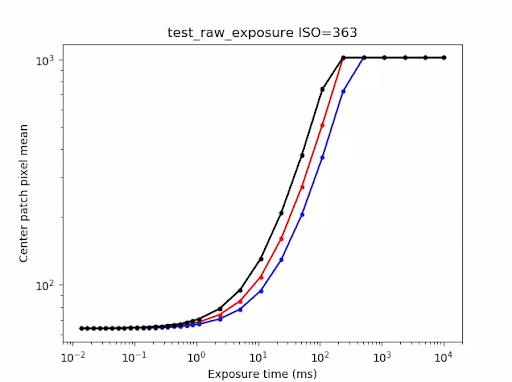
Рисунок 77. Пример test_raw_exposure ISO=363.
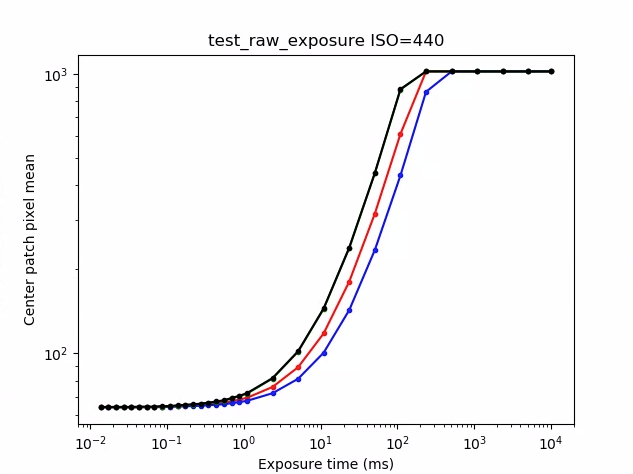
Рис. 78. Пример test_raw_exposure ISO=440.
test_reprocess_noise_reduction
Проверяет, применяется ли android.noiseReduction.mode для запросов на повторную обработку.
Снимает обработанные изображения при тусклом освещении. Использует высокое аналоговое усиление, чтобы проверить, есть ли на снимке шум. Делает три обработанных снимка: без шумоподавления, с быстрым шумоподавлением и с шумоподавлением высокого качества. Делает снимок с низким усилением и отключенным шумоподавлением, а затем использует его дисперсию в качестве базовой.
Протестированные API:
Пройдено: FAST >= OFF, HQ >= FAST и HQ >> OFF.
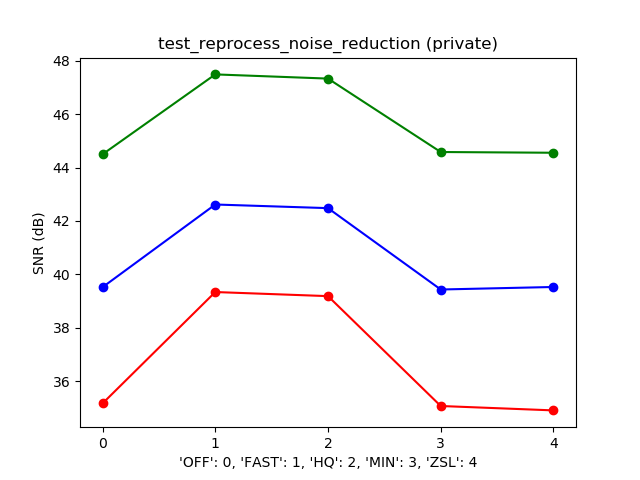
Рисунок 79. Пример типичного графика соотношения сигнал/шум в режиме NR.
test_tonemap_sequence
Тестирование последовательности кадров с разными кривыми тональной компрессии. Делает три снимка вручную с линейной тональной компрессией. Делает три снимка в ручном режиме с тональной компрессией по умолчанию. Вычисляет разницу между каждой парой последовательных кадров.
Протестированные API:
Соответствует требованиям. Три одинаковых кадра, за которыми следует другой набор из трех одинаковых кадров.
Рис. 80. Пример test_tonemap_sequence i=0.
Рисунок 81. Пример test_tonemap_sequence i=1.
Рисунок 82. Пример test_tonemap_sequence i=2.
Рисунок 83. Пример test_tonemap_sequence i=3.
Рисунок 84. Пример test_tonemap_sequence i=4.
Рис. 85. Пример test_tonemap_sequence i=5.
test_yuv_jpeg_all
Проверяет, работают ли все указанные размеры и форматы для фотосъемки. Использует запрос, созданный вручную, с линейной тональной компрессией, чтобы изображения YUV и JPEG выглядели одинаково после преобразования модулем image_processing_utils. По умолчанию изображения не сохраняются, но вы можете включить эту функцию (debug_mode).
Протестированные API:
android.hardware.camera2.CaptureRequest#TONEMAP_CURVEandroid.hardware.camera2.CaptureRequest#TONEMAP_MODEandroid.graphics.ImageFormat#JPEG
Тест пройден. Для всех центров изображений максимальное среднеквадратичное значение (RMS) (значение сигнала) разницы в изображениях, преобразованных в RGB, составляет 3% от изображения YUV с самым высоким разрешением.
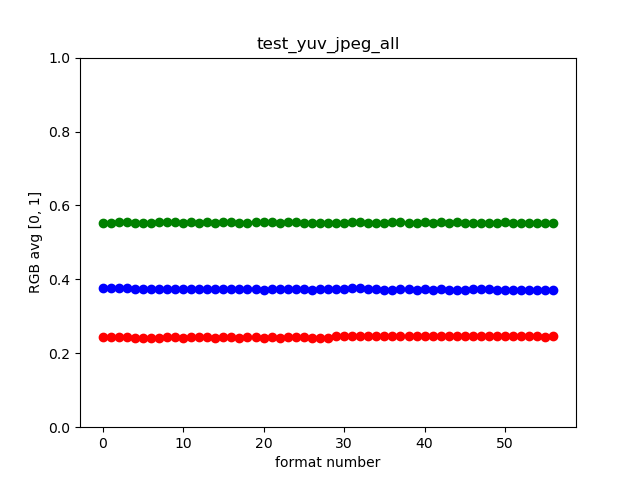
Рисунок 86. Пример test_yuv_jpeg_all.
test_yuv_plus_dng
Проверяет, работают ли размеры и форматы, указанные для фотосъемки.
Протестированные API:
Пройден. Тест завершается и возвращает запрошенные изображения.
Рисунок 87. Пример test_yuv_plus_dng.
scene1_3
scene 1_3 – это функционально идентичная копия scene 1_1, в которой реализована структура подсцен, чтобы сократить продолжительность scene 1.
test_capture_result
Проверяет, возвращаются ли действительные данные в объектах CaptureResult. Тест состоит из автоматической съемки, ручной съемки и второй автоматической съемки.
Протестированные API:
android.hardware.camera2.CaptureRequest#CONTROL_AE_MODEandroid.hardware.camera2.CaptureRequest#CONTROL_AE_REGIONSandroid.hardware.camera2.CaptureRequest#CONTROL_AF_MODEandroid.hardware.camera2.CaptureRequest#CONTROL_AF_REGIONSandroid.hardware.camera2.CaptureRequest#CONTROL_AWB_MODEandroid.hardware.camera2.CaptureRequest#CONTROL_AWB_REGIONSandroid.hardware.camera2.CaptureRequest#CONTROL_MODEandroid.hardware.camera2.CaptureRequest#COLOR_CORRECTION_GAINSandroid.hardware.camera2.CaptureRequest#COLOR_CORRECTION_TRANSFORMandroid.hardware.camera2.CaptureRequest#COLOR_CORRECTION_MODEandroid.hardware.camera2.CaptureRequest#SENSOR_EXPOSURE_TIMEandroid.hardware.camera2.CaptureRequest#SENSOR_SENSITIVITYandroid.hardware.camera2.CaptureResult#STATISTICS_LENS_SHADING_CORRECTION_MAPandroid.hardware.camera2.CaptureRequest#STATISTICS_LENS_SHADING_MAP_MODEandroid.hardware.camera2.CaptureRequest#TONEMAP_CURVEandroid.hardware.camera2.CaptureRequest#TONEMAP_MODE
Успешно. Метаданные действительны для всех снимков, а настройки, заданные вручную, не влияют на второй автоматический снимок. Строит график коррекции затенения линз для снимков.
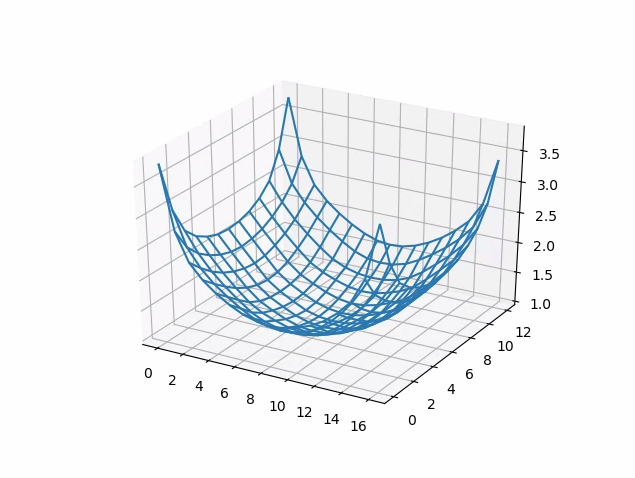
Рисунок 88. test_capture_result_plot_lsc_auto_ch0.
test_dng_noise_model
Проверяет, правильно ли заданы параметры модели необработанных изображений DNG. На графике показана измеренная дисперсия центрального участка серой карты на необработанных снимках, сделанных при различных значениях чувствительности, и сравнивается с дисперсией, ожидаемой при каждом значении чувствительности по модели шума DNG в HAL камеры (на основе параметров O, S, возвращаемых в объектах результатов съемки). Подробную информацию о модели шума DNG можно найти в документе.
Протестированные API:
android.hardware.camera2.CameraCharacteristics#SENSOR_INFO_SENSITIVITY_RANGEandroid.hardware.camera2.CameraCharacteristics#SENSOR_INFO_WHITE_LEVELandroid.hardware.camera2.CameraCharacteristics#SENSOR_MAX_ANALOG_SENSITIVITYandroid.hardware.camera2.CaptureResult#SENSOR_NOISE_PROFILEandroid.hardware.camera2.CaptureRequest#SENSOR_SENSITIVITY
Проверка пройдена. Параметры модели DNG RAW верны. Ожидаемые значения RGB соответствуют фактическим.
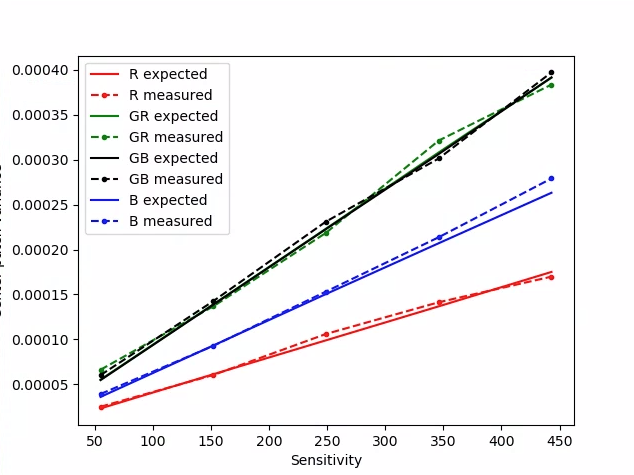
Рисунок 89. test_dng_noise_model_plog.
test_jpeg
Тесты, в которых преобразованные изображения YUV и изображения JPEG на устройстве выглядят одинаково. Тест берет центральные 10% изображения, вычисляет значение RGB и проверяет, совпадают ли они.
Протестированные API:
Проверка пройдена. Средняя разница RGB между изображениями составляет менее 3%.
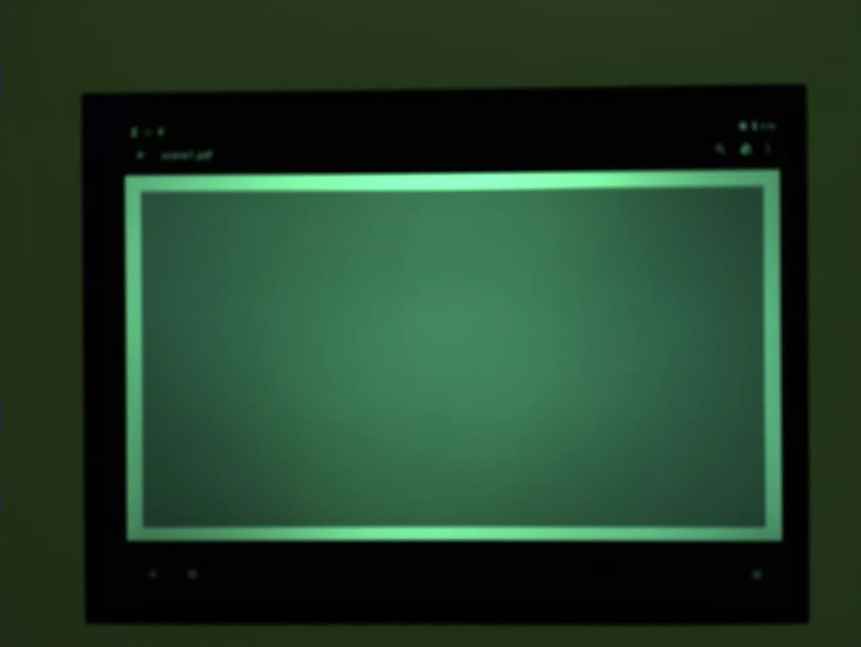
Рисунок 90. test_jpeg_fmt=jpg.jpg.
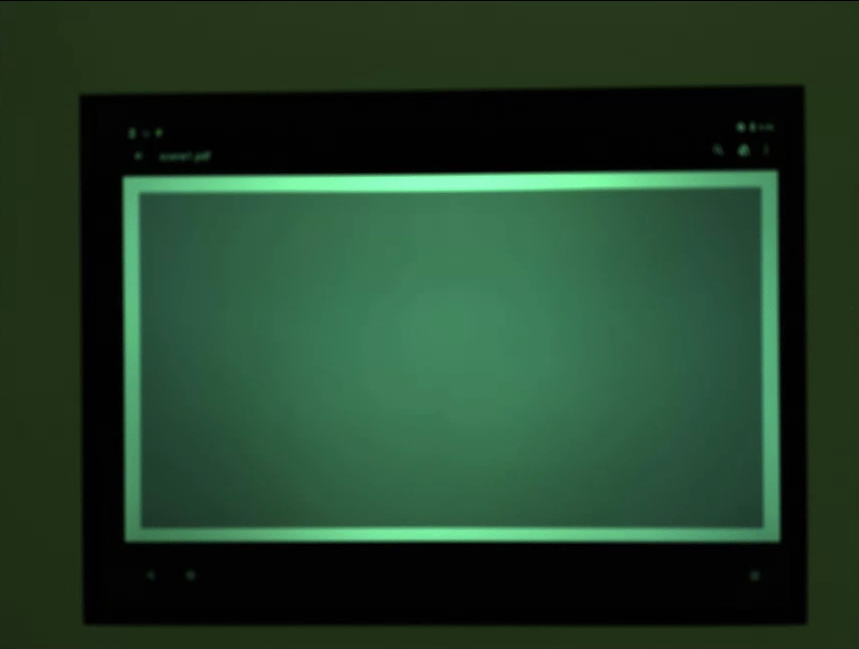
Рис. 91. test_jpeg=fmt=yuv.jpg.
test_raw_burst_sensitivity
Делает набор необработанных снимков с увеличением усиления и измеряет шум. Серийная съемка только в формате RAW.
Протестированные API:
android.hardware.camera2.CameraCharacteristics#SENSOR_INFO_ACTIVE_ARRAY_SIZEandroid.hardware.camera2.CameraCharacteristics#SENSOR_INFO_SENSITIVITY_RANGEandroid.hardware.camera2.CameraCharacteristics#SENSOR_INFO_WHITE_LEVELandroid.hardware.camera2.CameraCharacteristics#SENSOR_MAX_ANALOG_SENSITIVITYandroid.hardware.camera2.CameraMetadata#REQUEST_AVAILABLE_CAPABILITIES_RAW
Соответствует требованиям. Каждый последующий кадр более шумный, чем предыдущий, поскольку усиление увеличивается.
Используется дисперсия центральной ячейки сетки статистики.
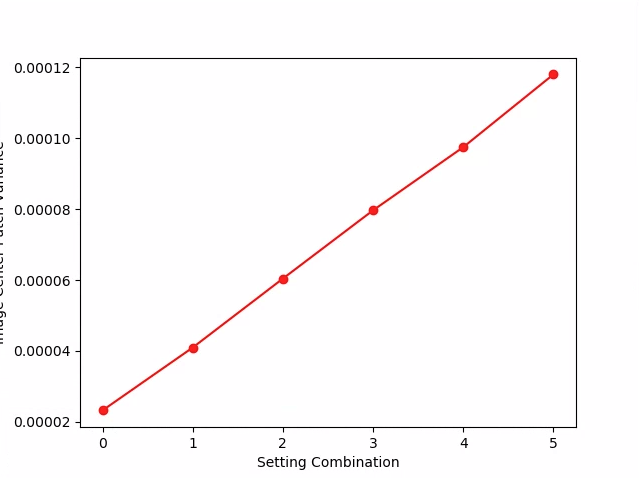
Рисунок 92. test_raw_burst_sensitivity_variance.
test_raw_sensitivity
Делает серию необработанных снимков с возрастающей чувствительностью и измеряет шум (дисперсию) в центральной области, занимающей 10% изображения. Проверяет, что каждый выстрел громче предыдущего.
Протестированные API:
android.hardware.camera2.CameraCharacteristics#SENSOR_INFO_PRE_CORRECTION_ACTIVE_ARRAY_SIZEandroid.hardware.camera2.CameraCharacteristics#SENSOR_INFO_SENSITIVITY_RANGEandroid.hardware.camera2.CameraCharacteristics#SENSOR_INFO_WHITE_LEVELandroid.hardware.camera2.CameraCharacteristics#SENSOR_MAX_ANALOG_SENSITIVITYandroid.hardware.camera2.CameraMetadata#REQUEST_AVAILABLE_CAPABILITIES_RAW
Зачет. Разброс увеличивается с каждым выстрелом.
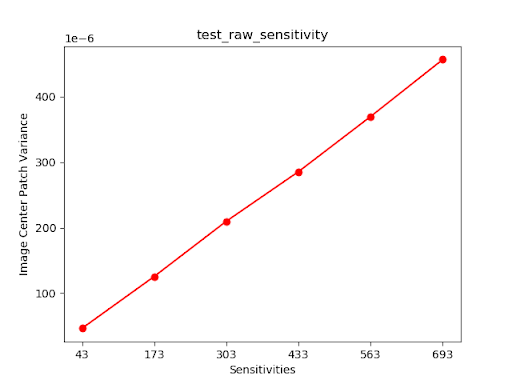
Рисунок 93. test_raw_sensitivity_variance.
test_yuv_plus_jpeg
Тестирует захват одного кадра в форматах YUV и JPEG. Использует запрос, созданный вручную, с линейной тональной компрессией, чтобы изображения YUV и JPEG выглядели одинаково после преобразования модулем image_processing_utils.
Протестированные API:
android.hardware.camera2.CaptureRequest#TONEMAP_CURVEandroid.hardware.camera2.CaptureRequest#TONEMAP_MODEandroid.graphics.ImageFormat#JPEG
Тест пройден. Изображения YUV и JPEG похожи, а разница между ними составляет менее 1% RMS (значение сигнала).
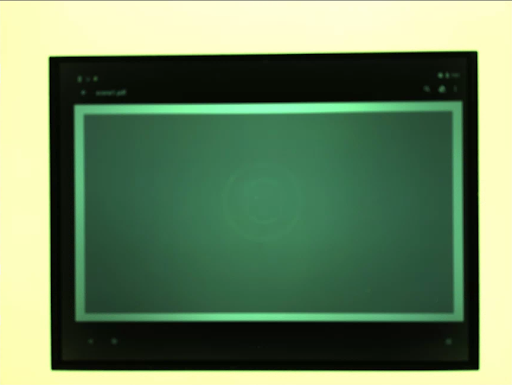
Рисунок 94. test_yuv_plus_jpeg в формате JPEG.
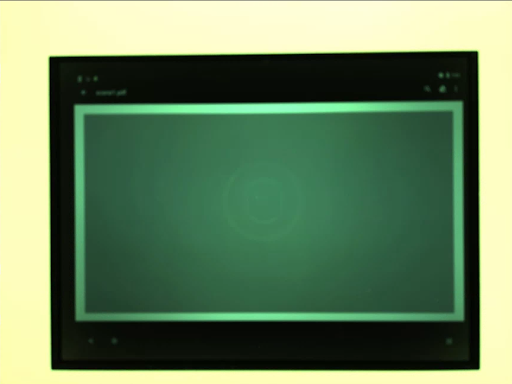
Рисунок 95. test_yuv_plus_jpeg с форматом YUV.
test_yuv_plus_raw
Тестирует захват одного кадра в формате RAW (10- и 12-битный RAW) и YUV (если поддерживается). Используется запрос, заданный вручную, с линейной тональной компрессией, поэтому необработанные данные и данные YUV должны быть одинаковыми. Сравнивает значения RGB в центральных 10% изображений, преобразованных в RGB. Журналыandroid.shading.mode.
Протестированные API:
android.hardware.camera2.CameraMetadata#REQUEST_AVAILABLE_CAPABILITIES_RAWandroid.hardware.camera2.CaptureResult#STATISTICS_LENS_SHADING_CORRECTION_MAPandroid.hardware.camera2.CaptureRequest#COLOR_CORRECTION_MODEandroid.hardware.camera2.CaptureRequest#COLOR_CORRECTION_GAINSandroid.hardware.camera2.CaptureRequest#COLOR_CORRECTION_TRANSFORMandroid.hardware.camera2.CaptureRequest#CONTROL_AWB_MODEandroid.hardware.camera2.CaptureRequest#CONTROL_MODEandroid.hardware.camera2.CaptureRequest#SHADING_MODEandroid.hardware.camera2.CaptureRequest#TONEMAP_CURVEandroid.hardware.camera2.CaptureRequest#TONEMAP_MODEandroid.graphics.ImageFormat#RAW10android.graphics.ImageFormat#RAW12
Тест пройден. Изображения YUV и RAW похожи, а разница между их среднеквадратичными значениями составляет менее 3,5 %.
Рисунок 96. test_yuv_plus_raw_shading=1_raw.jpg.
Рисунок 97. test_yuv_plus_raw_shading=1_yuv.jpg.
test_sensitivity_priority
Протестируйте CONTROL_AE_PRIORITY_MODE_SENSOR_SENSITIVITY_PRIORITY различные настройки ISO, чтобы подтвердить корреляцию между более высоким значением ISO и повышенным уровнем шума.
Протестированные API:
android.hardware.camera2.CameraMetadata#CONTROL_AE_PRIORITY_MODE_SENSOR_SENSITIVITY_PRIORITYandroid.hardware.camera2.CaptureRequest#SENSOR_SENSITIVITYandroid.hardware.camera2.CaptureResult#SENSOR_SENSITIVITYandroid.hardware.camera2.CaptureRequest#CONTROL_AE_PRIORITY_MODEandroid.hardware.camera2.CaptureResult#CONTROL_AE_PRIORITY_MODEandroid.hardware.camera2.CameraCharacteristics#SENSOR_INFO_SENSITIVITY_RANGEandroid.hardware.camera2.CaptureRequest#CONTROL_AE_MODEandroid.hardware.camera2.CaptureResult#CONTROL_AE_MODEandroid.hardware.camera2.CameraMetadata#CONTROL_AE_MODE_ONandroid.hardware.camera2.CameraCharacteristics#CONTROL_AE_AVAILABLE_PRIORITY_MODES
Соответствует требованиям. Чем выше ISO, тем больше шума.
Критерии пропуска тестов
Тест test_sensitivity_priority.py пропускается, если выполняется любое из следующих условий:
- Первый уровень API устройства (
first_api_level) – 35 или ниже. - Устройство не передает пакеты
CONTROL_AE_PRIORITY_MODE_SENSOR_SENSITIVITY_PRIORITYвCONTROL_AE_AVAILABLE_PRIORITY_MODES.
test_exposure_time_priority
Тестирует CONTROL_AE_PRIORITY_MODE_SENSOR_EXPOSURE_TIME_PRIORITY при разной выдержке, проверяя стабильность яркости в диапазоне, где ISO может ее компенсировать.
Протестированные API:
android.hardware.camera2.CameraMetadata#CONTROL_AE_PRIORITY_MODE_SENSOR_EXPOSURE_TIME_PRIORITYandroid.hardware.camera2.CaptureRequest#SENSOR_EXPOSURE_TIMEandroid.hardware.camera2.CaptureResult#SENSOR_EXPOSURE_TIMEandroid.hardware.camera2.CaptureRequest#CONTROL_AE_PRIORITY_MODEandroid.hardware.camera2.CaptureResult#CONTROL_AE_PRIORITY_MODEandroid.hardware.camera2.CameraCharacteristics#SENSOR_INFO_SENSITIVITY_RANGEandroid.hardware.camera2.CaptureResult#SENSOR_SENSITIVITYandroid.hardware.camera2.CaptureRequest#CONTROL_AE_MODEandroid.hardware.camera2.CaptureResult#CONTROL_AE_MODEandroid.hardware.camera2.CameraMetadata#CONTROL_AE_MODE_ONandroid.hardware.camera2.CameraCharacteristics#CONTROL_AE_AVAILABLE_PRIORITY_MODES
Проверка пройдена. Яркость стабильна (в пределах допустимого отклонения) при разной выдержке, если ISO находится в диапазоне компенсации.
Критерии пропуска тестов
Тест test_exposure_time_priority пропускается, если выполняется любое из следующих условий:
- Первый уровень API устройства (
first_api_level) – 35 или ниже. - Устройство не передает пакеты
CONTROL_AE_PRIORITY_MODE_SENSOR_EXPOSURE_TIME_PRIORITYвCONTROL_AE_AVAILABLE_PRIORITY_MODES.
scene2_a
scene2_a – три лица на сером фоне, одежда нейтральных цветов. Лица выбираются так, чтобы охватить широкий диапазон оттенков кожи. Для оптимальной работы распознавания лиц таблица должна быть правильно ориентирована.
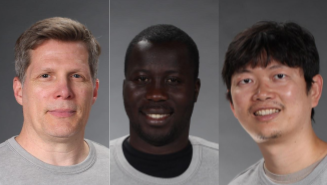
Рис. 98. Пример scene2_a.
test_autoframing
Проверяет работу автокадрирования камеры. Выполняет сильное масштабирование, чтобы ни одно лицо в сцене не было видно, включает режим автокадрирования, устанавливая для AUTOFRAMING в CaptureRequest значение True, и проверяет, можно ли обнаружить все лица в исходной сцене, когда состояние сходится (то есть когда для AUTOFRAMING_STATE в CaptureResult установлено значение AUTOFRAMING_STATE_CONVERGED).
Протестированные API:
android.hardware.camera2.CameraCharacteristics#CONTROL_AUTOFRAMING_AVAILABLEandroid.hardware.camera2.CaptureRequest#CONTROL_AUTOFRAMINGandroid.hardware.camera2.CaptureResult#CONTROL_AUTOFRAMINGandroid.hardware.camera2.CaptureResult#CONTROL_AUTOFRAMING_STATE
Правильно. Обнаружены все три лица.
test_display_p3
Проверяет, можно ли сделать снимок в цветовом пространстве Display P3 в формате JPEG с помощью API ColorSpaceProfiles. Проверяет, есть ли в заголовке полученного JPEG-файла подходящий профиль ICC и содержит ли изображение цвета за пределами гаммы sRGB.
Протестированные API:
android.hardware.camera2.params.ColorSpaceProfilesandroid.hardware.camera2.params.SessionConfiguration#setColorSpace
Проверка пройдена. Файл JPEG содержит профиль ICC Display P3 и цвета за пределами гаммы sRGB.
test_effects
Захватывает кадр для поддерживаемых эффектов камеры и проверяет, правильно ли они генерируются. Тест проверяет только эффекты OFF и MONO, но сохраняет изображения для всех поддерживаемых эффектов.
Протестированные API:
android.hardware.camera2.CameraCharacteristics#CONTROL_AVAILABLE_EFFECTSandroid.hardware.camera2.CaptureRequest#CONTROL_EFFECT_MODE
Проход. Захватывает изображение сцены с эффектами OFF и монохромное изображение с эффектами, заданными как MONO.
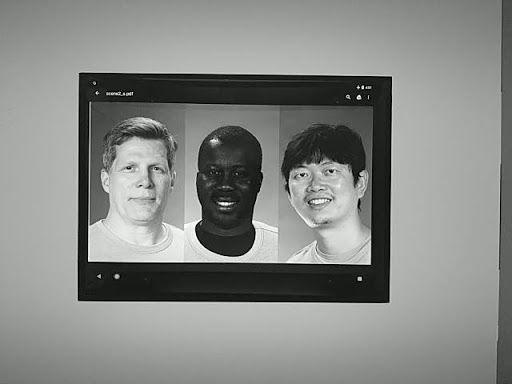
Рисунок 99. test_effects_MONO.
test_exposure_keys_consistent
В этом тесте сравнивается средняя яркость снимка, сделанного с включенной автоэкспозицией, и снимка, сделанного с отключенной автоэкспозицией, но с вручную заданными параметрами экспозиции (чувствительность, время экспозиции, длительность кадра, усиление чувствительности после обработки RAW), полученными в CaptureResult снимка с включенной автоэкспозицией.
Протестированные API:
android.hardware.camera2.CaptureRequest#SENSOR_SENSITIVITYandroid.hardware.camera2.CaptureRequest#SENSOR_EXPOSURE_TIMEandroid.hardware.camera2.CaptureRequest#SENSOR_FRAME_DURATIONandroid.hardware.camera2.CaptureRequest#CONTROL_POST_RAW_SENSITIVITY_BOOSTandroid.hardware.camera2.CaptureResult#SENSOR_SENSITIVITYandroid.hardware.camera2.CaptureResult#SENSOR_EXPOSURE_TIMEandroid.hardware.camera2.CaptureResult#SENSOR_FRAME_DURATIONandroid.hardware.camera2.CaptureResult#CONTROL_POST_RAW_SENSITIVITY_BOOST
Тест пройден. Относительная разница в яркости между двумя снимками составляет менее 4 %.
test_format_combos
Тестирует разные комбинации форматов вывода.
Протестированные API:
android.hardware.camera2.CameraCharacteristics#SCALER_STREAM_CONFIGURATION_MAPandroid.hardware.camera2.params.StreamConfigurationMap#getOutputSizes()android.hardware.camera2.CameraCaptureSession#captureBurst()
Пройдено. Все комбинации успешно зафиксированы.
test_num_faces
Тестирование распознавания лиц.
Протестированные API:
android.hardware.camera2.CaptureResult#STATISTICS_FACESandroid.hardware.camera2.CaptureResult#STATISTICS_FACE_DETECT_MODE
Пройдено. Найдено три лица.
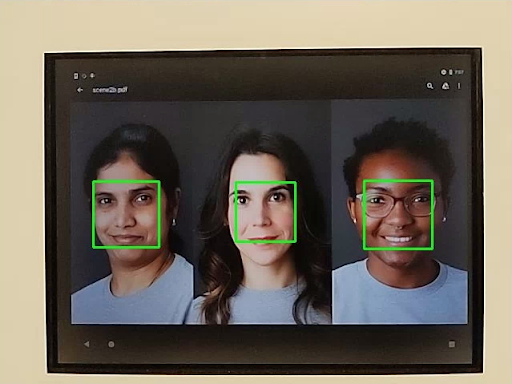
Рис. 100. Пример test_num_faces в режиме распознавания лиц 1.
test_reprocess_uv_swap
Проверяет, что при повторной обработке YUV не меняются местами плоскости U и V. Это определяется путем расчета суммы абсолютных разностей (SAD) между обработанным и необработанным изображениями. Если замена выходных плоскостей U и V повторно обработанного захвата приводит к увеличению SAD, то предполагается, что выходные плоскости U и V правильные.
Протестированные API:
android.hardware.camera2.CameraDevice#createCaptureSessionandroid.hardware.camera2.CameraMetadata#REQUEST_AVAILABLE_CAPABILITIES_YUV_REPROCESSINGandroid.hardware.camera2.CaptureRequest#EDGE_MODEandroid.hardware.camera2.CaptureResult#NOISE_REDUCTION_MODE
Соответствует. Плоскости U и V не поменялись местами.
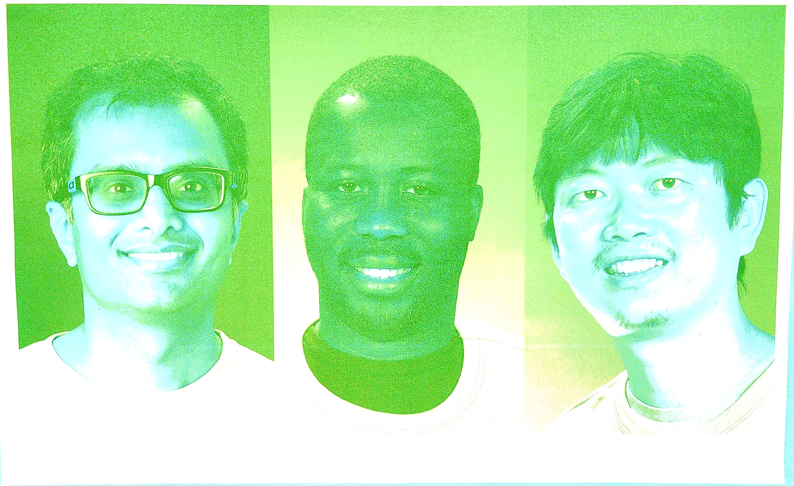
Рисунок 101. Пример test_reprocess_uv_swap.
scene2_b
scene2_b – три лица на сером фоне, нейтральная одежда. Лица выбираются так, чтобы охватить широкий диапазон оттенков кожи. Для оптимальной работы распознавания лиц таблица должна быть правильно ориентирована.
test_preview_num_faces
Проверяет распознавание лиц во время предпросмотра при наличии в кадре лиц с разными оттенками кожи.
Протестированные API:
android.hardware.camera2.CaptureResult#STATISTICS_FACESandroid.hardware.camera2.CaptureResult#STATISTICS_FACE_DETECT_MODE
Пройдено. Обнаружено три лица с контрольными точками в граничных рамках.
Рис. 102. Пример test_num_faces в режиме распознавания лиц 1.
test_yuv_jpeg_capture_sameness
Делает два снимка в самых больших общих форматах YUV и JPEG с тем же соотношением сторон, что и у самого большого формата JPEG, разрешение которого не превышает 1920 x 1440.
Задает для jpeg.quality значение 100 и регистрирует запрос с двумя поверхностями. Преобразует оба изображения в массивы RGB и вычисляет среднеквадратичную разницу между ними.
Кроме того, этот тест проверяет, что выходные данные YUV для всех поддерживаемых вариантов использования потока достаточно похожи на YUV с вариантом использования STILL_CAPTURE.
Протестированные API:
android.hardware.camera2.CameraCharacteristics#SCALER_AVAILABLE_STREAM_USE_CASESandroid.hardware.camera2.CaptureRequest#JPEG_QUALITYandroid.graphics.ImageFormat#JPEG
Тест пройден. Изображения YUV и JPEG для варианта использования STILL_CAPTURE имеют среднеквадратичное значение сигнала менее 3 %. Изображения YUV для всех поддерживаемых вариантов использования имеют разницу CIELAB менее 4% по сравнению с изображениями YUV для варианта использования STILL_CAPTURE.
scene2_c
test_num_faces
Проверяет распознавание лиц с разными оттенками кожи.
Протестированные API:
android.hardware.camera2.CaptureResult#STATISTICS_FACESandroid.hardware.camera2.CaptureResult#STATISTICS_FACE_DETECT_MODE
Зачет. Найдено три лица.
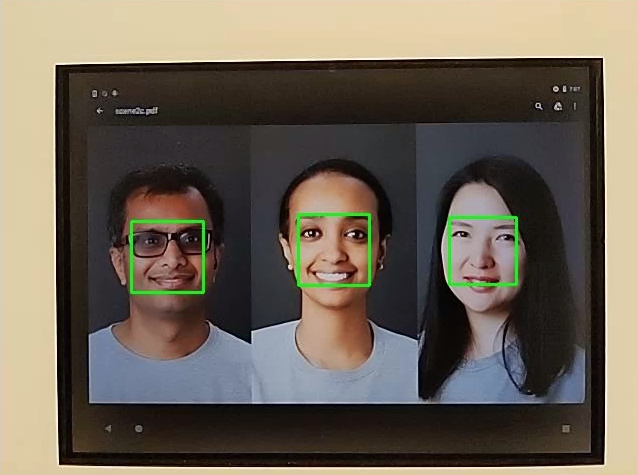
Рис. 103. Пример режима распознавания лиц test_num_faces.
test_jpeg_capture_perf_class
Проверяет задержку при съемке в формате JPEG для класса производительности S, как указано в разделе 2.2.7.2 "Камера" документа CDD.
Соответствует. Задержка при съемке в формате JPEG с помощью Camera2 API должна быть меньше 1000 мс для разрешения 1080p. Это измеряется с помощью CTS Camera PerformanceTest в условиях освещения ITS (3000 K) для обеих основных камер.
test_camera_launch_perf_class
Проверяет задержку запуска камеры для класса производительности S, как указано в разделе 2.2.7.2 "Камера" документа определения совместимости (CDD).
Соответствует. Задержка запуска camera2 (от открытия камеры до первого кадра предварительного просмотра) должна быть меньше 600 мс. Измерения проводятся с помощью CTS camera PerformanceTest в условиях освещения ITS (3000 К) для обеих основных камер.
test_default_camera_hdr
Проверяет, что по умолчанию камера снимает в формате Ultra HDR для класса производительности 15, как указано в разделе 2.2.7.2 "Камера" документа определения совместимости (CDD).
Проверка пройдена. На устройстве класса производительности 15 пакет камеры по умолчанию ДОЛЖЕН поддерживать съемку в формате Ultra HDR.
scene2_d
test_preview_num_faces
Проверяет распознавание лиц во время предпросмотра при наличии в кадре лиц с разными оттенками кожи.
Протестированные API:
android.hardware.camera2.CaptureResult#STATISTICS_FACESandroid.hardware.camera2.CaptureResult#STATISTICS_FACE_DETECT_MODE
Пройдено. Обнаружено три лица с контрольными точками в граничных рамках.
scene2_e
test_continuous_picture
Сначала снимается 50 кадров с разрешением VGA.
android.control.afMode = 4 (CONTINUOUS_PICTURE).
Протестированные API:
android.hardware.camera2.CaptureRequest#CONTROL_AF_MODEandroid.hardware.camera2.CaptureResult#CONTROL_AE_STATEandroid.hardware.camera2.CaptureResult#CONTROL_AF_STATEandroid.hardware.camera2.CaptureResult#CONTROL_AWB_STATE
Тест пройден. Система 3A стабилизируется к концу съемки 50 кадров.
test_num_faces
Проверяет распознавание лиц с разными оттенками кожи.
Протестированные API:
android.hardware.camera2.CaptureResult#STATISTICS_FACESandroid.hardware.camera2.CaptureResult#STATISTICS_FACE_DETECT_MODE
Пройдено. Найдено три лица.
scene2_f
scene2_f – три лица на белом фоне, одежда белая. Лица имеют широкий диапазон оттенков кожи и высокий контраст с фоном.
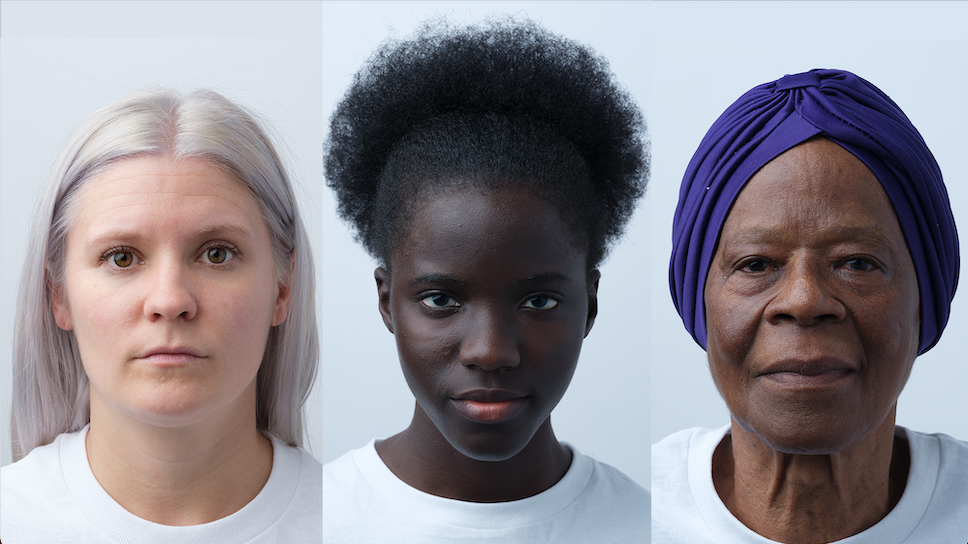
Рис.104. Пример scene2_f
test_preview_num_faces
Проверяет распознавание лиц с разными оттенками кожи.
Протестированные API:
android.hardware.camera2.CaptureResult#STATISTICS_FACESandroid.hardware.camera2.CaptureResult#STATISTICS_FACE_DETECT_MODE
Пройдено. Обнаружено три лица с контрольными точками в граничных рамках.
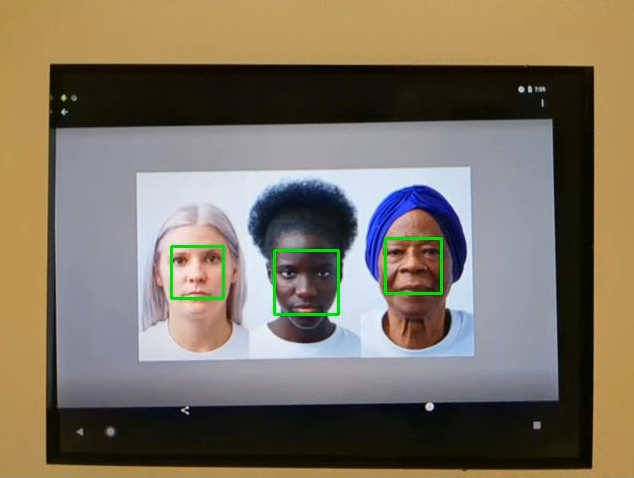
Рисунок 105. Пример test_num_faces_fd_mode_1.
scene2_g
scene2_g – три лица в профиль на белом фоне и в белой одежде.
У лиц разные оттенки кожи, и они контрастируют с фоном.
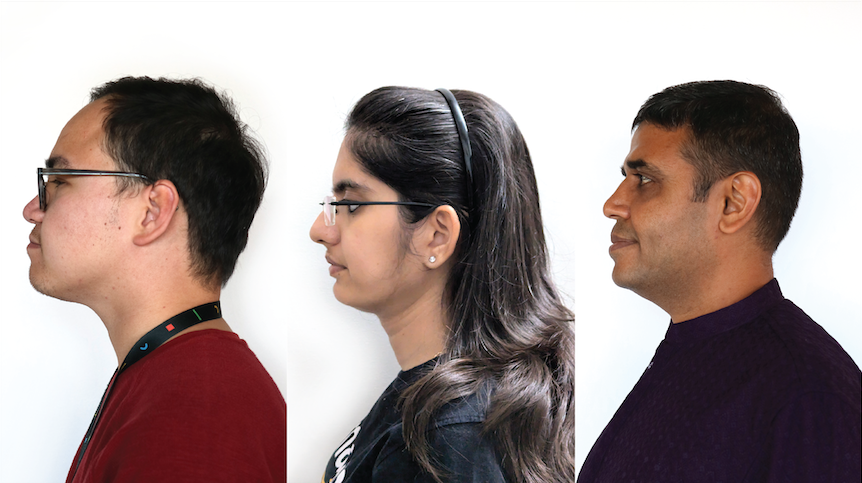
Рис. 106. Пример scene2_g.
test_preview_num_faces
Проверяет распознавание лиц с разными оттенками кожи.
Протестированные API:
android.hardware.camera2.CaptureResult#STATISTICS_FACESandroid.hardware.camera2.CaptureResult#STATISTICS_FACE_DETECT_MODE
Пройдено. Обнаружено три лица с контрольными точками в граничных рамках.
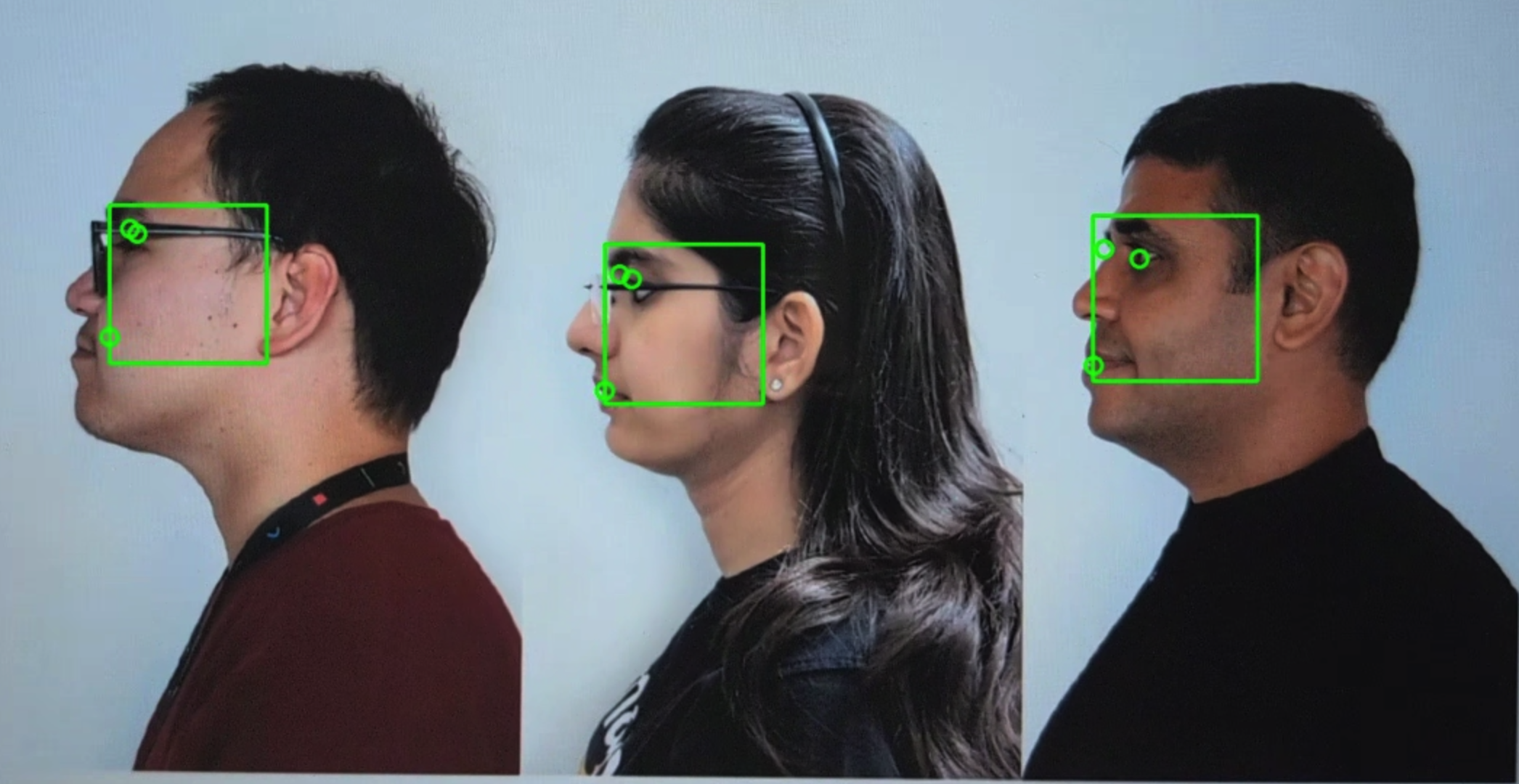
Рис. 107. Пример test_preview_num_faces.
scene3
В scene3 используется таблица ISO12233, а в большинстве тестов – метод извлечения таблицы, позволяющий найти ее в сцене. Поэтому у большинства сохраненных изображений нет границ, как у изображений для сцен 1, 2 или 4, а есть только диаграмма. Для оптимальной работы функции поиска диаграмм диаграмма должна быть правильно ориентирована.
В Android 17 и более поздних версиях scene3 использует маркеры ArUco для обнаружения диаграмм.

Рис. 108. Диаграмма scene3.
test_edge_enhancement
Проверяет, правильно ли применяется параметр android.edge.mode. Делает снимки без повторной обработки для каждого режима резкости и возвращает резкость выходного изображения и метаданные результата съемки. Обрабатывает запрос на съемку с заданным режимом обработки краев, чувствительностью, временем экспозиции, фокусным расстоянием и параметром выходной поверхности. В Android 17 и более поздних версиях для определения области таблицы, содержащей необходимые резкие края, используются маркеры ArUco.
Пройдено. Режим HQ (2) четче, чем режим OFF (0). Режим FAST (1) четче, чем OFF. Режим HQ резче или равен режиму FAST.
Протестированные API:
Затронутые параметры камеры:
EDGE_MODE
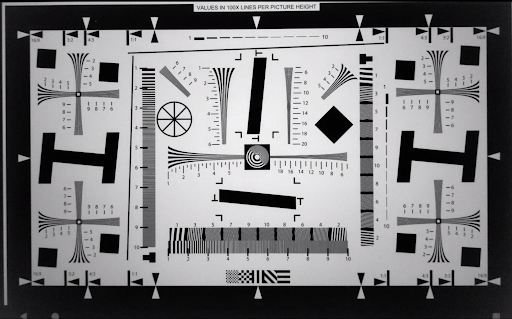
Рис. 109. Пример test_edge_enhancement edge=0.
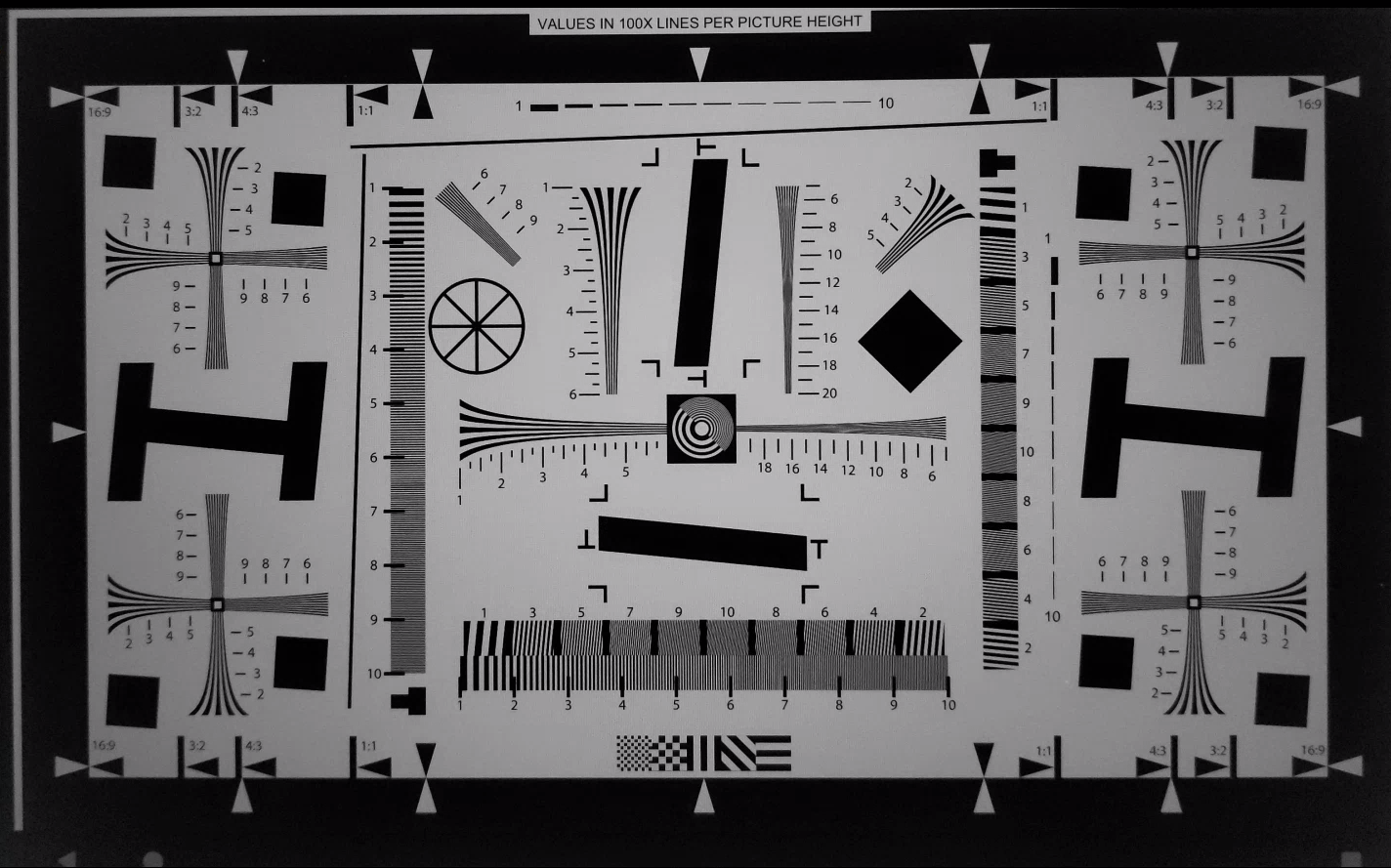
Рис. 110. Пример test_edge_enhancement edge=1 (быстрый режим).
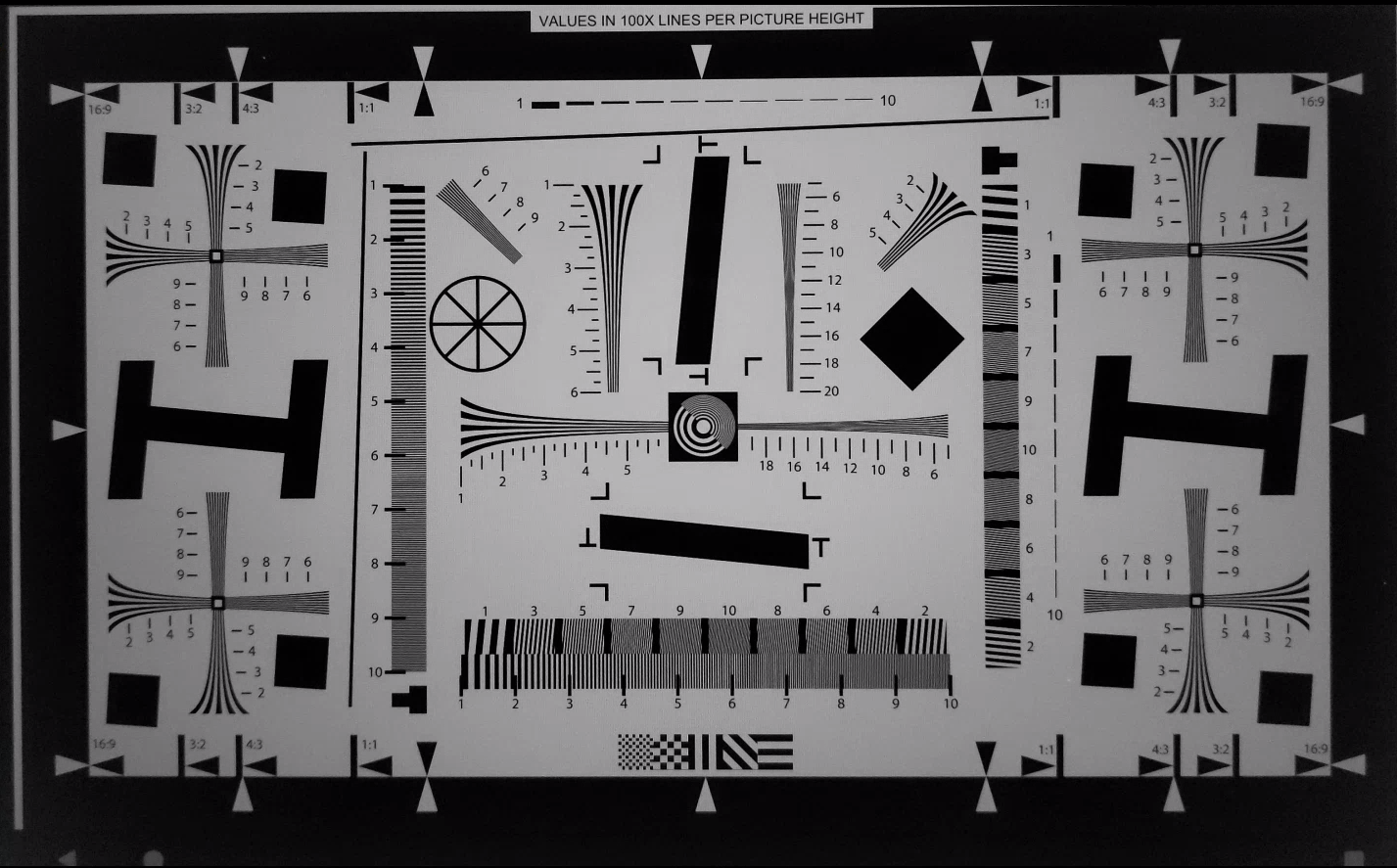
Рис. 111. Пример test_edge_enhancement edge=2 (режим высокого качества).
test_flip_mirror
Проверяет, правильно ли ориентировано изображение в соответствии с разделом 7.5.2. Фронтальная камера в CDD. В Android 17 и более поздних версиях для проверки наличия и ориентации таблицы используются маркеры ArUco. Отраженные, перевернутые или повернутые изображения можно идентифицировать по ромбовидному элементу в центре.
Пройдено. Все маркеры обнаружены и правильно выровнены. Изображение не перевернуто, не отражено и не повернуто.
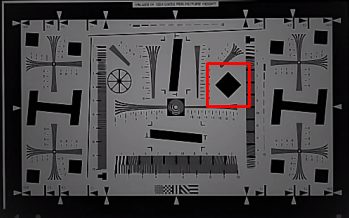
Рис. 112. Пример фрагмента сцены test_flip_mirror.
test_imu_drift
Проверяет, стабильны ли выходные данные инерциального измерительного блока (IMU) в течение 30 секунд, когда устройство неподвижно и записывает предварительный просмотр в высоком разрешении.
Протестированные API:
android.hardware.Sensorandroid.hardware.SensorEventandroid.hardware.Sensor#TYPE_GYROSCOPEandroid.hardware.Sensor#TYPE_ROTATION_VECTOR
Pass:
- Дрейф гироскопа за время тестирования составляет менее 0,01 рад.
- Отклонение показаний гироскопа составляет менее 1E-7 рад2/с2/Гц за время тестирования.
- Отклонение вектора вращения за время тестирования составляет менее 0,01 рад.
- (Пока не обязательно.) Дрейф гироскопа составляет менее 1 градуса в секунду.
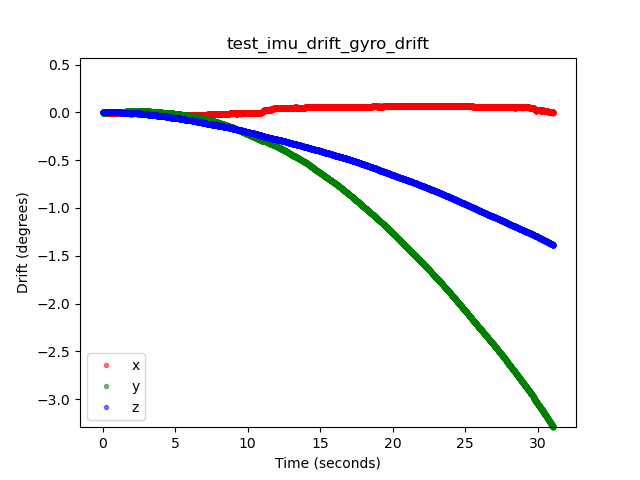
Рисунок 113. Пример дрейфа гироскопа test_imu_drift.
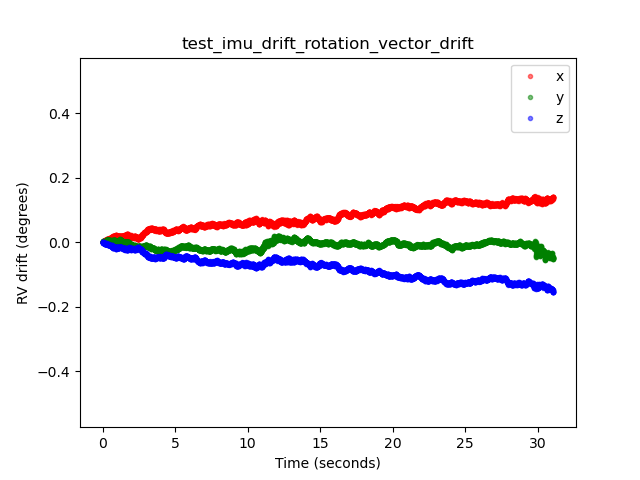
Рис. 114. Пример дрейфа вектора вращения test_imu_drift.
test_landscape_to_portrait
Проверяет, правильно ли работает переопределение альбомной ориентации на портретную для датчиков с альбомной ориентацией.
Протестированные API:
android.hardware.camera2.CameraCharacteristics#SCALER_AVAILABLE_ROTATE_AND_CROP_MODESandroid.hardware.camera2.CameraCharacteristics#SENSOR_ORIENTATIONandroid.hardware.camera2.CameraManager#getCameraCharacteristics
Тест пройден. Найдена диаграмма с ожидаемой ориентацией (0 градусов, если переопределение альбомной ориентации на книжную отключено, и 90 градусов, если включено).
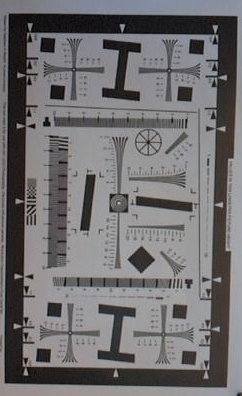
Рисунок 115. Пример test_landscape_to_portrait.
test_lens_movement_reporting
Проверяет, правильно ли передается флаг движения объектива. Делает серию из 24 снимков. Первые 12 кадров снимаются на оптимальном расстоянии фокусировки (определяется алгоритмами 3A), а последние 12 – на минимальном. Примерно на 12-м кадре объектив сдвигается, и резкость падает. Резкость стабилизируется, когда объектив перемещается в конечное положение.
Пометка о движении линзы должна быть во всех кадрах, где резкость находится между резкостью в первых нескольких кадрах, когда линза неподвижна на оптимальном фокусном расстоянии, и резкостью в последних нескольких кадрах, когда линза неподвижна на минимальном фокусном расстоянии. Точный кадр, в котором перемещается объектив, не важен. Важно, чтобы флаг движения был установлен, когда объектив перемещается.
В Android 17 и более поздних версиях в этом тесте используются маркеры ArUco, чтобы определить область таблицы, содержащую необходимые резкие края. Этот метод обеспечивает стабильное обнаружение для камер от сверхширокоугольных до телеобъективов.
Протестированные API:
android.hardware.camera2.CameraCharacteristics#LENS_INFO_MINIMUM_FOCUS_DISTANCEandroid.hardware.camera2.CaptureResult#LENS_STATEandroid.hardware.camera2.CaptureResult#LENS_FOCUS_DISTANCEandroid.hardware.camera2.CaptureResult#SENSOR_TIMESTAMPandroid.hardware.camera2.CaptureRequest#LENS_FOCUS_DISTANCE
Пройден. Флаг движения объектива имеет значение True в кадре с изменением резкости.
Механизмы отказа
lens_moving: True(android.hardware.camera2.CaptureResult#LENS_STATE= 1) вtest_log.DEBUGподтверждается только в кадрах, где резкость не меняется.- Кадры с
lens_moving: False(android.hardware.camera2.CaptureResult#LENS_STATE= 0) вtest_log.DEBUGотличаются по резкости от первых нескольких кадров при оптимальном фокусном расстоянии или последних нескольких кадров при минимальном фокусном расстоянии.
test_reprocess_edge_enhancement
Проверяет, правильно ли работают поддерживаемые методы повторной обработки для улучшения краев. Обрабатывает запрос на съемку с заданным режимом обработки краев и сравнивает разные режимы съемки с отключенными режимами обработки краев.
Протестированные API:
android.hardware.camera2.CaptureRequest#EDGE_MODEandroid.hardware.camera2.CaptureRequest#REPROCESS_EFFECTIVE_EXPOSURE_FACTOR
Проверка пройдена. Резкость для разных режимов краев правильная. HQ (режим 2) резче, чем OFF (режим 0). Разница между режимами примерно одинаковая.
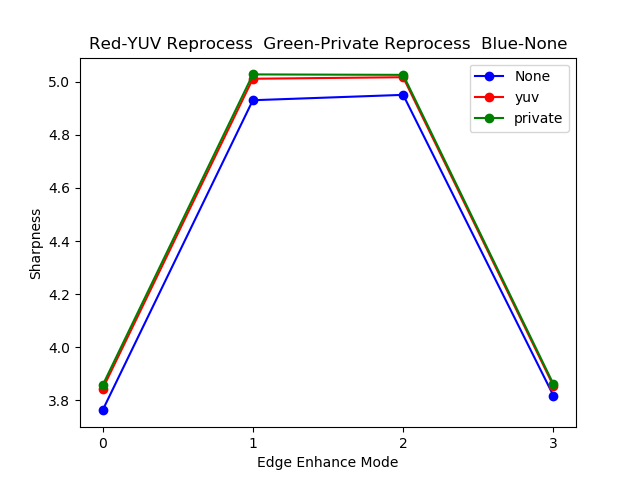
Рисунок 116. Пример графика test_reprocess_edge_enhancement.
scene4
scene4 – это черный круг на белом фоне внутри квадрата.
Тесты в scene4 могут быть чувствительны к выравниванию, поэтому, начиная с Android 15, вы можете использовать check_alignment.py в каталоге инструментов, чтобы включить проверку выравнивания тестируемого устройства и диаграммы.

Рисунок 117. Пример scene4.
test_30_60fps_preview_fov_match
Проверяет, одинаковое ли поле зрения у видео предварительного просмотра с частотой 30 и 60 кадров/с. Тест записывает два видео: одно с частотой 30 кадр/с, а другое – 60 кадр/с. Из каждого видео выбирается репрезентативный кадр и анализируется, чтобы убедиться, что изменения поля зрения в двух видео соответствуют спецификациям. Проверяет, что соотношение сторон круга остается постоянным, центр круга остается стабильным, а радиус круга остается постоянным.
Протестированные API:
android.hardware.camera2.CaptureRequest#CONTROL_AE_TARGET_FPS_RANGEandroid.hardware.camera2.CaptureRequest#SENSOR_FRAME_DURATIONandroid.hardware.camera2.CaptureRequest#SENSOR_EXPOSURE_TIMEandroid.hardware.camera2.CaptureResult#LENS_DISTORTIONandroid.hardware.camera2.CaptureResult#LENS_FOCAL_LENGTHandroid.hardware.camera2.CaptureResult#LENS_INTRINSIC_CALIBRATION
Проверка пройдена. Изображения не растянуты, их центры различаются не более чем на 3%, а максимальное изменение соотношения сторон между видео с частотой 30 и 60 кадров/с составляет не более 7,5 %.
Механизмы отказа
- Круг на видео с частотой 30 кадров/с значительно отличается по размеру от круга на видео с частотой 60 кадров/с.
- Круг на полученном изображении искажен конвейером обработки.
- Круг на полученном изображении обрезан из-за экстремального соотношения сторон, которое уменьшает высоту или ширину изображения.
- Круг на изображении имеет отражение в центре и не выглядит полностью заполненным.
test_aspect_ratio_and_crop
Проверяет, не искажаются ли изображения и не обрезаются ли они неожиданным образом в конвейере обработки изображений. Фотографирует круг во всех форматах. Проверяет, что круг не искажен, не смещен относительно центра изображения и не меняет размер некорректно при разных соотношениях сторон или разрешениях.
Протестированные API:
android.hardware.camera2.CaptureResult#LENS_DISTORTIONandroid.hardware.camera2.CaptureResult#LENS_FOCAL_LENGTHandroid.hardware.camera2.CaptureResult#LENS_INTRINSIC_CALIBRATION
Соответствует требованиям. Изображения не растянуты, центры изображений отличаются не более чем на 3%, сохранено максимально возможное поле зрения.
Механизмы отказа
- Камера не выровнена по кругу, который показан на планшете в центре сцены.
- Круг на полученном изображении искажен из-за обработки.
- Изображение с более низким разрешением дважды обрезается в конвейере обработки изображений, в результате чего поле зрения изображений с высоким и низким разрешением различается.
- Круг на полученном изображении обрезан из-за экстремального соотношения сторон, которое уменьшает высоту или ширину изображения.
- Круг на изображении имеет отражение в центре и не выглядит полностью заполненным.
test_multi_camera_alignment
Проверяет параметры калибровки камеры, связанные с ее позиционированием в системах с несколькими камерами. Снимает фото на одну из физических камер, используя физические субкамеры. Находит центр круга. Проецирует центр круга на мировые координаты для каждой камеры. Сравнивает разницу между центрами кругов камер в мировых координатах. Повторно проецирует всемирные координаты обратно в пиксельные и сравнивает их с исходными для проверки. Сравнивает размеры кругов, чтобы проверить, различаются ли фокусные расстояния камер.
Протестированные API:
android.hardware.camera2.CameraCharacteristics#getPhysicalCameraIds()android.hardware.camera2.CameraCharacteristics#LENS_DISTORTIONandroid.hardware.camera2.CameraCharacteristics#LENS_INFO_AVAILABLE_FOCAL_LENGTHSandroid.hardware.camera2.CameraCharacteristics#LENS_INTRINSIC_CALIBRATIONandroid.hardware.camera2.CameraCharacteristics#LENS_POSE_ROTATIONandroid.hardware.camera2.CameraCharacteristics#LENS_POSE_TRANSLATIONandroid.hardware.camera2.CameraMetadata#REQUEST_AVAILABLE_CAPABILITIES_LOGICAL_MULTI_CAMERAandroid.hardware.camera2.CaptureRequest#SCALER_CROP_REGIONandroid.hardware.camera2.CaptureRequest#DISTORTION_CORRECTION_MODE
Тест пройден. Центры и размеры кругов на спроецированных изображениях соответствуют ожидаемым значениям, полученным на основе данных калибровки камеры и фокусных расстояний.
Механизмы отказа
LENS_INTRINSIC_CALIBRATION,LENS_POSE_TRANSLATIONиLENS_POSE_ROTATION– это расчетные значения, а не фактические данные калибровки.- Система камер не подходит для тестовой установки. Например, вы тестируете широкоугольную и сверхширокоугольную камеры на установке для тестирования камер с обычным углом обзора. Дополнительную информацию можно найти в разделе часто задаваемых вопросов о Camera ITS-in-a-box.
test_preview_aspect_ratio_and_crop
Аналогично тесту test_aspect_ratio_and_crop для фотографий, проверяет поддерживаемые форматы предварительного просмотра, чтобы убедиться, что кадры не растянуты и не обрезаны неправильно. Проверяет, что соотношение сторон круга не меняется, обрезанные изображения сохраняют круг в центре кадра, а размер круга не меняется для постоянного формата или при разных разрешениях (проверка поля зрения).
Протестированные API:
android.hardware.camera2.CaptureResult#LENS_DISTORTIONandroid.hardware.camera2.CaptureResult#LENS_FOCAL_LENGTHandroid.hardware.camera2.CaptureResult#LENS_INTRINSIC_CALIBRATIONandroid.hardware.camera2.CameraCharacteristics#SCALER_AVAILABLE_STREAM_USE_CASESandroid.media.MediaRecorderandroid.media.CamcorderProfile
Соответствует требованиям. Изображения не растянуты, центры изображений отличаются не более чем на 3%, сохранено максимально возможное поле зрения.
test_preview_stabilization_fov
Проверяет поддерживаемые размеры предварительного просмотра, чтобы убедиться, что поле зрения обрезано правильно. Тест записывает два видео: одно со стабилизацией предварительного просмотра ON, а другое – со стабилизацией предварительного просмотра OFF. Из каждого видео выбирается репрезентативный кадр и анализируется, чтобы убедиться, что изменения поля зрения в двух видео находятся в пределах спецификации.
Протестированные API:
android.hardware.camera2.CameraCharacteristics#SCALER_AVAILABLE_STREAM_USE_CASESandroid.media.MediaRecorderandroid.media.CamcorderProfile
Тест пройден. Соотношение сторон круга остается примерно постоянным, положение центра круга стабильно, а размер круга меняется не более чем на 20%.
test_video_aspect_ratio_and_crop
Снимает видео с кругом внутри квадрата во всех форматах. Извлекает ключевые кадры и проверяет, что соотношение сторон круга не меняется, круг остается в центре обрезанных изображений, а его размер не меняется при постоянном формате или разном разрешении (проверка поля зрения).
Протестированные API:
android.hardware.camera2.CameraCharacteristics#SCALER_AVAILABLE_STREAM_USE_CASESandroid.hardware.camera2.CaptureResult#LENS_DISTORTIONandroid.hardware.camera2.CaptureResult#LENS_FOCAL_LENGTHandroid.hardware.camera2.CaptureResult#LENS_INTRINSIC_CALIBRATIONandroid.media.MediaRecorderandroid.media.CamcorderProfile
Соответствует требованиям. Кадры видео не растянуты, центры кадров отличаются не более чем на 3%, а максимально возможное поле зрения сохранено.
scene6
scene6 – это сетка уникально идентифицируемых маркеров ArUco.
Тесты в scene6 могут быть чувствительны к выравниванию, поэтому, начиная с версии 15, вы можете использовать check_alignment.py в каталоге инструментов, чтобы включить проверку выравнивания тестируемого устройства и диаграммы.
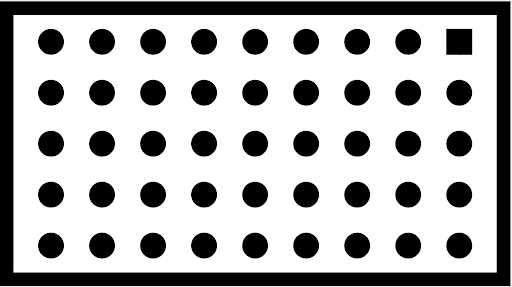
Рисунок 118. Пример scene6.
test_in_sensor_zoom
Проверяет работу функции масштабирования в датчике камеры, которая создает кадрированные изображения в формате RAW.
Если для параметра stream use case задано значение CROPPED_RAW, тест делает два снимка в диапазоне масштабирования: необработанное изображение с полным полем зрения и обрезанное необработанное изображение. Тест преобразует изображения в массивы RGB, уменьшает полноразмерное кадрированное необработанное изображение до размера, указанного в SCALER_RAW_CROP_REGION, и вычисляет среднеквадратичную разницу между двумя изображениями.
Протестированные API:
android.hardware.camera2.CameraCharacteristics#CONTROL_ZOOM_RATIO_RANGEandroid.hardware.camera2.CameraCharacteristics#SCALER_AVAILABLE_STREAM_USE_CASESandroid.hardware.camera2.CameraMetadata#SCALER_AVAILABLE_STREAM_USE_CASES_CROPPED_RAWandroid.hardware.camera2.CaptureRequest#CONTROL_ZOOM_RATIOandroid.hardware.camera2.CaptureResult#SCALER_RAW_CROP_REGION
Тест пройден. Разница между среднеквадратичным значением 3D для уменьшенного обрезанного необработанного изображения и необработанного изображения с полным полем зрения меньше порогового значения, заданного в тесте.
test_zoom
Проверяет работу зума при переключении со сверхширокоугольного объектива на широкоугольный. Делает снимки в диапазоне масштабирования и проверяет, увеличиваются ли маркеры ArUco при приближении камеры. Тест также проверяет, предсказуемо ли меняется положение центрального маркера при каждой съемке. Расстояние от центра центрального маркера до центра изображения может изменяться с постоянной скоростью относительно коэффициента масштабирования до физического переключения камеры или монотонно изменяться в направлении местоположения того же маркера после физического переключения камеры. Перед тестированием на устройстве должно быть установлено приложение Jetpack Camera (JCA).
Протестированные API:
android.hardware.camera2.CameraCharacteristics#CONTROL_ZOOM_RATIO_RANGEandroid.hardware.camera2.CameraCharacteristics#LENS_INFO_AVAILABLE_FOCAL_LENGTHSandroid.hardware.camera2.CaptureRequest#CONTROL_ZOOM_RATIOandroid.hardware.camera2.CaptureResult#LENS_FOCAL_LENGTH
Тест пройден. Относительный размер зафиксированного маркера ArUco соответствует заданному коэффициенту масштабирования, что подтверждает правильность масштабирования камеры, а расстояние от маркера до центра изображения изменяется в соответствии с критериями, указанными в описании теста.
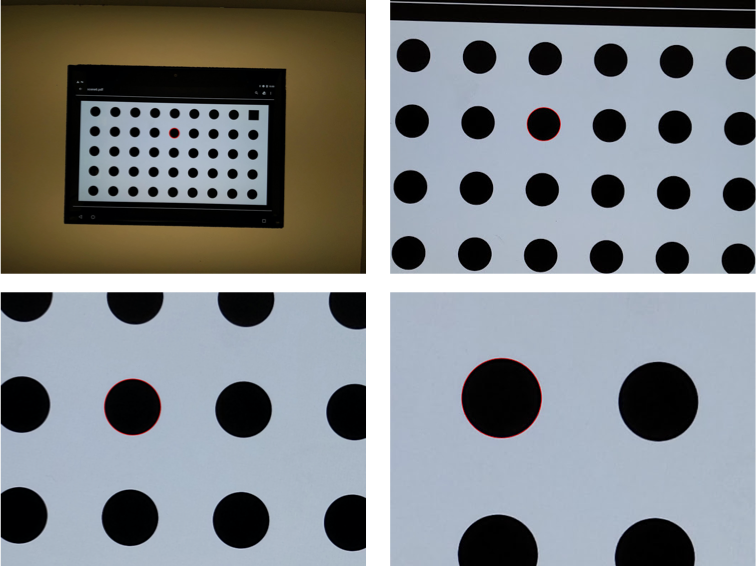
Рис. 119. test_zoom для поиска контура маркера ArUco, ближайшего к центру.
test_low_latency_zoom
Проверяет работу масштабирования камеры с низкой задержкой. Делает снимки в диапазоне масштабирования с помощью android.control.settingsOverride = 1 (SETTINGS_OVERRIDE_ZOOM) и проверяет, соответствуют ли маркеры на полученных изображениях коэффициентам масштабирования в метаданных снимков. Для конвергенции 3A и съемки используется один и тот же сеанс захвата камеры.
Протестированные API:
android.hardware.camera2.CameraCharacteristics#CONTROL_AVAILABLE_SETTINGS_OVERRIDESandroid.hardware.camera2.CameraCharacteristics#CONTROL_ZOOM_RATIO_RANGEandroid.hardware.camera2.CaptureRequest#CONTROL_SETTINGS_OVERRIDEandroid.hardware.camera2.CaptureRequest#CONTROL_ZOOM_RATIOandroid.hardware.camera2.CaptureResult#CONTROL_SETTINGS_OVERRIDE
Пройден. Относительный размер зафиксированного маркера соответствует метаданным результата коэффициента масштабирования.
test_preview_video_zoom_match
Проверяет, что при записи и масштабировании в окне предварительного просмотра и на выходе отображается и записывается одно и то же. Рассчитывает размер маркера, ближайшего к центру, при разных коэффициентах масштабирования и проверяет, увеличивается ли размер маркера по мере увеличения коэффициента масштабирования.
Протестированные API:
android.hardware.camera2.CameraCharacteristics#CONTROL_ZOOM_RATIO_RANGEandroid.hardware.camera2.CameraCharacteristics#LENS_INFO_AVAILABLE_FOCAL_LENGTHSandroid.hardware.camera2.CaptureRequest#CONTROL_ZOOM_RATIOandroid.hardware.camera2.CaptureResult#LENS_FOCAL_LENGTH
Тест пройден. Относительный размер зафиксированного маркера соответствует запрошенному коэффициенту масштабирования на видео и в режиме предварительного просмотра.
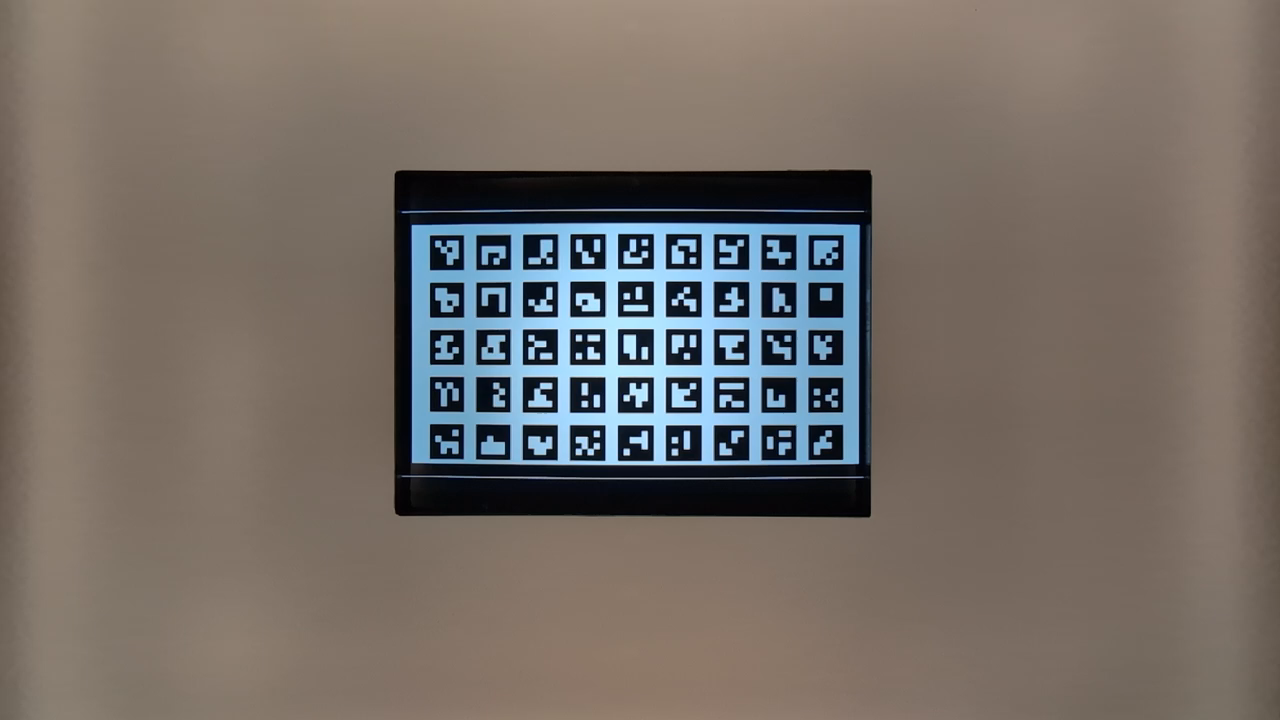
Рисунок 120. HD_1280x720_key_frame.png (до масштабирования).
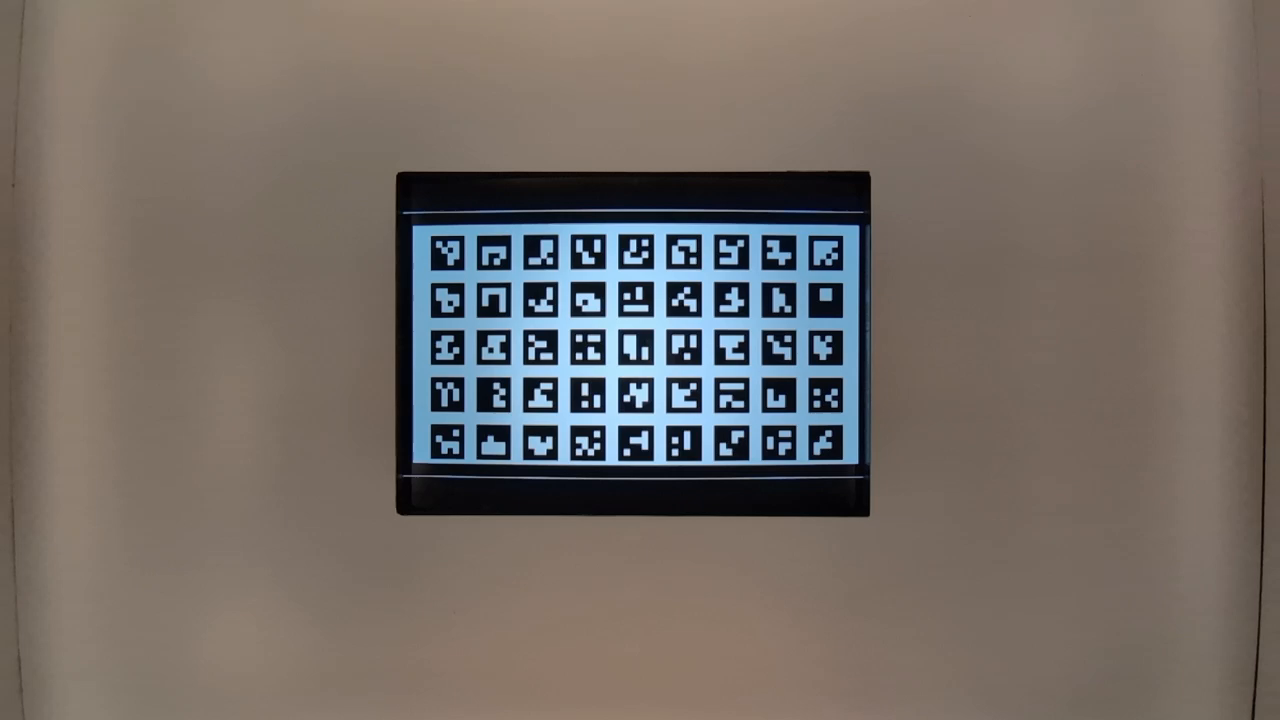
Рис. 121. preview_1280x720_key_frame.png (до масштабирования).
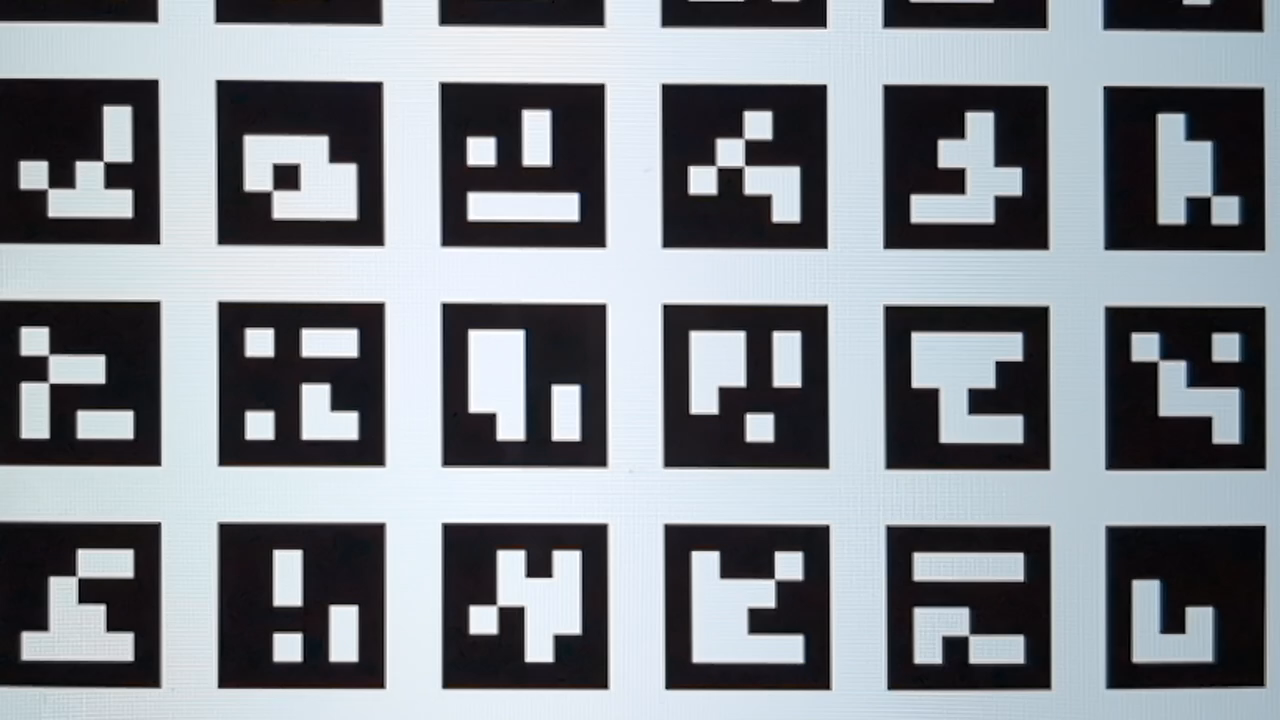
Рисунок 122. HD_1280x720_key_frame.png (после увеличения).
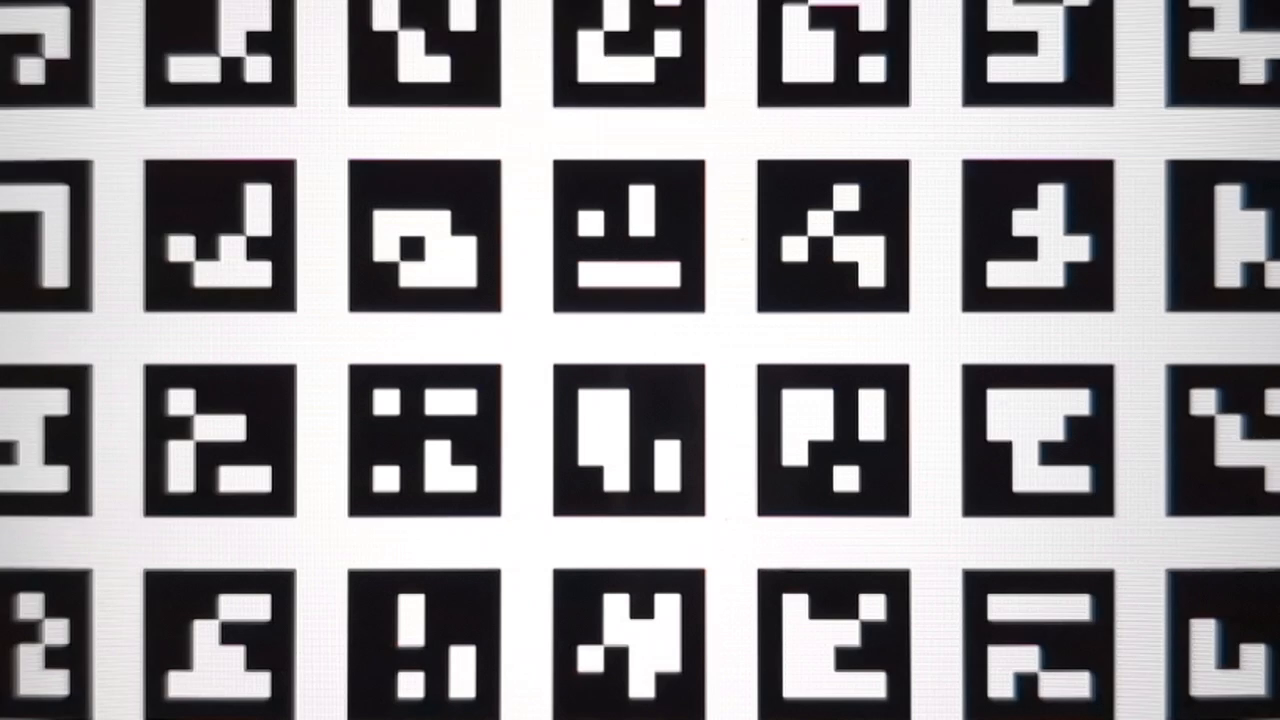
Рис. 123. preview_1280x720_key_frame.png (после увеличения).
test_preview_zoom
Проверяет, соответствует ли коэффициент масштабирования каждого кадра предварительного просмотра метаданным съемки, полученным от сверхширокоугольного и широкоугольного объективов. Тест берет кадры предварительного просмотра в диапазоне масштабирования и находит маркер ArUco, ближайший к центру. Затем тест проверяет, предсказуемо ли меняется положение центрального маркера при каждой съемке. Расстояние от центра центрального маркера до центра изображения может изменяться с постоянной скоростью относительно коэффициента масштабирования до физического переключения камеры или монотонно изменяться в направлении местоположения того же маркера после физического переключения камеры.
Протестированные API:
android.hardware.camera2.CameraCharacteristics#CONTROL_ZOOM_RATIO_RANGEandroid.hardware.camera2.CameraCharacteristics#LENS_INFO_AVAILABLE_FOCAL_LENGTHSandroid.hardware.camera2.CaptureRequest#CONTROL_ZOOM_RATIOandroid.hardware.camera2.CaptureResult#LENS_FOCAL_LENGTH
Тест пройден. Относительный размер выбранного маркера ArUco соответствует коэффициенту масштабирования, указанному в результате съемки для всех кадров предварительного просмотра. Относительное расстояние выбранного маркера от центра изображения является точным для указанного коэффициента масштабирования соответствующего результата захвата всех кадров предварительного просмотра.
Рис. 124. Изображения test_preview_zoom, на которых выбранный маркер находится ближе всего к центру
test_session_characteristics_zoom
Проверяет диапазон коэффициентов масштабирования для всех поддерживаемых конфигураций сеансов, перечисленных в CameraCharacteristics#INFO_SESSION_CONFIGURATION_QUERY_VERSION.
Для каждой из этих конфигураций, если CameraDeviceSetup#isSessionConfigurationSupported возвращает true, тест проверяет, можно ли достичь диапазона коэффициента масштабирования, возвращенного в CameraDeviceSetup#getSessionCharacteristics.
Протестированные API:
android.hardware.camera2.CameraCharacteristics#INFO_SESSION_CONFIGURATION_QUERY_VERSIONandroid.hardware.camera2.CameraDevice.CameraDeviceSetup#isSessionConfigurationSupportedandroid.hardware.camera2.CameraDevice.CameraDeviceSetup#getSessionCharacteristics
Тест пройден. Для каждого поддерживаемого значения SessionConfiguration, указанного в CameraCharacteristics#INFO_SESSION_CONFIGURATION_QUERY_VERSION, можно достичь минимального и максимального коэффициента масштабирования.
scene7
scene7 – прямоугольная рамка, разделенная на четыре равных квадранта, каждый из которых закрашен своим цветом. В центре прямоугольника находится таблица с наклонными краями для проверки резкости. Четыре маркера ArUco выравниваются по четырем внешним углам прямоугольника, чтобы помочь получить точные координаты основной рамки прямоугольника при различных коэффициентах масштабирования.
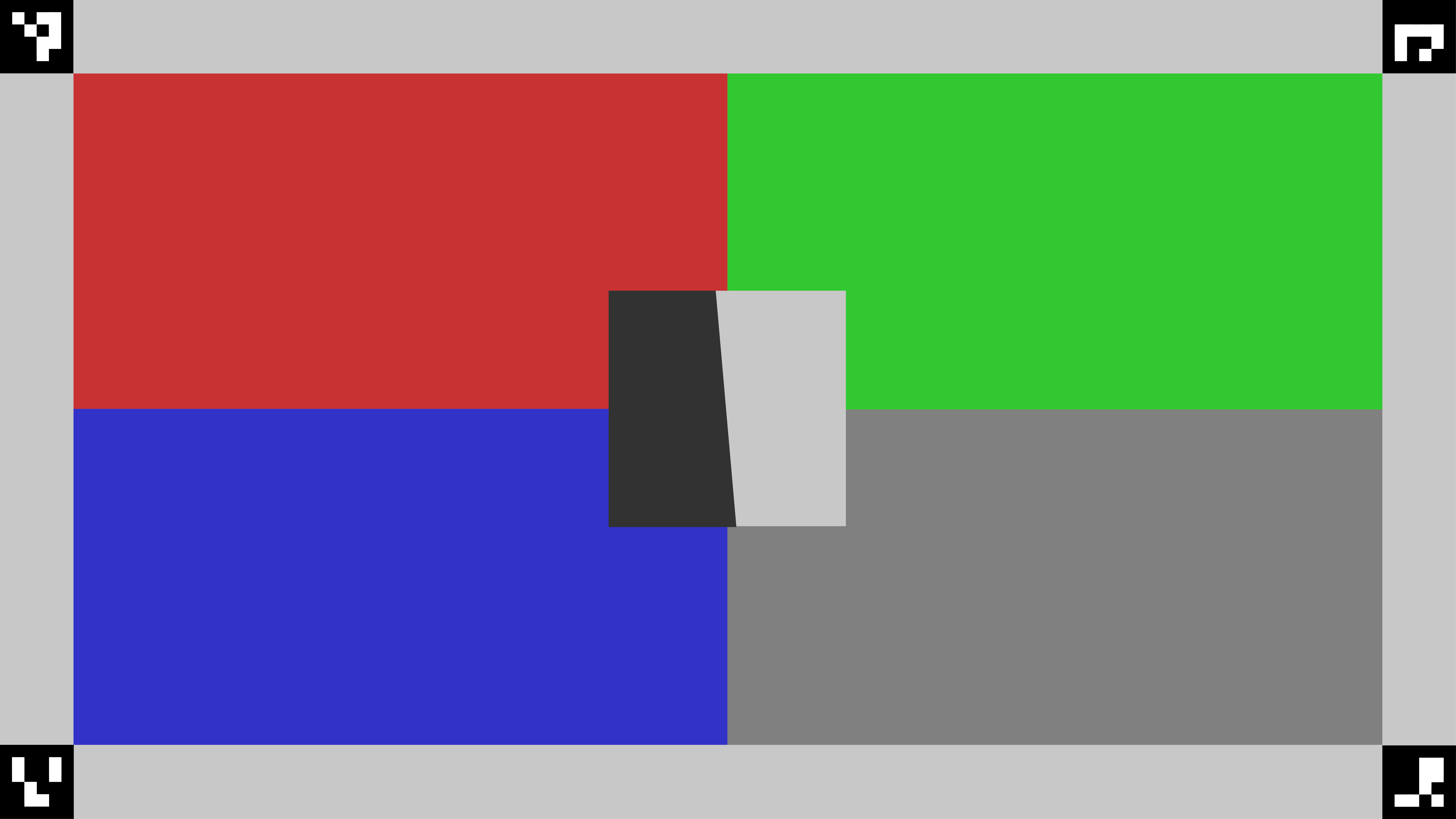
Рис. 125. scene7.
test_multi_camera_switch
Этот тест проверяет, что при записи предварительного просмотра с разными коэффициентами масштабирования переключение между сверхширокоугольным и широкоугольным объективами приводит к схожим значениям RGB.
В тесте используются разные коэффициенты масштабирования в пределах заданного диапазона, чтобы выполнить динамическую запись предварительного просмотра и определить точку, в которой физическая камера переключается. В этой точке происходит переключение со сверхширокоугольного объектива на широкоугольный.
Кадры, снятые в точке перехода и до нее, анализируются на предмет автоматической экспозиции, автоматического баланса белого и автофокуса.
Проверка AE подтверждает, что изменение яркости находится в ожидаемом диапазоне для изображений, полученных с помощью сверхширокоугольного и широкоугольного объективов. Проверка автоматического баланса белого позволяет убедиться, что соотношения красного и зеленого, а также синего и зеленого цветов находятся в пределах пороговых значений для изображений, полученных с помощью ультраширокоугольного и широкоугольного объективов. Проверка автофокуса оценивает резкость на основе средней величины градиента между изображениями, полученными с помощью ультраширокоугольного и широкоугольного объективов.
Если во время теста муаровый узор мешает получить результаты, используйте планшет с более высоким разрешением из списка планшетов, одобренных для Camera ITS.
Протестированные API:
android.hardware.camera2.CameraCharacteristics#CONTROL_ZOOM_RATIO_RANGEandroid.hardware.camera2.CaptureRequest#CONTROL_ZOOM_RATIOandroid.media.CamcorderProfileandroid.media.MediaRecorder
Пройдено. Тест считается пройденным, если пройдены проверки AE и AWB. Результаты проверки автофокуса используются только для ведения журнала. Ниже приведены критерии для каждой проверки:
- Проверка автоматической экспозиции. Если устройство поддерживает и
ae_regions, иawb_regions, изменение яркости (значение Y) между изображениями, полученными с помощью сверхширокоугольного и широкоугольного объективов, должно быть меньше 4% для всех цветовых полей. Если поддерживается толькоae_regions, то критериям должны соответствовать только значения серого цвета. - Проверка автоматического баланса белого. Если устройство поддерживает и
ae_regions, иawb_regions, разница между значениями красного-зеленого и синего-зеленого для изображений, полученных с помощью широкоугольного и ультраширокоугольного объективов, должна быть меньше 3% для серого цвета и меньше 10% для других цветов. - Проверка автофокуса. Резкость изображения, снятого на широкоугольный объектив, должна быть выше, чем у изображения, снятого на ультраширокоугольный объектив.
Рисунок 126. Серая область, снятая на ультраширокоугольный объектив.
Рисунок 127. Серая область, снятая на широкоугольный объектив.
scene8
scene8 – прямоугольная рамка, разделенная на четыре равные части. В каждой из них находится портрет, снятый с разной экспозицией или наложенным цветным оттенком (синий оттенок, увеличенная экспозиция, уменьшенная экспозиция, желтый оттенок).
Четыре маркера ArUco выравниваются по четырем внешним углам прямоугольника, чтобы получить точные координаты основной рамки прямоугольника.
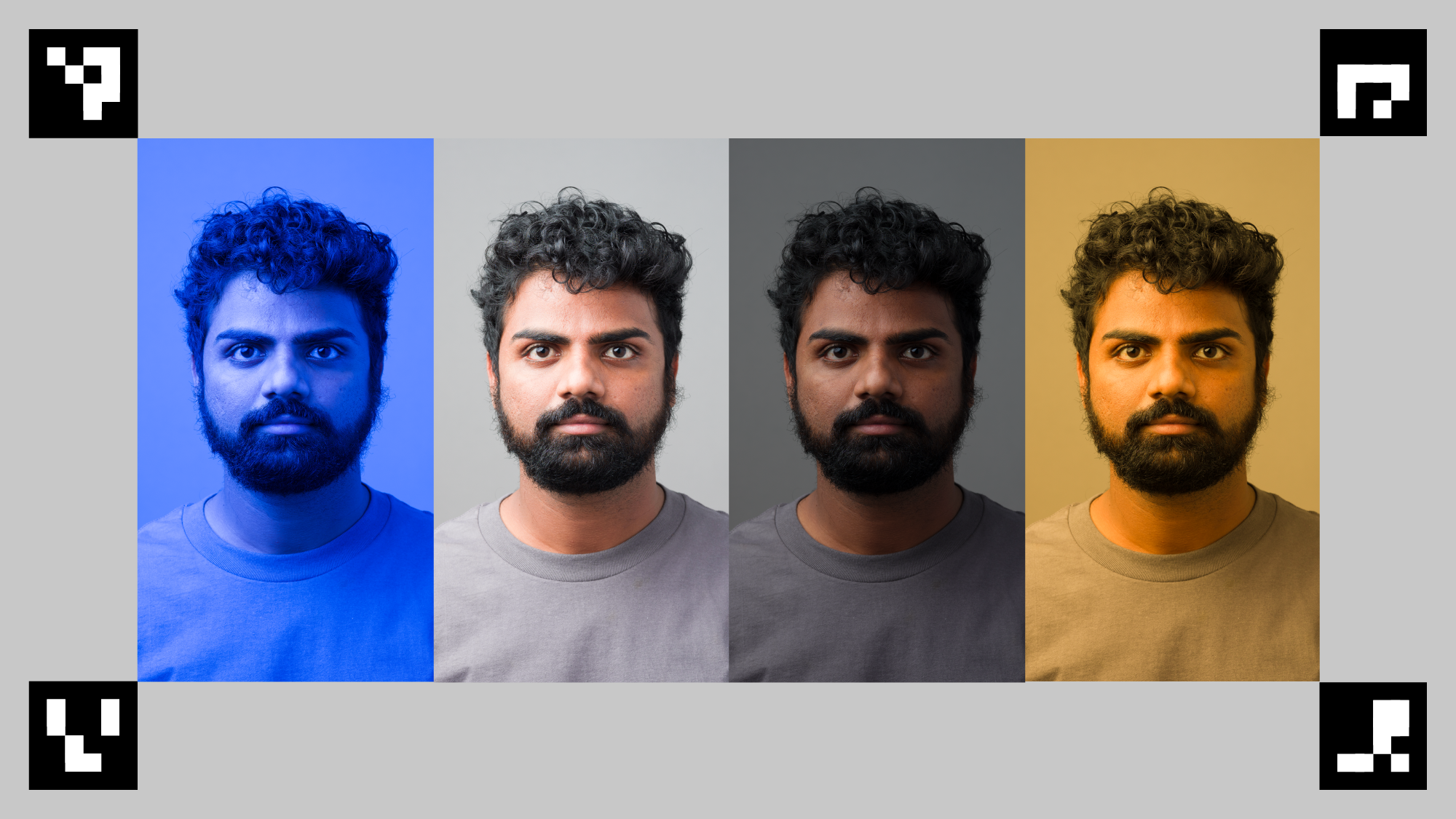
Рис. 128. Пример scene8.
test_ae_awb_regions
Проверяет, различаются ли значения RGB и яркости при предварительной записи в разных регионах AE и AWB.
Тест записывает 8-секундное видео, выполняя замер AE и AWB в каждом квадранте в течение 2 секунд. Затем тест извлекает кадр из предварительной записи каждого региона и использует извлеченные кадры для выполнения следующих проверок AE и AWB:
- Проверка автоматической экспозиции. Проверяется, что у кадра, в котором измеряется область с уменьшенной экспозицией, значение яркости больше чем на 1% выше, чем у кадра, в котором измеряется область с увеличенной экспозицией. Это подтверждает, что изображения становятся ярче при замере темной области.
- Проверка автоматического баланса белого. Проверяется, что соотношение красного и синего (средних значений RGB изображения) в кадре с синей областью замера более чем на 2 % выше, чем в кадре с желтой областью замера. Это позволяет убедиться, что у изображений сбалансированные значения RGB при замере желтой (теплой) или синей (холодной) области.
Протестированные API:
android.hardware.camera2.CaptureRequest#CONTROL_AWB_REGIONSandroid.hardware.camera2.CaptureRequest#CONTROL_AE_REGIONSandroid.hardware.camera2.CameraCharacteristics#CONTROL_MAX_REGIONS_AEandroid.hardware.camera2.CameraCharacteristics#CONTROL_MAX_REGIONS_AWB
Пройдено. Проверки AE и AWB пройдены.
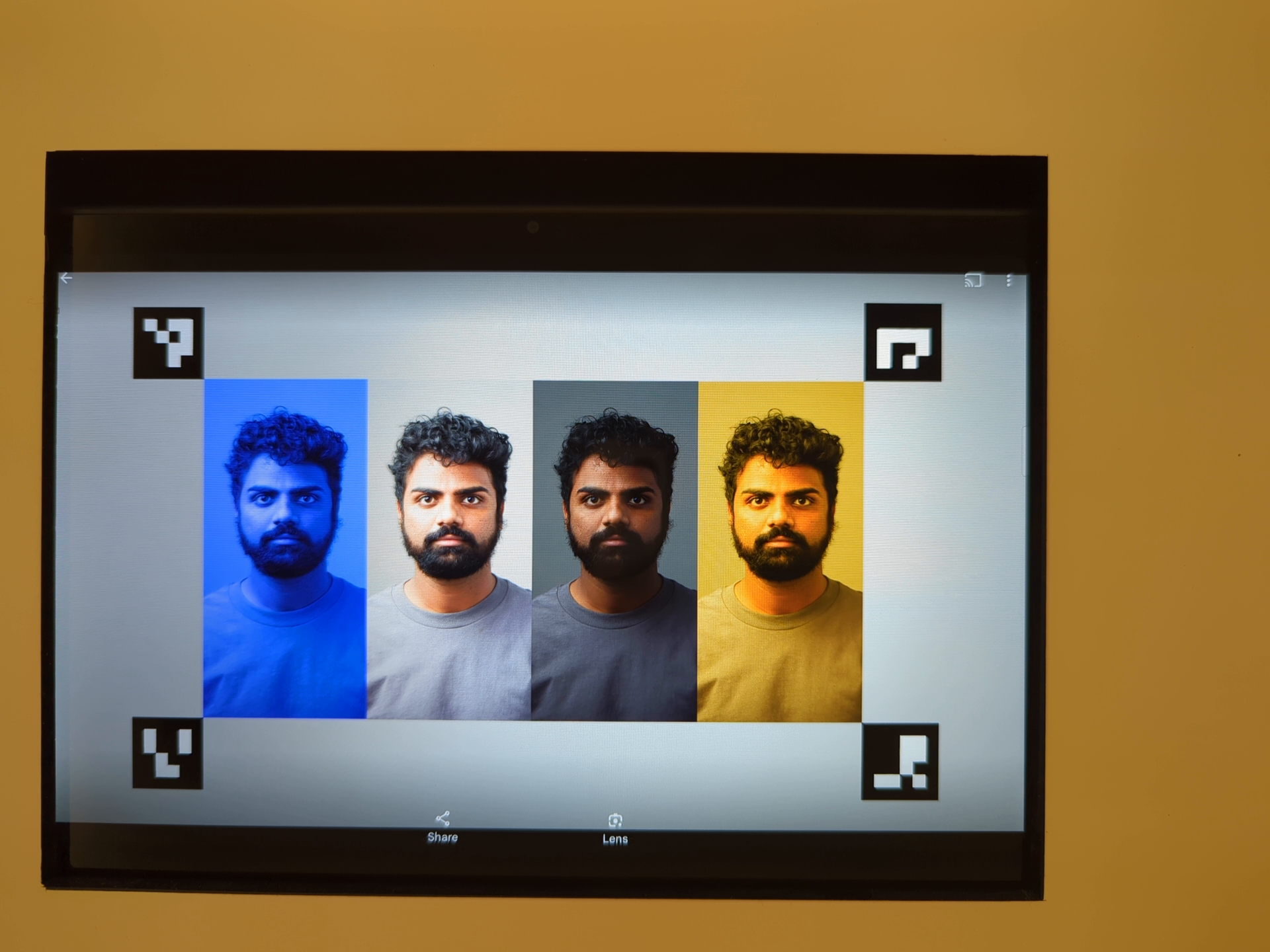
Рисунок 129. Область замера экспозиции с повышенной экспозицией.
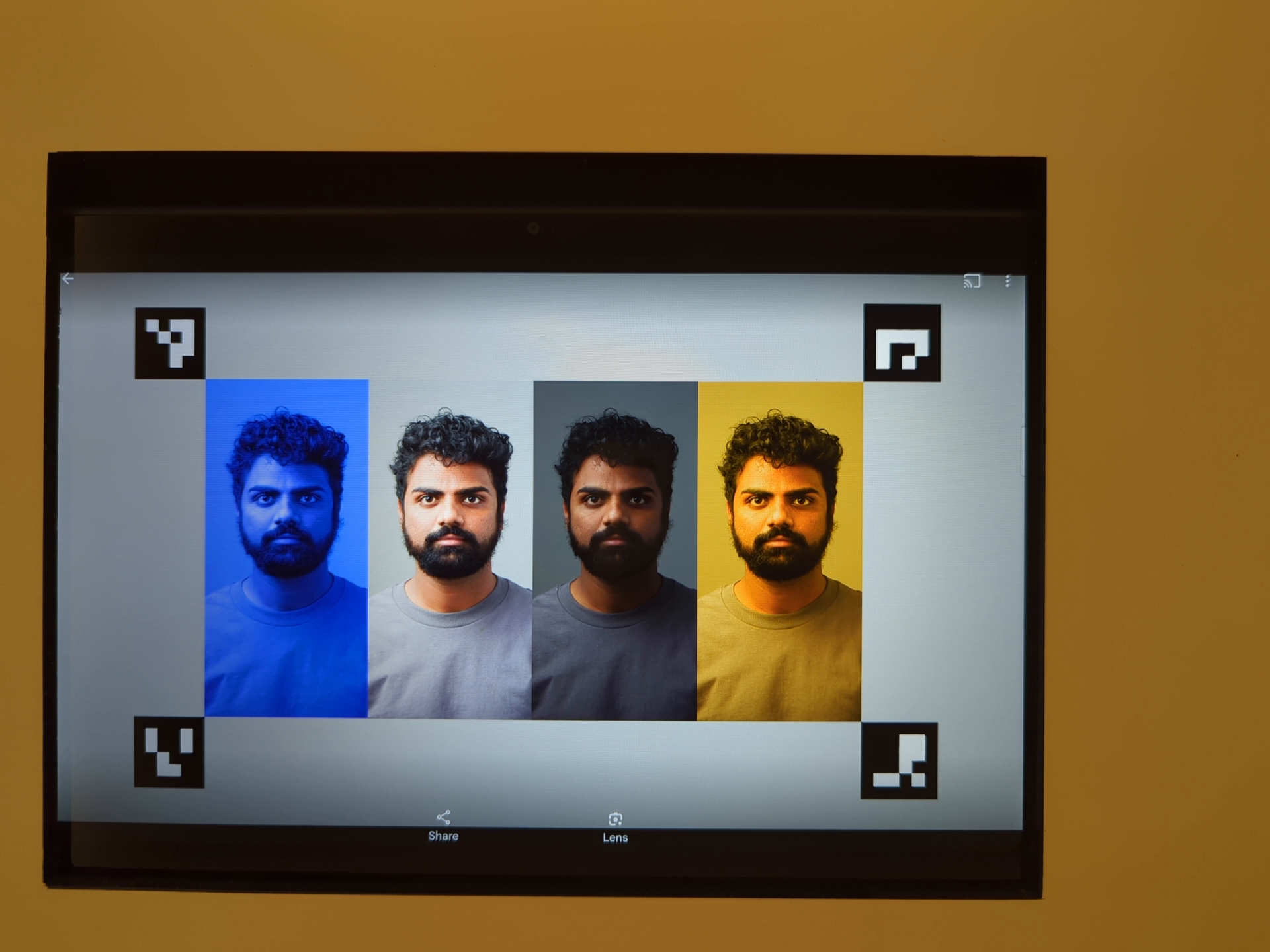
Рисунок 130. Замер экспозиции по более светлой области кадра с уменьшенной экспозицией.
Механизмы отказа
Для этого теста важно точное обнаружение всех четырех маркеров ArUco. Если первая попытка не удалась, система пытается распознать текст на черно-белой версии изображения. На следующем изображении в оттенках серого показан результат вторичной обработки:
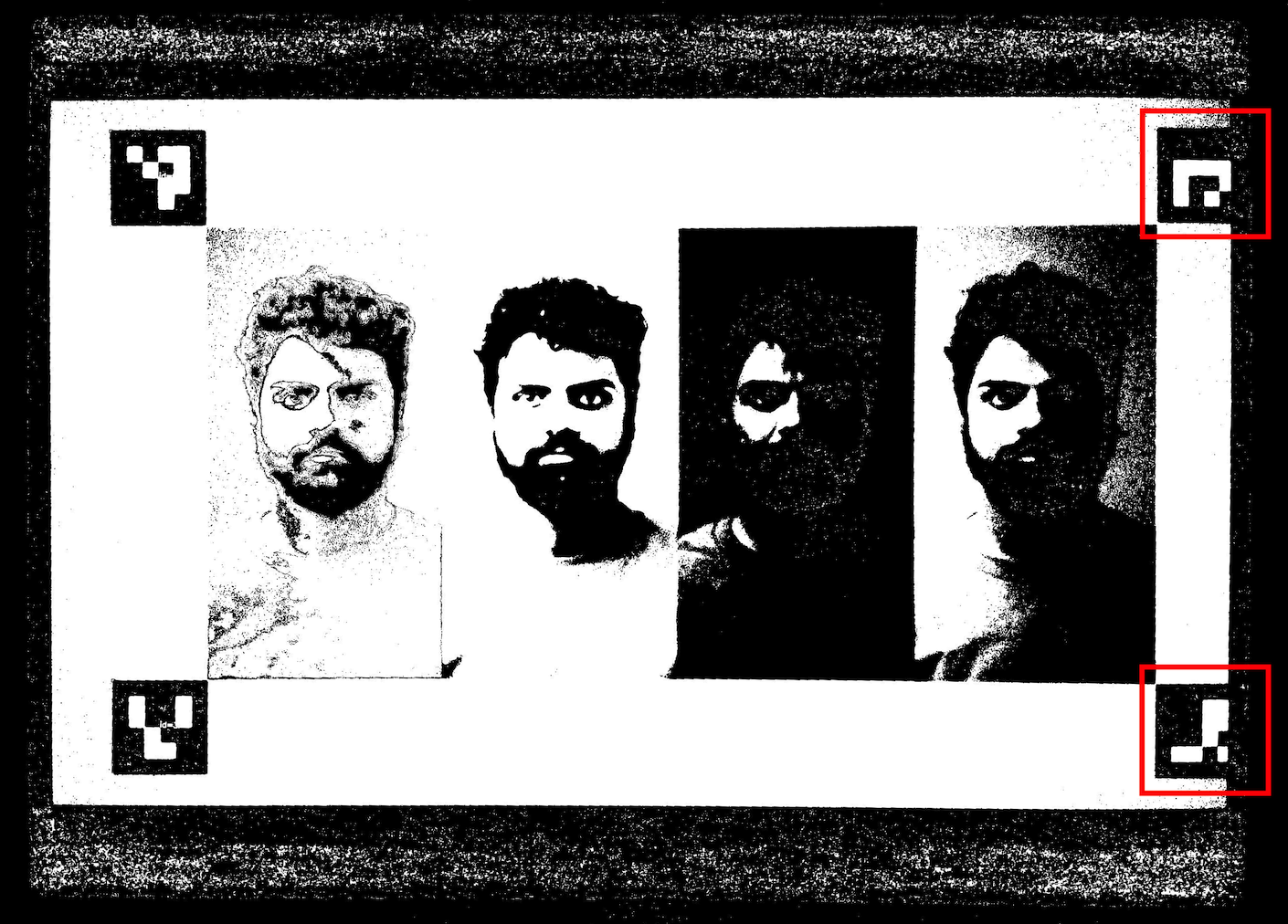
Рисунок 131. Маркеры ArUco не выровнены.
test_color_correction_mode_cct
Тесты COLOR_CORRECTION_MODE проводятся при разных цветовых температурах и оттенках. При этом проверяется, как меняются соотношения RGB по сравнению со сценой scene8.
Протестированные API:
android.hardware.camera2.CaptureRequest#COLOR_CORRECTION_MODEandroid.hardware.camera2.CaptureResult#COLOR_CORRECTION_MODEandroid.hardware.camera2.CaptureRequest#COLOR_CORRECTION_COLOR_TEMPERATUREandroid.hardware.camera2.CaptureResult#COLOR_CORRECTION_COLOR_TEMPERATUREandroid.hardware.camera2.CaptureRequest#COLOR_CORRECTION_COLOR_TINTandroid.hardware.camera2.CaptureResult#COLOR_CORRECTION_COLOR_TINTandroid.hardware.camera2.CameraCharacteristics#COLOR_CORRECTION_COLOR_TEMPERATURE_RANGEandroid.hardware.camera2.CameraMetadata#COLOR_CORRECTION_MODE_CCTandroid.hardware.camera2.CameraCharacteristics#COLOR_CORRECTION_AVAILABLE_ABERRATION_MODES
Проверка пройдена. Соотношения RGB увеличиваются или уменьшаются в соответствии с выбранными цветовыми температурами и оттенками.
Критерии пропуска тестов
Тест test_color_correction_mode_cct пропускается, если выполняется любое из следующих условий:
- Первый уровень API устройства (
first_api_level) – 35 или ниже. - Устройство не передает пакеты
COLOR_CORRECTION_MODE_CCTвCOLOR_CORRECTION_AVAILABLE_ABERRATION_MODES.
scene9
scene9 состоит из тысяч кругов случайного размера и цвета, которые создают сцену с очень низкой повторяемостью, чтобы проверить алгоритмы сжатия JPEG.
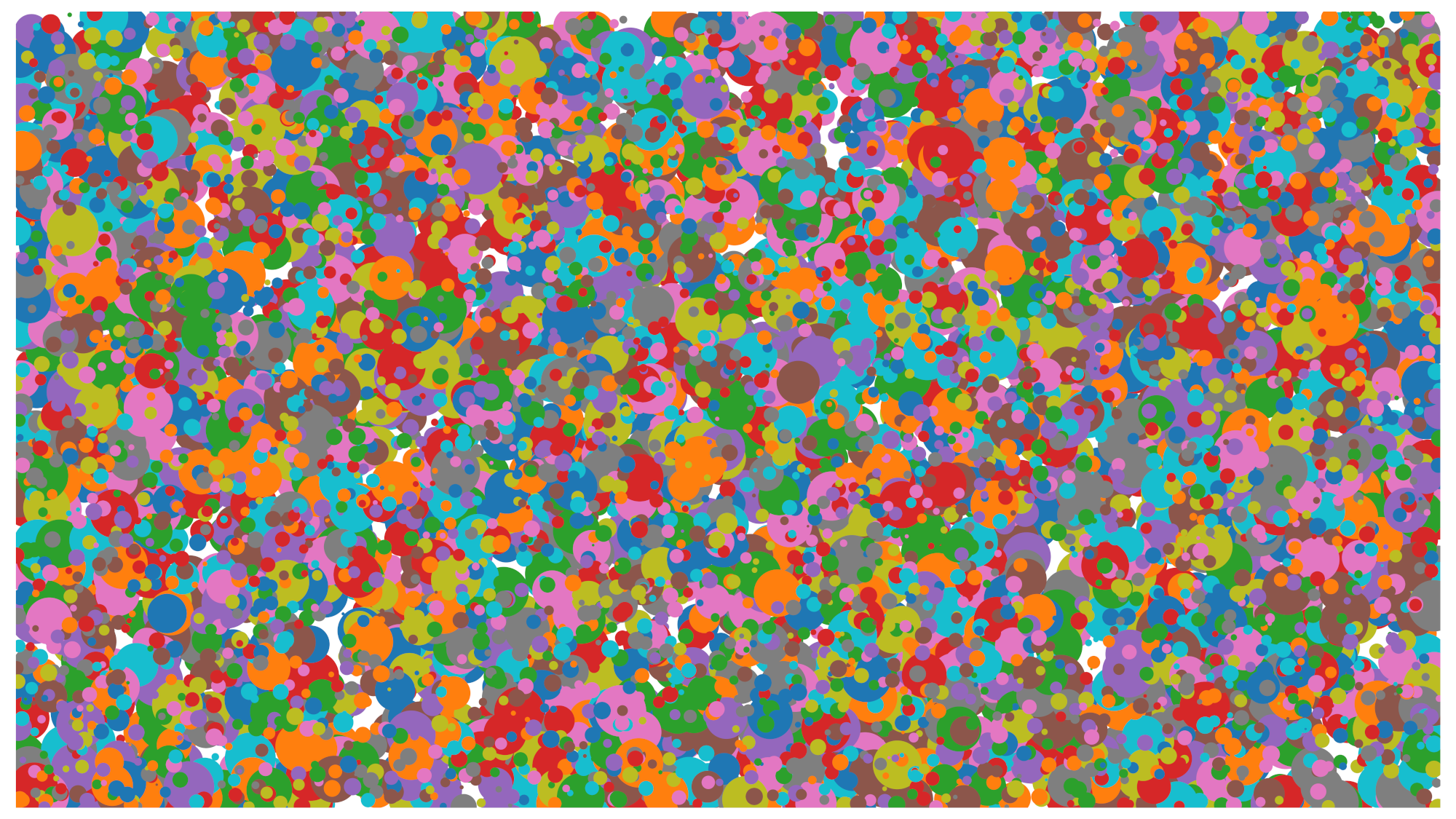
Рис. 132. Пример scene9.
test_jpeg_high_entropy
Проверяет, работает ли сжатие JPEG на устройстве scene9 с высокой энтропией и коэффициентом качества JPEG, равным 100%. Коэффициент масштабирования увеличивается, чтобы убедиться, что сцена, отображаемая на планшете, заполняет поле зрения камеры.
Протестированные API:
Успешно. Файл JPEG сжат правильно, записан и считан с диска.
test_jpeg_quality
Проверка качества сжатия JPEG камерой. Проверяет, что при изменении качества JPEG в диапазоне android.jpeg.quality таблицы квантования меняются правильно.
Протестированные API:
Пройдено. Матрица квантования уменьшается по мере повышения качества. (Матрица представляет собой коэффициент деления.)
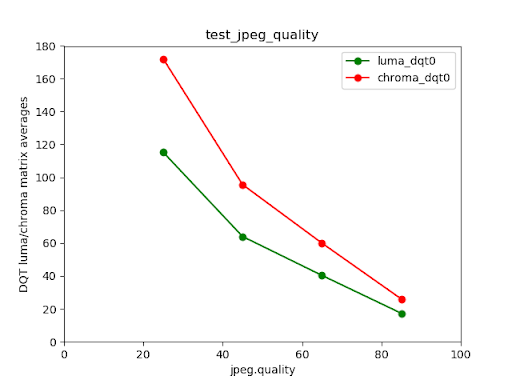
Рисунок 133. Средние значения матрицы DQT для яркости и цветности основной камеры Pixel 4 в сравнении с качеством JPEG.
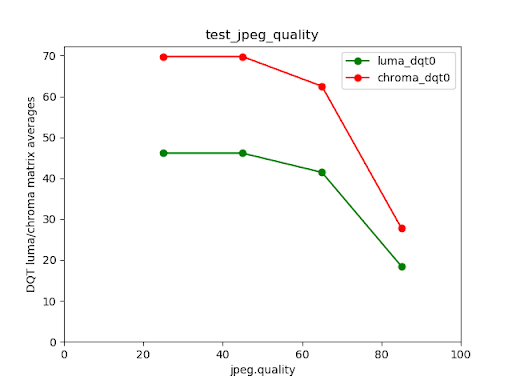
Рисунок 134. Пример неудачного теста.
scene_extensions
Тесты scene_extensions предназначены для расширений камеры и должны использовать Camera ITS-in-a-Box, поскольку они требуют точного контроля над тестовой средой. Кроме того, необходимо контролировать
все утечки света. Для этого может потребоваться накрыть испытательный стенд, тестируемое устройство и планшет тканью, а также устранить утечку света с переднего экрана тестируемого устройства.
scene_hdr
Сцена scene_hdr состоит из портрета слева и низкоконтрастного QR-кода справа.
Рис. 135. Пример scene_hdr.
test_hdr_extension
Тестирует расширение HDR. Делает снимки с включенным и отключенным расширением и проверяет, помогает ли расширение лучше распознавать QR-код.
Протестированные API:
android.hardware.camera2.CameraExtensionCharacteristics#getSupportedExtensionsandroid.hardware.camera2.CameraExtensionSession#capture
Пройдено. Расширение HDR уменьшает количество изменений контрастности, необходимых для обнаружения QR-кода, или уменьшает градиент по всему QR-коду.
scene_low_light
Сцена scene_low_light состоит из сетки квадратов разных оттенков серого на черном фоне. Сетка квадратов ограничена красным контуром. Квадраты расположены в виде кривой Гильберта.
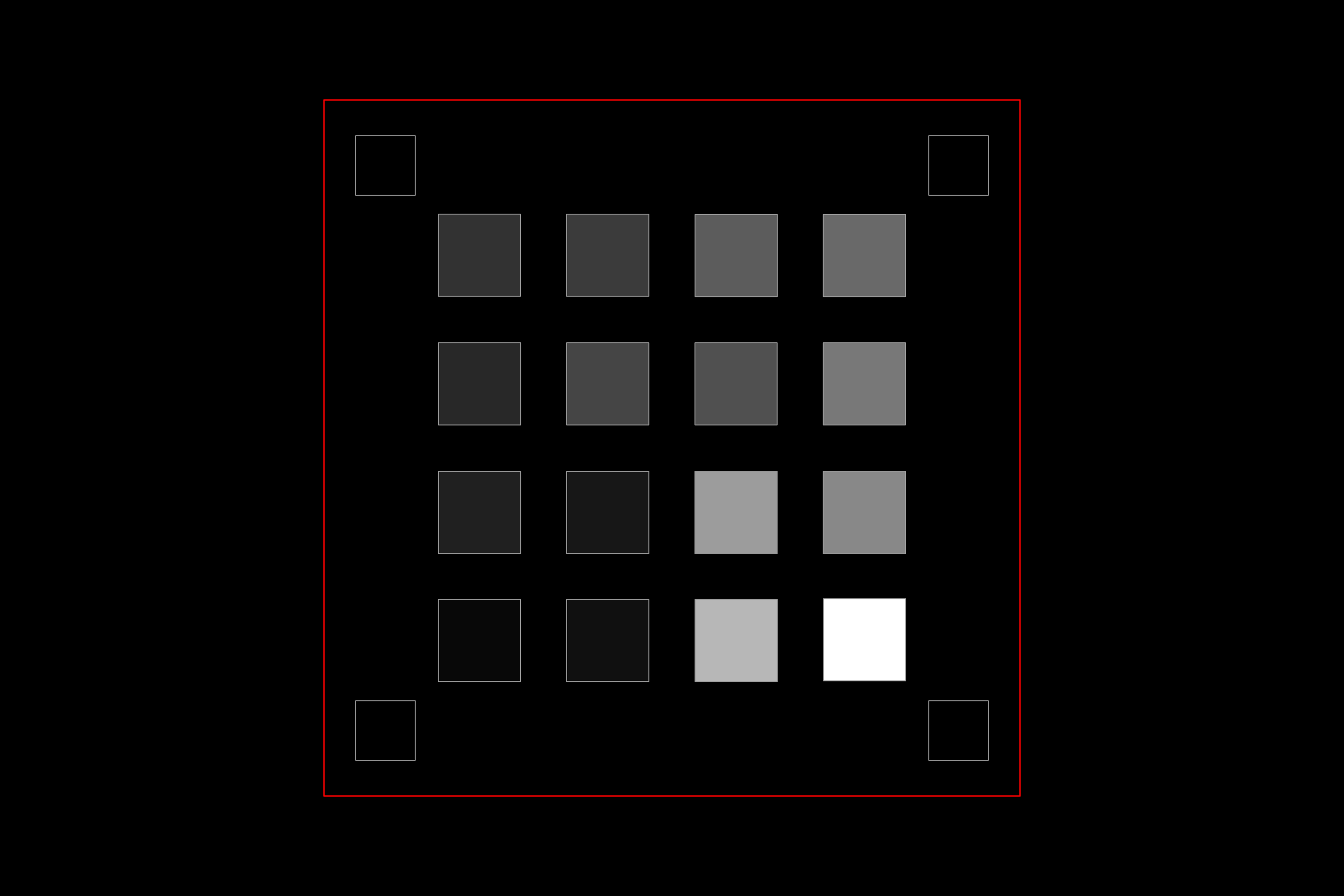
Рис. 136. Пример scene_low_light.
test_night_extension
Проверяет расширение Night. Выполняет захват с включенным расширением и делает следующее:
- Обнаруживает 20 квадратов
- Вычисляет яркость, ограниченную каждым квадратом
- Вычисляет среднее значение яркости первых шести квадратов в соответствии с ориентацией сетки кривой Гильберта.
- Вычисляет разницу в значении яркости последовательных квадратов (например, квадрат 2 – квадрат 1) до квадратов 5 и 6 (квадрат 6 – квадрат 5) и находит среднее значение пяти вычисленных разниц.
Для устройств с Android 16 или более поздней версии запрос на съемку включает область замера, соответствующую прямоугольнику, ограничивающему сетку квадратов. Это дополнение меняет критерии прохождения порогового значения.
Протестированные API:
android.hardware.camera2.CameraExtensionCharacteristics#getSupportedExtensionsandroid.hardware.camera2.CameraExtensionSession#capture
Pass:
- На устройствах с Android 16 или более поздней версией среднее значение яркости первых шести квадратов должно быть не менее 80, а средняя разница в яркости последовательных квадратов до пятого и шестого – не менее 18, 75.
- На устройствах с Android 15 и более ранними версиями среднее значение яркости первых шести квадратов должно быть не менее 85, а средняя разница в яркости последовательных квадратов до пятого и шестого – не менее 17.
На графике ниже показан результат успешного теста.
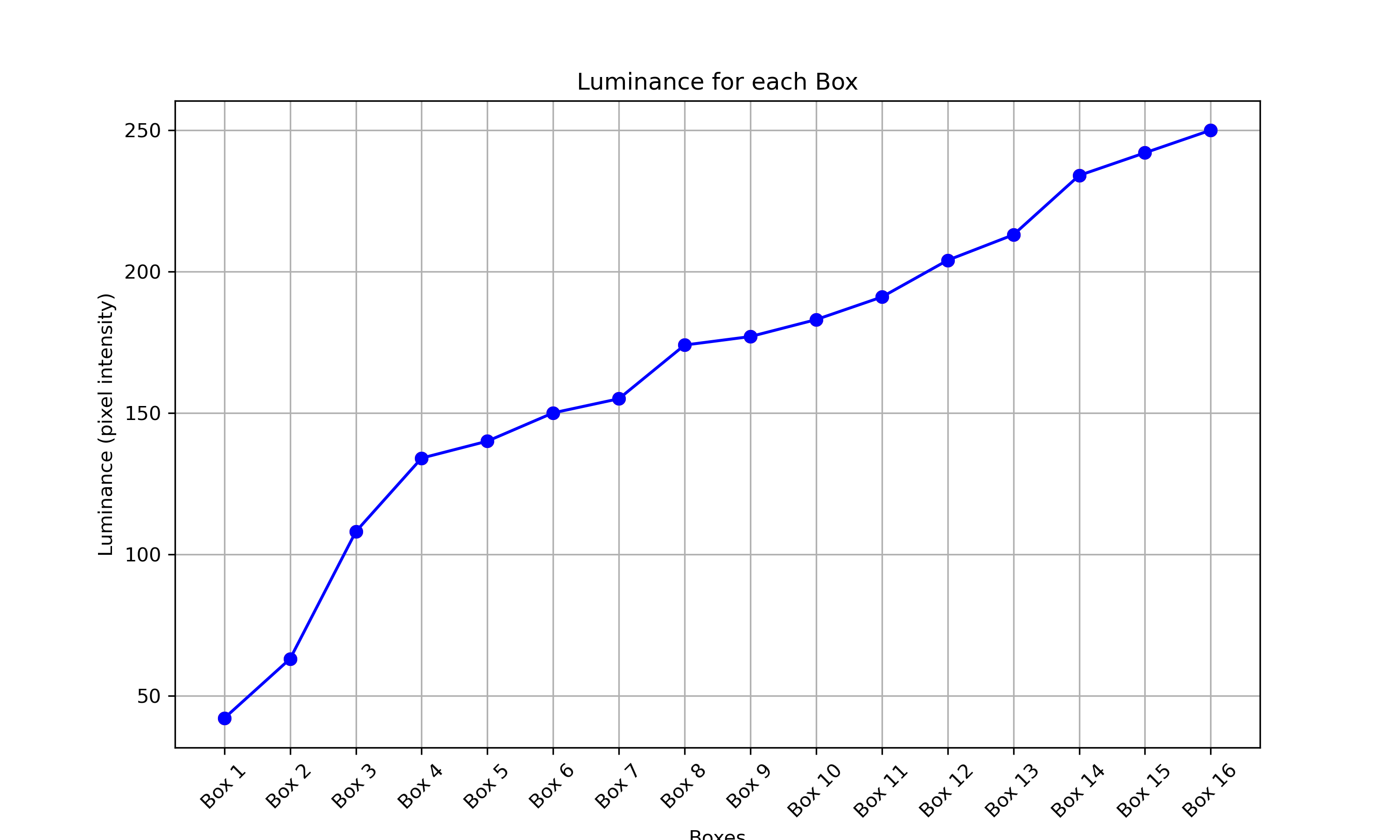
Рисунок 137. Пример успешного прохождения теста в условиях низкой освещенности.
test_low_light_boost_extension
Проверяет режим автоэкспозиции с усилением при слабом освещении. Если Camera2 поддерживает режим автоэкспозиции с усилением при слабом освещении, то этот тест выполняется для Camera2. Если расширение камеры для ночного режима поддерживается и в нем есть режим автоэкспозиции для улучшения съемки при слабом освещении, то этот тест также выполняется для расширения камеры для ночного режима. Этот тест устанавливает режим AE на усиление при слабом освещении, берет кадр из предварительного просмотра и выполняет следующие действия:
- Обнаруживает 20 коробок
- Вычисляет яркость, ограниченную каждым полем
- Вычисляет среднее значение яркости первых шести квадратов в соответствии с ориентацией сетки кривой Гильберта.
- Вычисляет разницу в значении яркости последовательных квадратов (например, квадрат 2 – квадрат 1) до квадратов 5 и 6 (квадрат 6 – квадрат 5) и находит среднее значение пяти вычисленных разниц.
Для устройств с Android 16 или более поздней версии запрос на съемку включает область замера, соответствующую прямоугольнику, ограничивающему сетку квадратов. Это дополнение меняет критерии прохождения порогового значения.
Протестированные API:
android.hardware.camera2.CameraCharacteristics#CONTROL_AE_AVAILABLE_MODESandroid.hardware.camera2.CameraMetadata#CONTROL_AE_MODE_ON_LOW_LIGHT_BOOST_BRIGHTNESS_PRIORITYandroid.hardware.camera2.CameraExtensionCharacteristics#getSupportedExtensions
Pass:
На устройствах с Android 16 или более поздней версией ОС среднее значение яркости первых шести квадратов должно быть не менее 54, а средняя разница в яркости последовательных квадратов до пятого и шестого – не менее 17.
На устройствах с Android 15 и более ранними версиями среднее значение яркости первых шести квадратов должно быть не менее 70, а средняя разница в яркости последовательных квадратов до пятого и шестого – не менее 18.
scene_tele
Ключевое требование для тестов scene_tele заключается в том, что расстояние до таблицы должно быть не меньше минимального расстояния фокусировки телеобъектива. Поскольку это минимальное расстояние фокусировки может различаться на разных устройствах, вам необходимо настроить установку в соответствии с конкретной телеобъективной камерой.
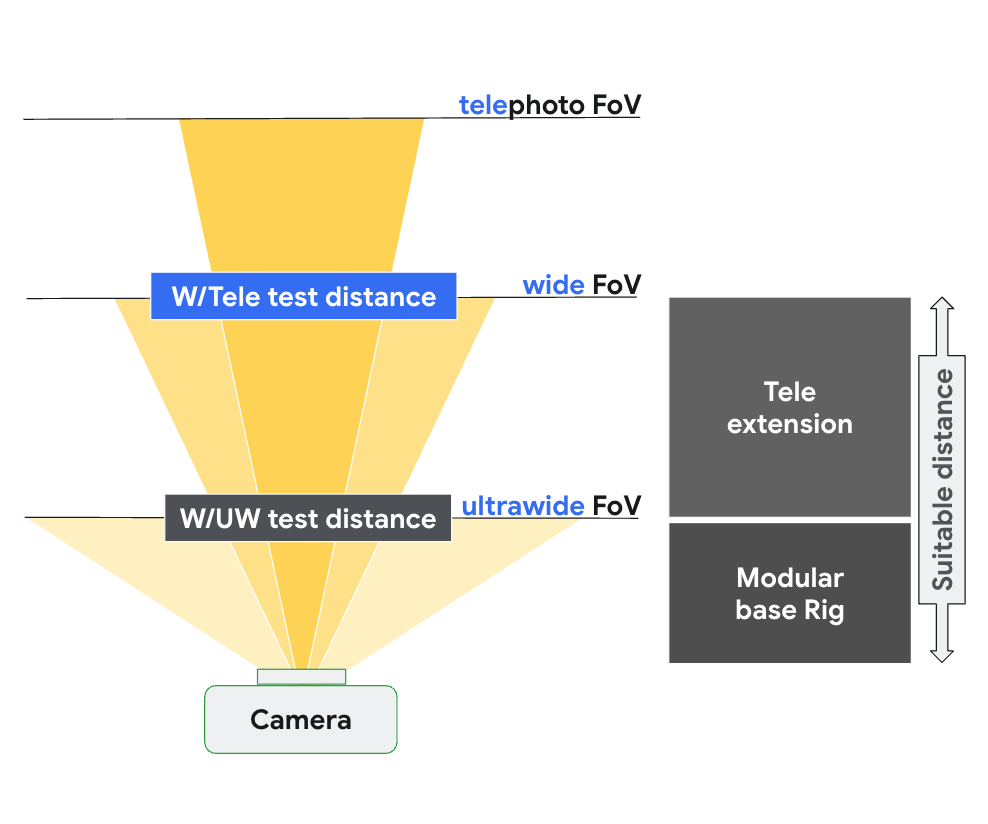
Рис. 138. Настройка scene_tele на основе расстояния фокусировки широкоугольной и телекамеры.
Подробнее о настройке тестового оборудования…
scene6_tele
Сцена scene6_tele состоит из сетки маркеров ArUco на белом фоне.
Если снимки, сделанные с помощью scene6_tele в модульной установке, выглядят переэкспонированными, снимите переднюю панель модульной установки.
Отсоедините испытательный стенд WFoV от удлинителя и снимите крепление для телефона.
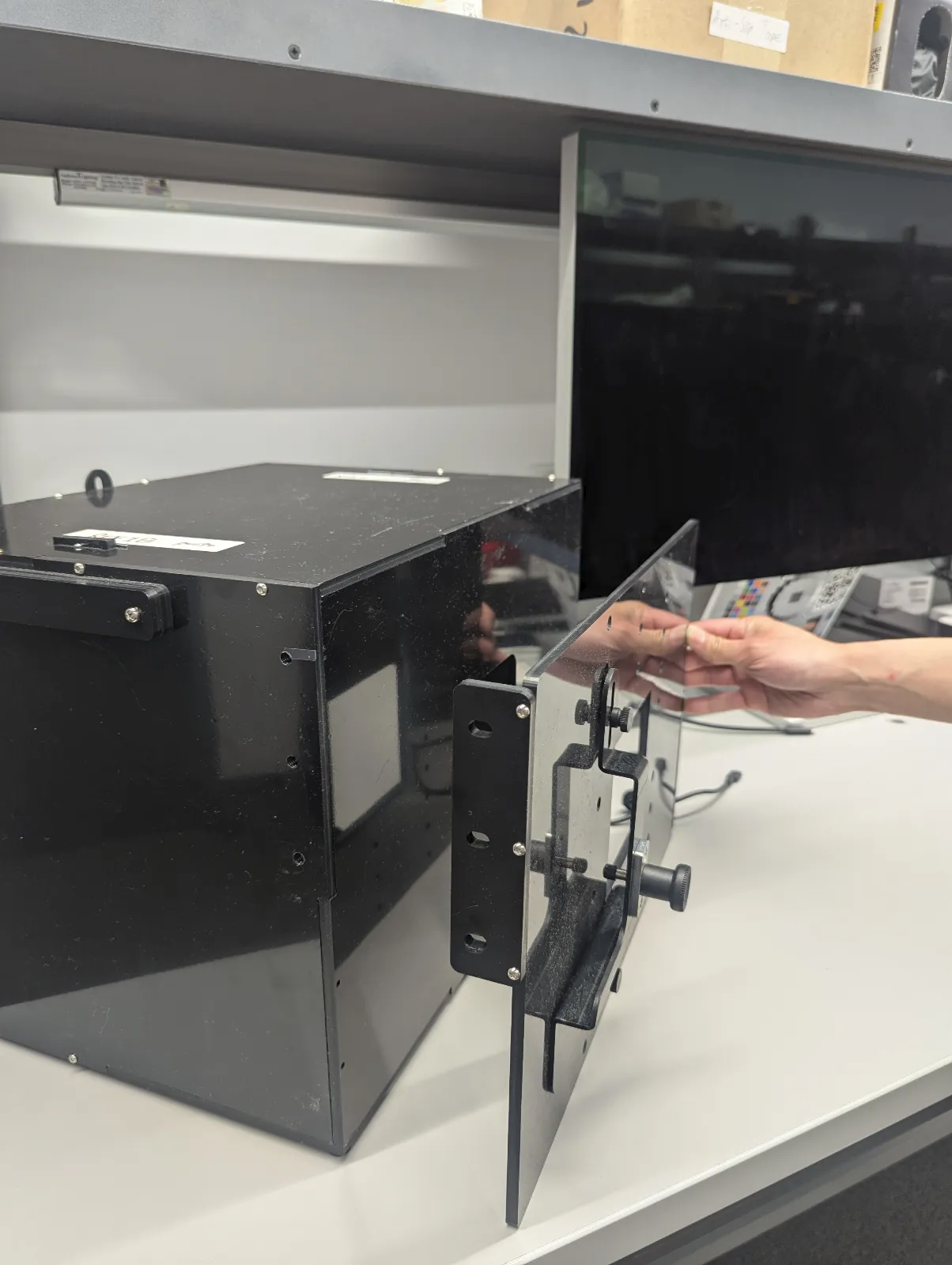
Рисунок 139. Отсоедините установку для тестирования широкого поля зрения от удлинителя и снимите крепление для телефона.
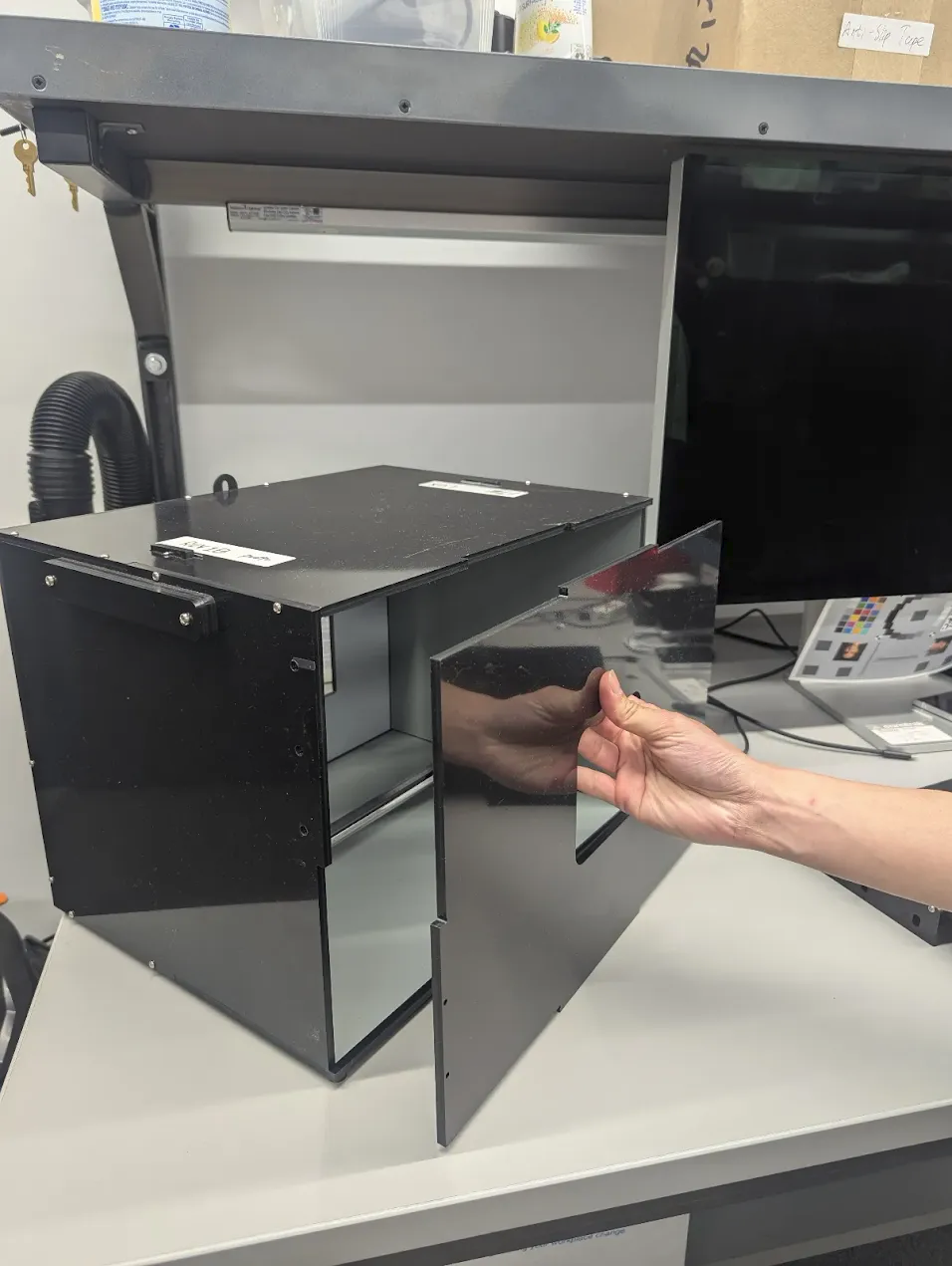
Рисунок 140. Снимите переднюю панель.
test_zoom_tele
Проверяет работу зума камеры при переключении с широкоугольного объектива на телеобъектив. Тест идентичен test_zoom, но проверяет поведение зума камеры при переходе от широкоугольного объектива к телеобъективу.
Протестированные API:
android.hardware.camera2.CameraCharacteristics#CONTROL_ZOOM_RATIO_RANGEandroid.hardware.camera2.CameraCharacteristics#LENS_INFO_AVAILABLE_FOCAL_LENGTHSandroid.hardware.camera2.CaptureRequest#CONTROL_ZOOM_RATIOandroid.hardware.camera2.CaptureResult#LENS_FOCAL_LENGTH
Тест пройден. Относительный размер зафиксированного маркера ArUco соответствует заданному коэффициенту масштабирования, что подтверждает правильность масштабирования камеры, а расстояние от маркера до центра изображения изменяется в соответствии с критериями, перечисленными в test_zoom.
test_preview_zoom_tele
Проверяет, как работает масштабирование камеры для кадров предварительного просмотра при переключении с широкоугольного объектива на телеобъектив. Тест идентичен test_preview_zoom, но проверяет поведение масштабирования камеры для кадров предварительного просмотра от широкоугольного объектива до телеобъектива.
Протестированные API:
android.hardware.camera2.CameraCharacteristics#CONTROL_ZOOM_RATIO_RANGEandroid.hardware.camera2.CameraCharacteristics#LENS_INFO_AVAILABLE_FOCAL_LENGTHSandroid.hardware.camera2.CaptureRequest#CONTROL_ZOOM_RATIOandroid.hardware.camera2.CaptureResult#LENS_FOCAL_LENGTH
Тест пройден. Относительный размер маркера ArUco на снимке соответствует заданному коэффициенту масштабирования, что подтверждает корректную работу зума камеры. Расстояние от маркера до центра изображения меняется в соответствии с критериями, указанными в test_preview_zoom.
scene7_tele
scene7_tele – то же самое, что и scene7, но для тестирования телеобъектива. Это прямоугольная рамка, разделенная на четыре равных квадранта, каждый из которых заполнен
разным цветом. В центре прямоугольника находится таблица с наклонными краями для проверки резкости. Четыре маркера ArUco выравниваются по четырем внешним углам прямоугольника, чтобы помочь получить точные координаты основной рамки прямоугольника при различных коэффициентах масштабирования.
test_multi_camera_switch_tele
Этот тест проверяет, что при переключении между широкоугольным и телеобъективом во время записи в режиме предварительного просмотра с разными коэффициентами масштабирования получаются похожие значения RGB.
В тесте используются разные коэффициенты масштабирования в пределах заданного диапазона, чтобы выполнить динамическую запись предварительного просмотра и определить точку, в которой физическая камера переключается. Это точка перехода от широкоугольного объектива к телеобъективу.
Кадры, снятые в точке перехода и до нее, анализируются на предмет автоматической экспозиции, автоматического баланса белого и автофокуса.
Проверка AE позволяет убедиться, что изменение яркости находится в ожидаемом диапазоне для изображений, полученных с помощью широкоугольного и телеобъектива. Проверка AWB подтверждает, что соотношения красного и зеленого, а также синего и зеленого находятся в пределах пороговых значений для изображений, полученных с помощью широкоугольного и телеобъектива. Проверка автофокуса оценивает значение резкости на основе средней величины градиента между изображениями, полученными с помощью широкоугольного и телеобъектива.
Протестированные API:
android.hardware.camera2.CameraCharacteristics#CONTROL_ZOOM_RATIO_RANGEandroid.hardware.camera2.CaptureRequest#CONTROL_ZOOM_RATIOandroid.media.CamcorderProfileandroid.media.MediaRecorder
Пройдено. Тест считается пройденным, если пройдены все три проверки. Ниже приведены критерии для каждой проверки.
- Проверка автоматической экспозиции. Разница в яркости между изображениями, полученными с помощью широкоугольного и телеобъектива, должна быть меньше 4%.
- Проверка автоматического баланса белого. В цветовом пространстве LAB дельта C между красно-зеленым и сине-зеленым для широкоугольного и телеобъектива не может превышать 10.
- Проверка автофокуса: резкость изображения телеобъектива должна быть выше, чем у широкоугольного объектива.
scene_video
scene_video – это видеосцена, состоящая из четырех разноцветных кругов, которые двигаются вперед и назад с разной частотой кадров на белом фоне.
Рис. 141. Пример scene_video.
test_preview_frame_drop
Проверяет, поддерживается ли запрошенная частота кадров предварительного просмотра в динамической сцене. Этот тест выполняется на всех камерах, доступных сторонним приложениям.
Протестированные API:
android.hardware.camera2.CameraCharacteristics#CONTROL_AE_AVAILABLE_TARGET_FPS_RANGESandroid.hardware.camera2.CameraCharacteristics#SCALER_AVAILABLE_STREAM_USE_CASESandroid.hardware.camera2.CaptureResult#CONTROL_AE_TARGET_FPS_RANGEandroid.media.CamcorderProfileandroid.media.MediaRecorder
Тест пройден. Частота кадров в режиме предварительного просмотра соответствует максимальному значению в запрошенном диапазоне, а среднее отклонение между последовательными кадрами меньше относительного допустимого отклонения, заданного в тесте.
Сцены для тестирования на основе sensor_fusion и установки Gen2
feature_combination
Тесты feature_combination проверяют, правильно ли работают функции камеры, когда включено несколько из них. В этих тестах используется то же изображение шахматной доски, что и в сцене для синхронизации датчиков.
test_feature_combination
Тестирует все комбинации потоков, режимы стабилизации видео, целевые диапазоны частоты кадров, 10-битные HDR-видео и Ultra HDR, поддерживаемые камерой.
В Android 16 и более поздних версиях тест проверяет все комбинации поддерживаемых функций и записывает результаты в файл proto. Утверждения о сбое вызываются только для комбинаций функций, для которых isSessionConfigurationSupported возвращает True.
Протестированные API:
android.hardware.camera2.CameraDevice.CameraDeviceSetup#isSessionConfigurationSupportedandroid.hardware.camera2.CameraDevice.CameraDeviceSetup#createCaptureRequest
Передача. Для каждого поддерживаемого сочетания функций:
- Если стабилизация включена, она применяется к видеопотоку предварительного просмотра.
- Частота кадров в режиме предварительного просмотра находится в пределах настроенного диапазона (
AE_TARGET_FPS_RANGE). - Цветовое пространство записанного потока предварительного просмотра соответствует заданному.
- В файле Ultra HDR есть действительная карта усиления.
scene_flash
Для тестов scene_flash требуется темная сцена в коробке для тестирования датчиков.
В Android 17 и более поздних версиях тестирование scene_flash можно выполнять с помощью установки Gen2.
test_auto_flash
Проверяет, срабатывает ли автоматическая вспышка в темноте для основной и фронтальной камер. Для фронтальных камер в качестве вспышки используется экран, а не физическая вспышка. Тест проверяет, срабатывает ли автоматическая вспышка. Для этого он определяет, становится ли центр изображения ярче, когда она включена. Чтобы сработала автоматическая вспышка, свет в испытательной установке должен быть выключен. Свет можно выключить автоматически с помощью контроллера Arduino. Для правильной работы теста в помещении должно быть полностью темно. Перед тестированием на устройстве должно быть установлено приложение Jetpack Camera (JCA). Автоматическая вспышка для основных камер зависит от состояния автоэкспозиции, а для фронтальных – нет.
В Android 17 и более поздних версиях тестирует уровни масштабирования, отличные от 1-x, чтобы проверить правильность работы во всех поддерживаемых диапазонах масштабирования.
Протестированные API:
android.hardware.camera2.CameraCharacteristics#FLASH_INFO_AVAILABLEandroid.hardware.camera2.CaptureRequest#CONTROL_AE_MODEandroid.hardware.camera2.CaptureRequest#CONTROL_AE_PRECAPTURE_TRIGGERandroid.hardware.camera2.CaptureResult#CONTROL_AE_STATEandroid.hardware.camera2.CaptureRequest#FLASH_MODE
Успешно. Центр изображения, полученного с включенной автоматической вспышкой, ярче, чем на исходном изображении, для всех камер.
test_flash_strength
Проверяет, правильно ли реализовано управление мощностью вспышки в режиме SINGLE.
Проверяет, меняется ли яркость вспышки при использовании камеры в режиме SINGLE, если устройство поддерживает управление яркостью вспышки. Проверяет, работает ли управление мощностью вспышки с разными значениями AE_MODES.
Например, если для режима автоматической экспозиции задано значение ON или OFF, уровень мощности вспышки влияет на яркость, а если ON_AUTO_FLASH – не влияет.
Для проведения теста необходимо выключить свет в испытательном стенде. Это можно сделать автоматически с помощью контроллера Arduino. Для правильной работы теста в помещении должно быть полностью темно.
Протестированные API:
android.hardware.camera2.CameraCharacteristics#FLASH_INFO_STRENGTH_DEFAULT_LEVELandroid.hardware.camera2.CameraCharacteristics#FLASH_INFO_STRENGTH_MAXIMUM_LEVELandroid.hardware.camera2.CameraCharacteristics#FLASH_SINGLE_STRENGTH_DEFAULT_LEVELandroid.hardware.camera2.CameraCharacteristics#FLASH_SINGLE_STRENGTH_MAX_LEVEL
Pass:
Если для режима автоматической экспозиции задано значение ON или OFF, яркость фрагментов изображения увеличивается по мере повышения мощности вспышки от нулевой до FLASH_SINGLE_STRENGTH_MAX_LEVEL.
Когда для режима автоэкспозиции задано значение ON_AUTO_FLASH, разница в яркости фрагментов изображения находится в пределах допустимого диапазона, а уровень мощности вспышки увеличивается от нуля до FLASH_SINGLE_STRENGTH_MAX_LEVEL.
test_led_snapshot
Проверяет, не перенасыщают ли снимки со светодиодной подсветкой изображение и не окрашивают ли его.
В этом тесте к Sensor Fusion Box добавляется контроллер освещения. При установке освещения на OFF тест делает снимок с режимом AUTO_FLASH, установленным на ON. Во время съемки тест запускает последовательность предварительной съемки с триггером aePrecapture, установленным на START, и устанавливает цель съемки на Preview, чтобы сделать снимок со вспышкой.
Поскольку на снимке есть характерная горячая точка из-за вспышки, тест вычисляет среднее значение изображения со вспышкой для всего снимка и проверяет, находится ли значение в диапазоне (68, 102). Чтобы проверить, правильно ли настроен баланс белого, тест рассчитывает соотношение красного и зеленого, а также синего и зеленого цветов и проверяет, находится ли оно в диапазоне от 0,95 до 1,05.
Протестированные API:
android.hardware.camera2.CameraCharacteristics#FLASH_INFO_AVAILABLEandroid.hardware.camera2.CaptureRequest#CONTROL_AE_MODEandroid.hardware.camera2.CaptureRequest#FLASH_MODE
Пройден. Соотношения красного и зеленого, а также синего и зеленого находятся в диапазоне от 0,95 до 1,05. Среднее значение изображения со вспышкой находится в диапазоне (68, 102).
test_night_mode_indicator
Проверяет работу индикатора ночного режима, который показывает, работает ли камера в условиях низкой освещенности и будет ли полезно расширение CameraX для ночного режима при съемке фотографий. Эта функция доступна только на устройствах, которые поддерживают расширения камеры для ночного режима.
Этот тест проверяет, правильно ли индикатор ночного режима отражает условия освещения во время предварительного просмотра камеры. Тест выполняет следующие действия:
- Инициализация. Тест инициализирует
ItsSessionи получает свойства камеры. и устанавливает связь с контроллером освещения. - Условия пропуска. Тест пропускается, если устройство не поддерживает требуемый уровень API или функцию индикатора ночного режима.
- Сеанс Camera2:
- Тест запускает сеанс предварительного просмотра с помощью сеанса
Camera2. - Включается подсветка, и камера делает снимок.
- Тест проверяет, что индикатор ночного режима находится в состоянии
OFF. - Подсветка выключается, и делается снимок для предварительного просмотра.
- Тест проверяет, что индикатор ночного режима находится в состоянии
ON.
- Тест запускает сеанс предварительного просмотра с помощью сеанса
- Сеанс расширения камеры:
- Повторяется та же процедура, что и для сеанса
Camera2, но используется сеансCameraExtensionс расширениемEXTENSION_NIGHT.
- Повторяется та же процедура, что и для сеанса
- Очистка. Тест закрывает
ItsSessionи освобождает контроллер освещения.
Протестированные API:
Pass:
- Когда свет включен, индикатор ночного режима должен быть в состоянии
OFF. - Когда свет выключен, индикатор ночного режима должен быть в состоянии
ON. - Применяется к сеансам
Camera2иCameraExtension.
test_preview_min_frame_rate
Проверяет, правильно ли снижается частота кадров в режиме предварительного просмотра при съемке в темноте. Чтобы тест прошел успешно, освещение в тестовой установке должно быть выключено контроллером или вручную оператором.
Протестированные API:
android.hardware.camera2.CameraCharacteristics#CONTROL_AE_AVAILABLE_TARGET_FPS_RANGESandroid.hardware.camera2.CameraCharacteristics#SCALER_AVAILABLE_STREAM_USE_CASESandroid.hardware.camera2.CaptureResult#CONTROL_AE_TARGET_FPS_RANGEandroid.media.CamcorderProfileandroid.media.MediaRecorder
Тест пройден. Частота кадров в предварительной версии соответствует минимальному значению в запрошенном диапазоне, а разница между кадрами меньше абсолютного допустимого отклонения, заданного в тесте.
test_torch_strength
Проверяет, правильно ли реализовано управление мощностью вспышки в режиме TORCH.
Проверяет, меняется ли яркость вспышки в режиме TORCH, если устройство поддерживает управление яркостью вспышки при использовании камеры. Проверяет, работает ли управление мощностью вспышки с разными значениями AE_MODES.
Например, если для режима автоэкспозиции задано значение ON или OFF, уровень мощности вспышки влияет на яркость, а если ON_AUTO_FLASH – не влияет.
Проверяет, что яркость фонарика остается неизменной на протяжении всей серии снимков, имитируя запись видео. Для проведения теста необходимо выключить свет в испытательном стенде. Это можно сделать автоматически с помощью контроллера Arduino. Для правильной работы теста в помещении должно быть полностью темно.
Протестированные API:
android.hardware.camera2.CameraCharacteristics#FLASH_INFO_STRENGTH_DEFAULT_LEVELandroid.hardware.camera2.CameraCharacteristics#FLASH_INFO_STRENGTH_MAXIMUM_LEVELandroid.hardware.camera2.CameraCharacteristics#FLASH_TORCH_STRENGTH_DEFAULT_LEVELandroid.hardware.camera2.CameraCharacteristics#FLASH_TORCH_STRENGTH_MAX_LEVEL
Pass:
Если для режима автоматической экспозиции задано значение ON или OFF, яркость фрагментов серийной съемки увеличивается по мере повышения мощности вспышки от нулевой до FLASH_TORCH_STRENGTH_MAX_LEVEL.
Когда включен режим автоэкспозиции ON_AUTO_FLASH, разница в яркости фрагментов серии снимков находится в пределах допустимого диапазона, поскольку уровень мощности вспышки увеличивается от нуля до FLASH_TORCH_STRENGTH_MAX_LEVEL.
scene_gen2_chart
В Android 17 и более поздних версиях scene_gen2_chart использует бумажную таблицу Gen2.
Эта тестовая таблица состоит из образцов лиц, QR-кода, серых участков, звезды Сименса, цветовой таблицы и наклонных квадратов.

Рисунок 142. Пример диаграммы Gen2.
test_tonemap_sequence
В этом тесте кривая сопоставления тонов по умолчанию сравнивается с линейной кривой и двумя экспоненциальными кривыми (одна с равномерными точками, а другая с неравномерными). Чтобы пройти проверку, яркость кривой по умолчанию должна превышать яркость линейной и экспоненциальной кривых. Кроме того, линейная кривая должна быть ярче экспоненциальных, а две экспоненциальные кривые должны иметь одинаковый уровень яркости.
Также проверяется точность кривой по умолчанию. Для этого извлекается кривая по умолчанию, вводится повторно, а затем яркость полученного изображения сравнивается с яркостью исходного изображения кривой по умолчанию.
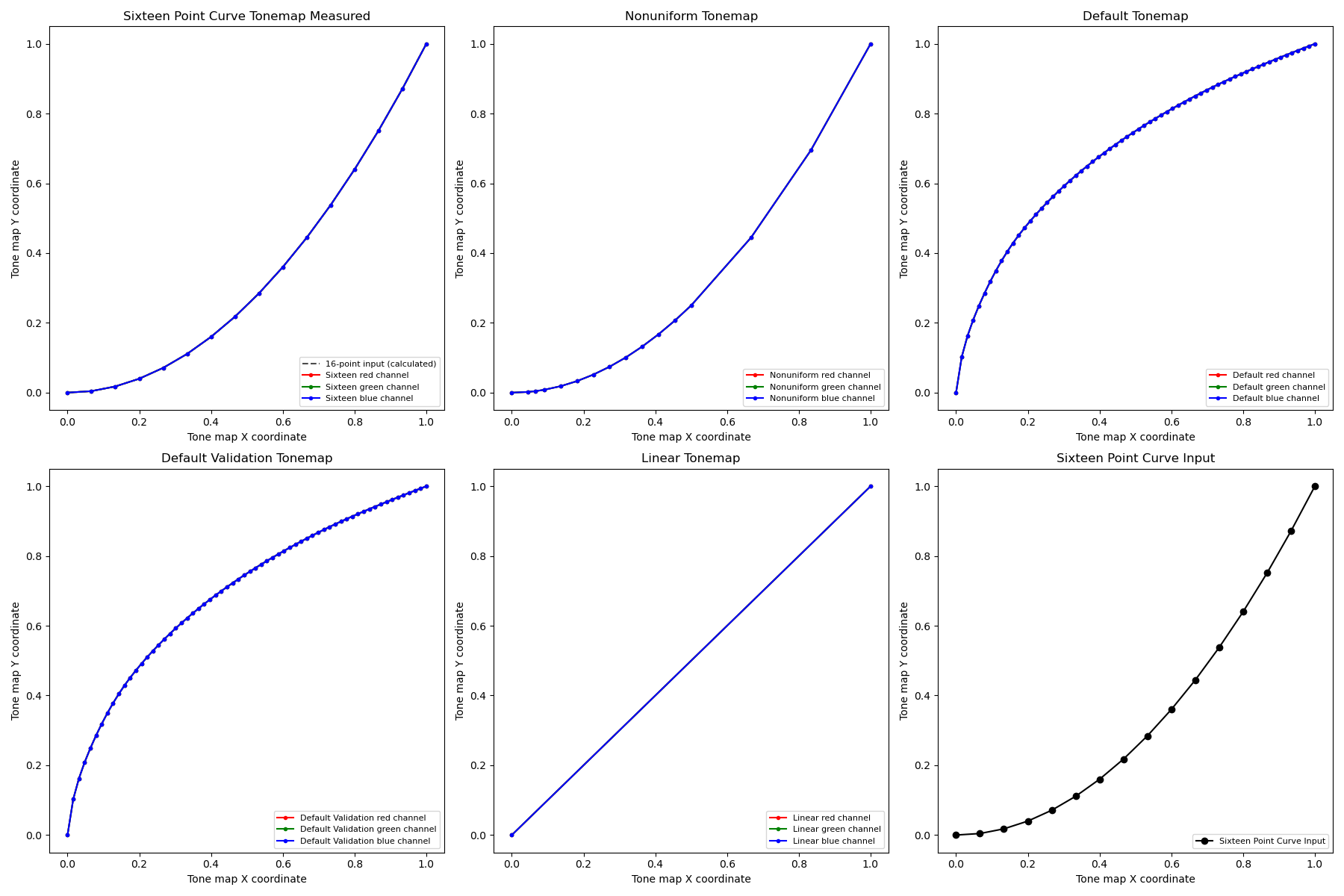
Рисунок 143. График тестовой последовательности тональной компрессии.
Протестированные API:
android.hardware.camera2.CameraMetadata#TONEMAP_MODE_CONTRAST_CURVEandroid.hardware.camera2.CameraMetadata#TONEMAP_MODE_FASTandroid.hardware.camera2.CaptureRequest#TONEMAP_CURVEandroid.hardware.camera2.CaptureRequest#TONEMAP_MODE
Тест пройден. Разница в яркости между кривой по умолчанию и линейной кривой составляет более 15%, а между двумя экспоненциальными кривыми – менее 8%.
test_multi_camera_switch
Этот тест проверяет стабильность цвета и экспозиции при динамическом масштабировании. Он проверяет, что при переключении между сверхширокоугольным и широкоугольным объективами во время записи предварительного просмотра значения CIELAB остаются практически идентичными, что предотвращает видимые сдвиги в пользовательском интерфейсе.
Тест выполняет динамическую запись предварительного просмотра в заданном диапазоне масштабирования, чтобы активировать физическую точку "перекрестия" камеры, в которой сверхширокоугольный объектив переключается на широкоугольный. Тест определяет точный кадр, в котором происходит переключение объектива. Кадры, непосредственно предшествующие этой точке пересечения и следующие за ней, фиксируются и анализируются на предмет стабильности автоматической экспозиции (AE) и автоматического баланса белого (AWB).
Проверка AE подтверждает, что колебания яркости остаются в допустимом диапазоне во время переключения объективов. Проверка AWB подтверждает, что соотношения красного и зеленого, а также синего и зеленого остаются в пределах заданных пороговых значений нейтральности цвета.
Протестированные API:
android.hardware.camera2.CameraCharacteristics#CONTROL_ZOOM_RATIO_RANGEandroid.hardware.camera2.CaptureRequest#CONTROL_ZOOM_RATIOandroid.media.CamcorderProfileandroid.media.MediaRecorder
Прохождение теста. Чтобы пройти тест, необходимо пройти следующие проверки AE и AWB:
- Проверка автоматической экспозиции. Если устройство поддерживает и
ae_regions, иawb_regions, изменение яркости (значение Y) между изображениями, полученными с помощью широкоугольного и ультраширокоугольного объективов, должно быть меньше 4% для всех цветовых полей. Если поддерживается толькоae_regions, то критериям должны соответствовать только значения серого цвета. - Проверка автоматического баланса белого. Если устройство поддерживает и
ae_regions, иawb_regions, разница между значениями красного-зеленого и синего-зеленого для изображений, полученных с помощью широкоугольного и ультраширокоугольного объективов, должна быть меньше 3% для серого цвета и меньше 10% для других цветов.

Рисунок 144. Серая область, снятая на ультраширокоугольный объектив.

Рисунок 145. Серая область, снятая на широкоугольный объектив.
scene_ip
В Android 16 и более поздних версиях сцена scene_ip позволяет проверять паритет изображений между приложением камеры по умолчанию и приложением камеры Jetpack (JCA), чтобы выявлять основные различия между снятыми изображениями. JCA воспроизводит снимки, сделанные в приложениях социальных сетей, и предоставляет базовое изображение, которое затем обрабатывается и улучшается этими приложениями.
Требования к настройке оборудования
Для тестов scene_ip требуется следующее оборудование:
- Тесты выполняются в коробке ITS-in-a-box для камер второго поколения.
- Контроллеры освещения и сервоприводов, входящие в состав установки Gen2, используются для управления тестовой средой.
- Внутри установки Gen2 размещена таблица тестовых функций.
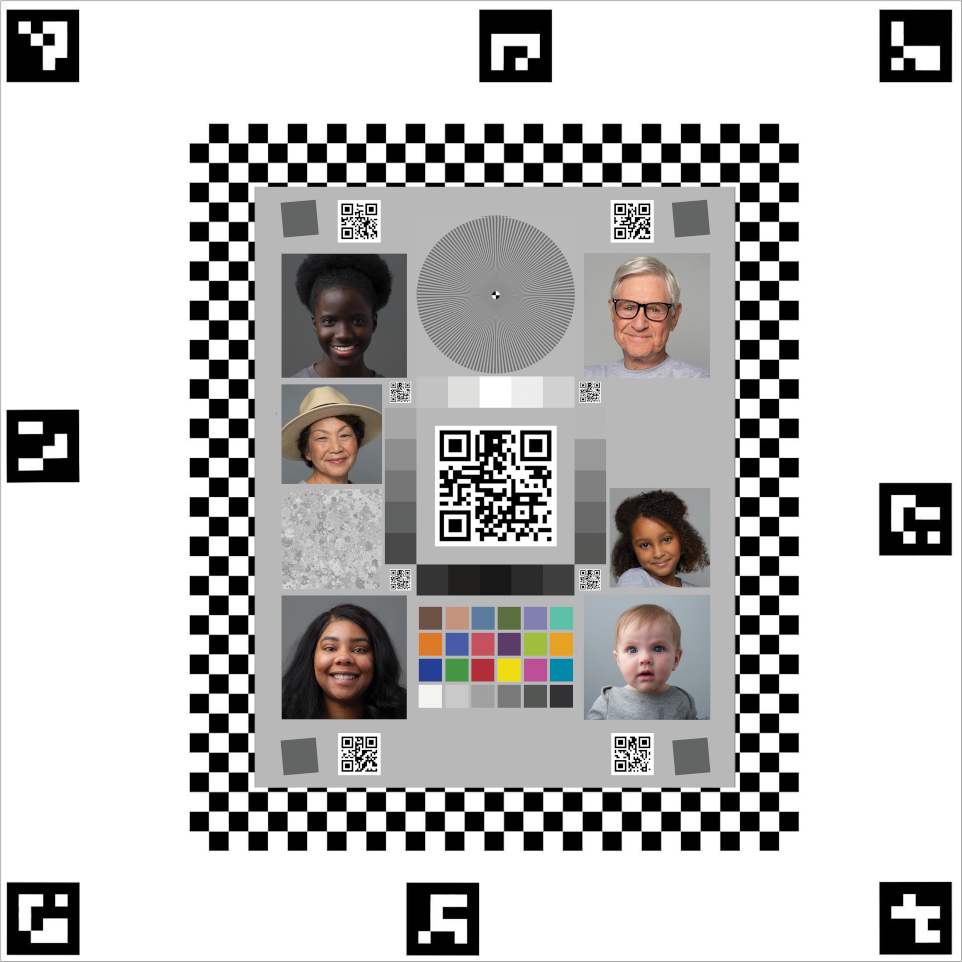
Рисунок 146. Пример Gen2chart_sample.
Критерии пропуска тестов
Тесты scene_ip пропускаются, если выполняется любое из следующих условий:
- Первый уровень API устройства (
first_api_level) – 35 или ниже. - Устройство не является телефоном с основной фронтальной и основной задней камерами (например, это планшет или телевизор).
test_default_jca_ip
Делает снимки тестовой таблицы при контролируемом освещении с помощью стандартного приложения камеры и JCA, а затем выполняет следующие проверки:
Поле зрения. Проверяется, совпадает ли поле зрения при съемке в приложении камеры по умолчанию и JCA. Для этой проверки используется функция центрального QR-кода, извлеченная из изображения таблицы.
Яркость. Проверяется, что разница в яркости между приложением камеры по умолчанию и JCA не превышает 10. Для измерения яркости используется патч динамического диапазона.
Баланс белого. Проверяется, что разница в балансе белого между приложением камеры по умолчанию и JCA не превышает 4. Для измерения яркости используется патч динамического диапазона.
Цветопередача. Проверяется, что разница в цветопередаче между приложением камеры по умолчанию и JCA не превышает 6.
Пройдено. Проверка поля зрения, яркости и баланса белого прошла успешно. В Android 16 этот тест не является обязательным (NOT_YET_MANDATED). В Android 17 и более поздних версиях проверка паритета поля зрения, яркости и баланса белого обязательна. Проверка цветопередачи не является обязательной (NOT_YET_MANDATED) в Android 17.
test_jca_jpegr_ip
Проверяет, что разница в балансе белого между предварительным снимком JPEG_R JCA и снятыми изображениями не превышает 4.
Протестированные API:
Тест пройден. Разница в балансе белого между снимком предварительного просмотра JCA и снятым изображением JPEG_R находится в пределах порогового значения (по умолчанию – 4).
sensor_fusion
Для тестов объединения датчиков требуется определенное движение телефона перед шахматным узором и маркерами ArUco. Для получения оптимальных результатов убедитесь, что тестовая таблица установлена ровно. Если таблица неровная, это повлияет на расчеты вращения для многих тестов. Таблица должна заполнять заднюю часть коробки для объединения датчиков. Для этого ее нужно распечатать в размере 43 x 43 см. (43 x 43 см). Тесты sensor_fusion можно автоматизировать с помощью Sensor Fusion Box.
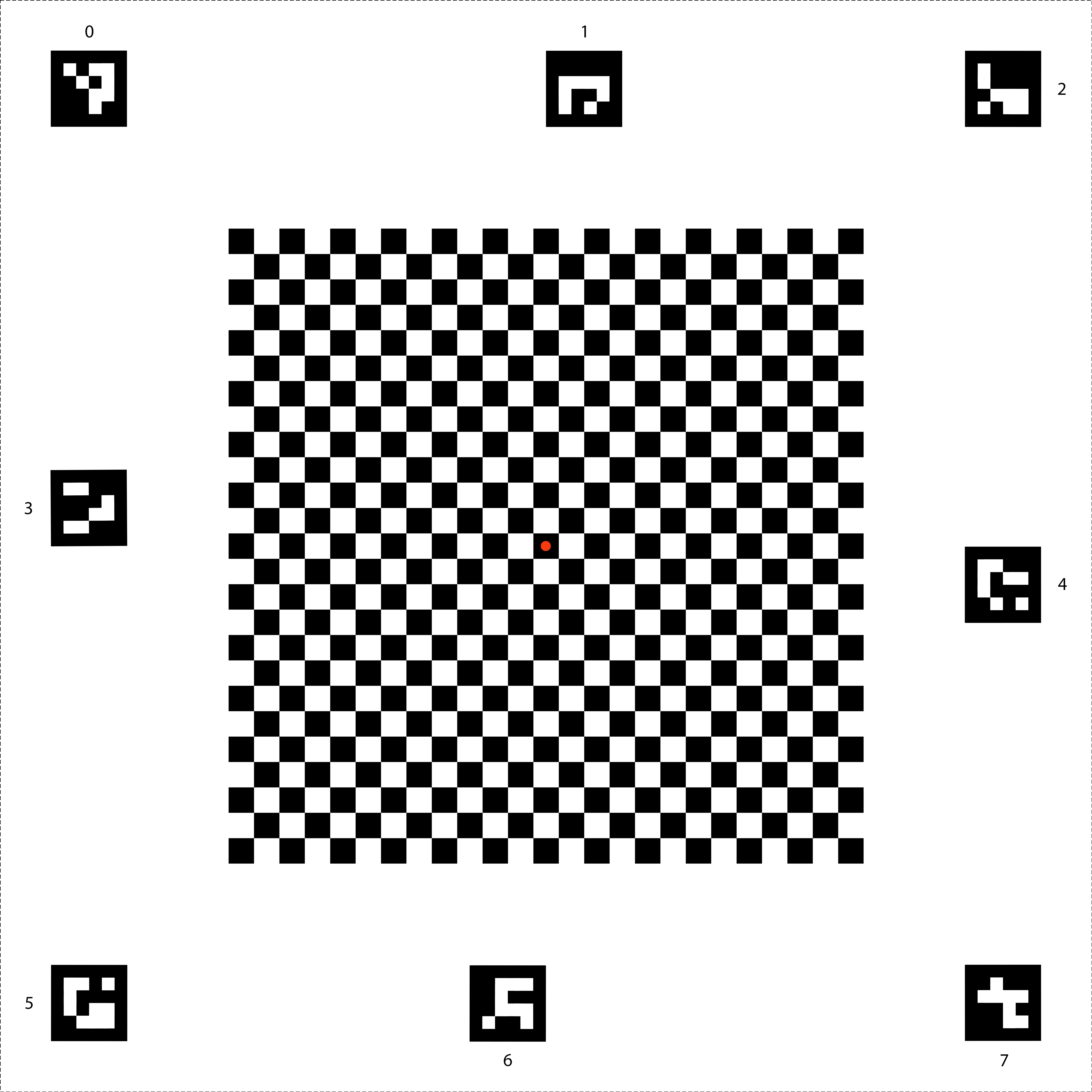
Рисунок 147. Диаграмма объединения датчиков.
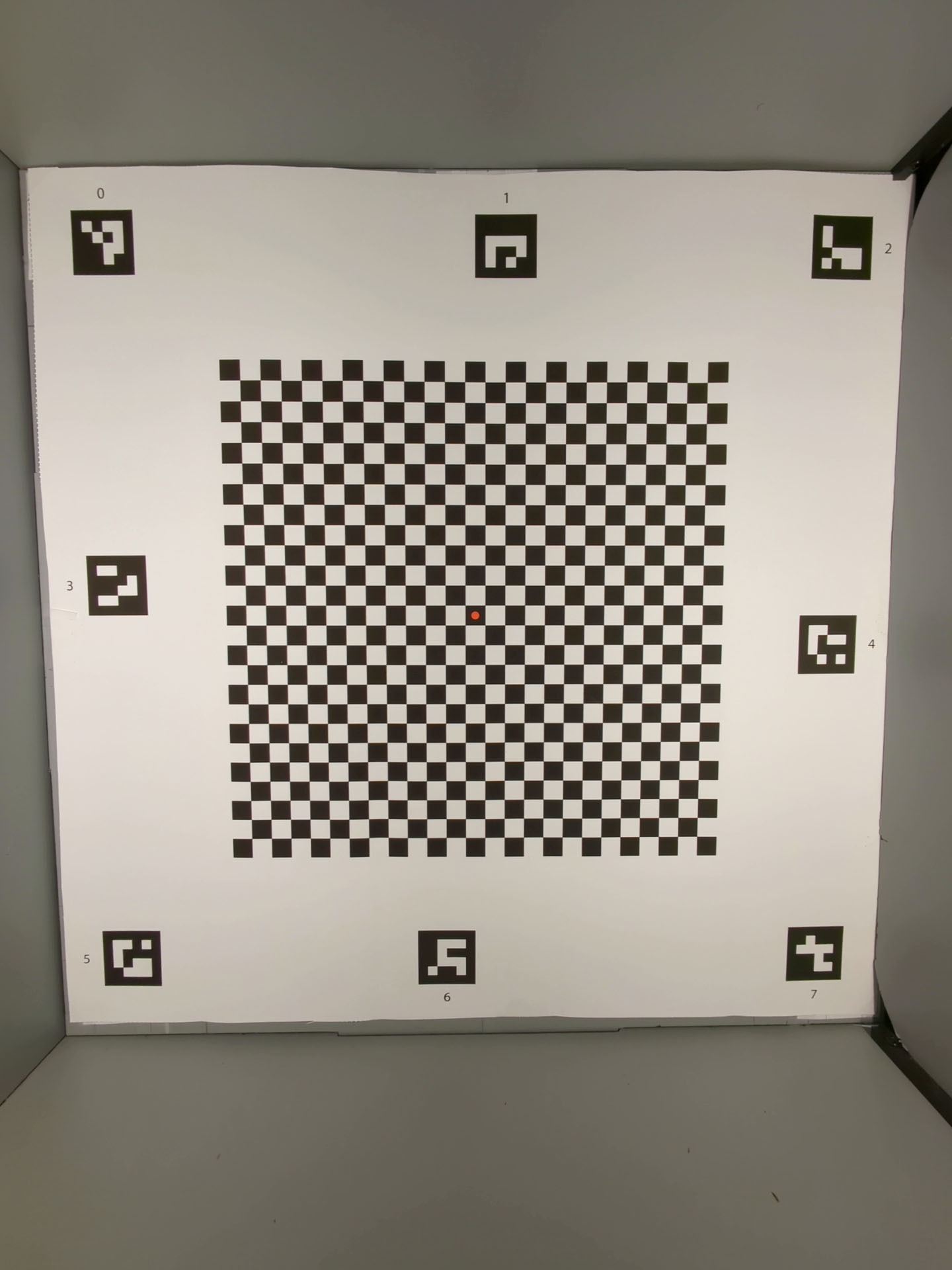
Рисунок 148. Диаграмма Sensor Fusion, которая заполняет заднюю часть коробки Sensor Fusion.
test_lens_intrinsic_calibration
Проверяет, меняется ли оптический центр внутренней линзы при ее движении из-за оптической стабилизации изображения (OIS). Если поддерживаются внутренние образцы объектива, проверяет, меняется ли оптический центр внутренних образцов объектива, когда объектив перемещается из-за OIS.
Протестированные API:
android.hardware.camera2.CameraCharacteristics#LENS_INTRINSIC_CALIBRATIONandroid.media.MediaRecorderandroid.media.CamcorderProfile
Пройдено. Оптический центр объектива смещается на 1 пиксель или более. Если поддерживаются внутренние образцы линз, оптические центры внутренних образцов линз изменяются на 1 пиксель или более.
На рисунке ниже показан пример графика test_lens_intrinsic_calibration, на котором отражены изменения главных точек в пикселях для каждого кадра.
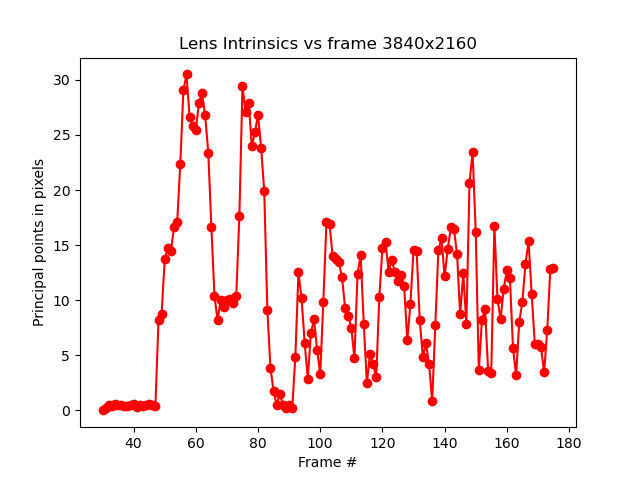
Рисунок 149. Пример графика test_lens_intrinsic_calibration, показывающего изменения основных точек в пикселях для каждого кадра.
test_multi_camera_frame_sync
Проверяет, что временные метки кадров, снятых логической камерой, находятся в пределах 10 мс, вычисляя углы квадратов на шахматной доске для определения временной метки.
Протестированные API:
android.hardware.camera2.CameraCharacteristics#LOGICAL_MULTI_CAMERA_SENSOR_SYNC_TYPEandroid.hardware.camera2.CameraCharacteristics#getPhysicalCameraIds()android.hardware.camera2.CameraMetadata#REQUEST_AVAILABLE_CAPABILITIES_LOGICAL_MULTI_CAMERAandroid.hardware.camera2.params.OutputConfiguration#setPhysicalCameraId()
Пройден. Угол между изображениями с каждой камеры не меняется заметно при повороте телефона.
test_preview_distortion
Проверяет, исправляются ли искажения в каждом кадре предварительного просмотра, снятом на разных уровнях масштабирования. Для каждого кадра предварительного просмотра тест рассчитывает идеальные точки на основе внутренних и внешних параметров камеры.
На изображении выше идеальные точки показаны зеленым цветом, а фактические – красным. Ошибка искажения рассчитывается на основе среднеквадратичного расстояния в пикселях между фактическими и идеальными точками. Зеленые и красные области на изображении используются для визуального обнаружения области ошибки искажения.
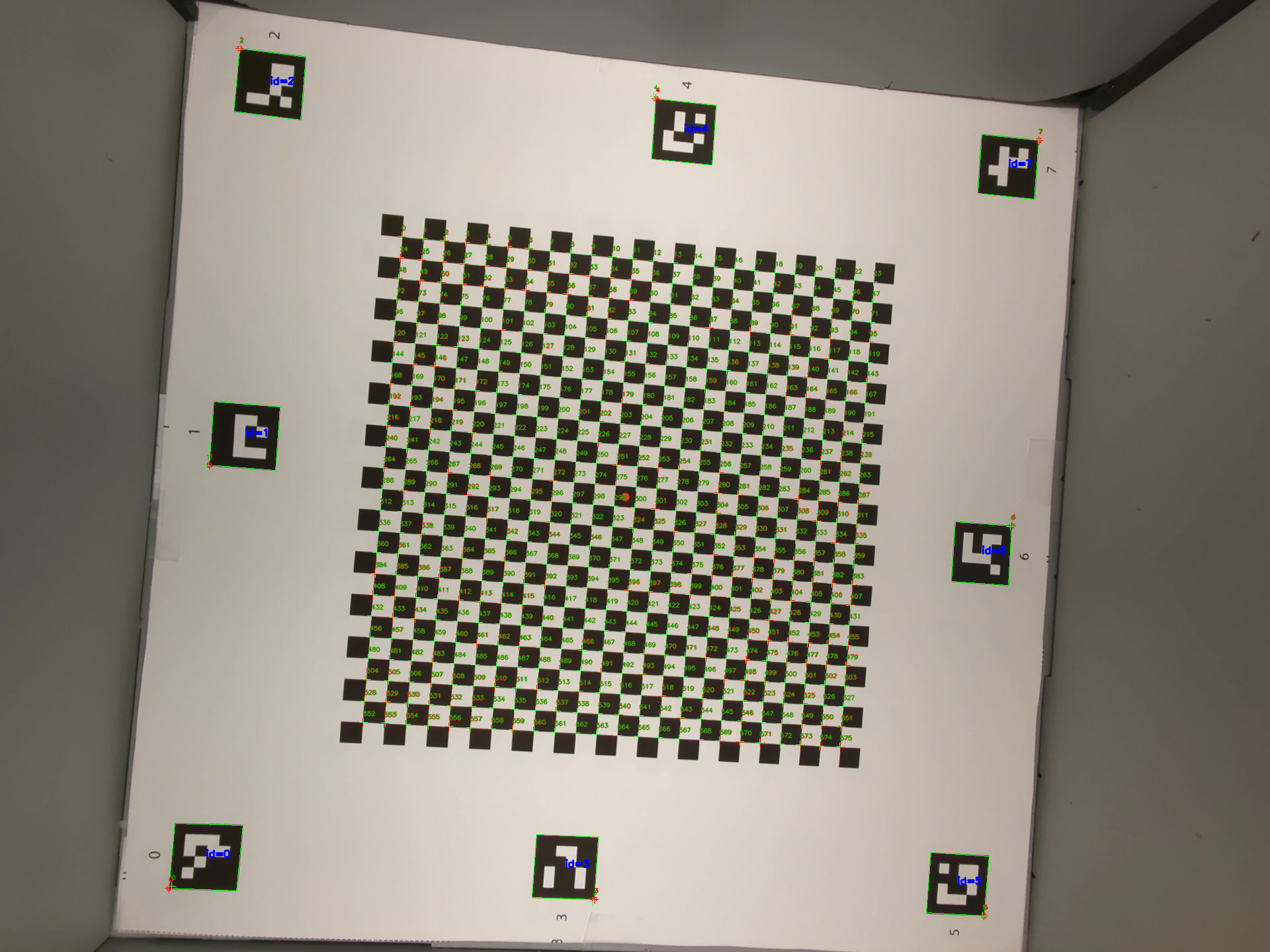
Рисунок 150. Изображение шахматной доски с идеальными точками, отмеченными зеленым, и фактическими точками, отмеченными красным.
Протестированные API:
android.hardware.camera2.CameraCharacteristics#CONTROL_ZOOM_RATIO_RANGEandroid.hardware.camera2.CaptureRequest#CONTROL_ZOOM_RATIOandroid.hardware.camera2.CameraCharacteristics#getPhysicalCameraIds()android.media.CamcorderProfileandroid.media.MediaRecorder
Тест пройден. Нормализованная ошибка искажения каждого кадра предварительного просмотра меньше порогового значения, заданного в тесте.
test_preview_stabilization
Проверяет, что стабилизированное видео в режиме предварительного просмотра вращается меньше, чем гироскоп.
Протестированные API:
android.hardware.camera2.CameraCharacteristics#SCALER_AVAILABLE_STREAM_USE_CASESandroid.media.MediaRecorderandroid.media.CamcorderProfile
Пройден. Максимальный угол поворота кадров составляет менее 70% от поворота гироскопа.
Ниже приведены образцы видео со стабилизацией и без нее.
Рисунок 151. Пример видео со стабилизацией.
Рисунок 152. Образец видео без стабилизации.
test_sensor_fusion
Проверяет разницу временных меток между камерой и гироскопом для приложений дополненной и виртуальной реальности. Телефон поворачивается на 90 градусов 10 раз перед шахматным узором. Движение туда и обратно занимает около двух секунд. Этот тест пропускается, если гироскоп отсутствует или не включен параметр источника временной метки REALTIME.
Тест test_sensor_fusion генерирует несколько графиков. Два наиболее важных графика для отладки:
test_sensor_fusion_gyro_events– события гироскопа телефона во время теста. Движение по осям X и Y означает, что телефон не закреплен на основании, что снижает вероятность прохождения теста. Количество циклов на графике зависит от скорости записи кадров.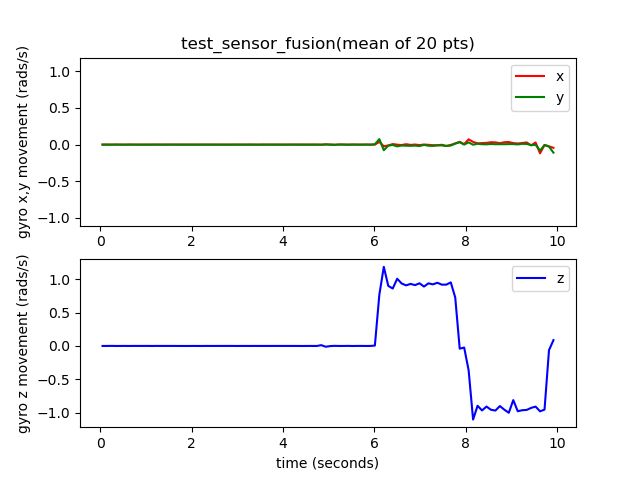
Рисунок 153. Пример событий гироскопа test_sensor_fusion.
test_sensor_fusion_plot_rotations– показывает, как соотносятся события гироскопа и камеры. На графике должно быть видно, что движения камеры и гироскопа совпадают с точностью до 1 мс.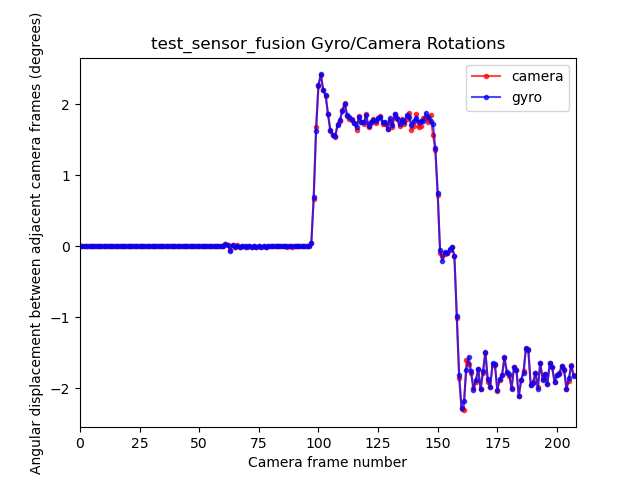
Рисунок 154. Пример графика вращений test_sensor_fusion.
Протестированные API:
android.hardware.camera2.CameraCharacteristics#LENS_FACINGandroid.hardware.camera2.CameraCharacteristics#SENSOR_INFO_TIMESTAMP_SOURCEandroid.hardware.camera2.CameraMetadata#SENSOR_INFO_TIMESTAMP_SOURCE_REALTIMEandroid.hardware.camera2.CaptureRequest#CONTROL_AE_TARGET_FPS_RANGEandroid.hardware.camera2.CaptureRequest#SENSOR_FRAME_DURATIONandroid.hardware.camera2.CaptureResult#SENSOR_TIMESTAMPandroid.hardware.camera2.CaptureResult#SENSOR_ROLLING_SHUTTER_SKEW
Проверка пройдена. Смещение временных меток камеры и гироскопа составляет менее 1 мс, как указано в разделе 7.3.9. Высокоточные датчики документа определения совместимости (CDD).
Механизмы отказа
- Ошибка смещения. Смещение камеры и гироскопа не откалибровано в пределах +/-1 мс.
- Пропуск кадров. Конвейер не успевает зафиксировать 200 кадров подряд.
- Ошибки сокета:
adbне может подключиться к тестируемому устройству на время, достаточное для выполнения теста. - Таблица установлена неровно. На графике
test_sensor_fusion_plot_rotationsесть кадры, в которых данные гироскопа и камеры значительно различаются, поскольку камера поворачивается в частях диаграммы, которые не являются плоскими. - Камера установлена неровно. График
test_sensor_fusion_gyro_eventsпоказывает движение в плоскостях X и Y. Эта ошибка чаще возникает при использовании фронтальной камеры, поскольку основная камера обычно выступает над корпусом телефона, из-за чего при креплении задней панели телефона к монтажной пластине возникает наклон.
test_video_stabilization
Устарело. Этот тест устарел в Android 17. В Android 17 и более поздних версиях этот тест заменен на test_video_stabilization_jca.
Проверяет, что стабилизированное видео вращается меньше, чем гироскоп.
Протестированные API:
android.hardware.camera2.CameraCharacteristics#SCALER_AVAILABLE_STREAM_USE_CASESandroid.media.MediaRecorderandroid.media.CamcorderProfile
Тест пройден. Максимальный угол поворота в кадрах составляет менее 60% от поворота гироскопа.
Ниже приведены образцы видео со стабилизацией и без нее.
Рисунок 155. Пример видео со стабилизацией.
Рисунок 156. Образец видео без стабилизации.
test_video_stabilization_jca
Тесты, в которых стабилизированное видео, снятое с помощью JCA, вращается меньше, чем гироскоп. Перед тестированием на устройство необходимо установить JCA.
Протестированные API:
android.hardware.camera2.CameraCharacteristics#SCALER_AVAILABLE_STREAM_USE_CASESandroid.media.CamcorderProfileandroid.media.MediaRecorder
Тест пройден. Максимальный угол поворота кадров, извлеченных из видео, которое было снято с помощью JCA, составляет менее 70% от поворота гироскопа.
Тестовая сцена с диффузором
scene5
Для scene5 требуется равномерно освещенная серая сцена. Для этого на объектив камеры надевается рассеиватель. Рекомендуем использовать следующий диффузор:
http://www.edmundoptics.com/optics/windows-diffusers/optical-diffusers/opal-diffusing-glass/46168/.
Чтобы подготовить сцену, прикрепите рассеиватель перед камерой и направьте ее на источник света с яркостью около 2000 люкс. Фотосъемка для scene5 требует рассеянного света без явных особенностей. Пример изображения:
Рис. 157. Пример съемки сцены 5.
Поскольку для этой сцены не требуются планшеты или контроллеры, в тестах используется тестовый стенд TEST_BED_MANUAL. Пример файла config.yml для ручного тестирования приведен в этом разделе.
Файл config.yml по умолчанию не содержит TEST_BED_MANUAL, но вы можете изменить его, чтобы добавить этот параметр.
test_lens_shading_and_color_uniformity
Проверяет, правильно ли применяется коррекция затенения объектива и равномерно ли распределяется цвет монохромной однородной сцены. Выполняет этот тест на кадре YUV с автоматическим 3A. Затенение объектива оценивается по каналу Y. Измеряет среднее значение y для каждого указанного блока выборки и определяет, пройдена ли проверка, сравнивая его с центральным значением y. Тест на однородность цвета оценивается в красно-зеленом и сине-зеленом пространстве.
Протестированные API:
android.hardware.camera2.CaptureRequest#CONTROL_AE_MODEandroid.hardware.camera2.CaptureRequest#CONTROL_AWB_MODE
Тест пройден. В указанном радиусе изображения разница между значениями красно-зеленого и сине-зеленого цветов должна быть меньше 20 %.
Механизмы отказа
- Чрезмерное виньетирование на изображениях
- Черные поля на изображениях
Рисунок 158. test_lens_shading_and_color_uniformity_y_plane.
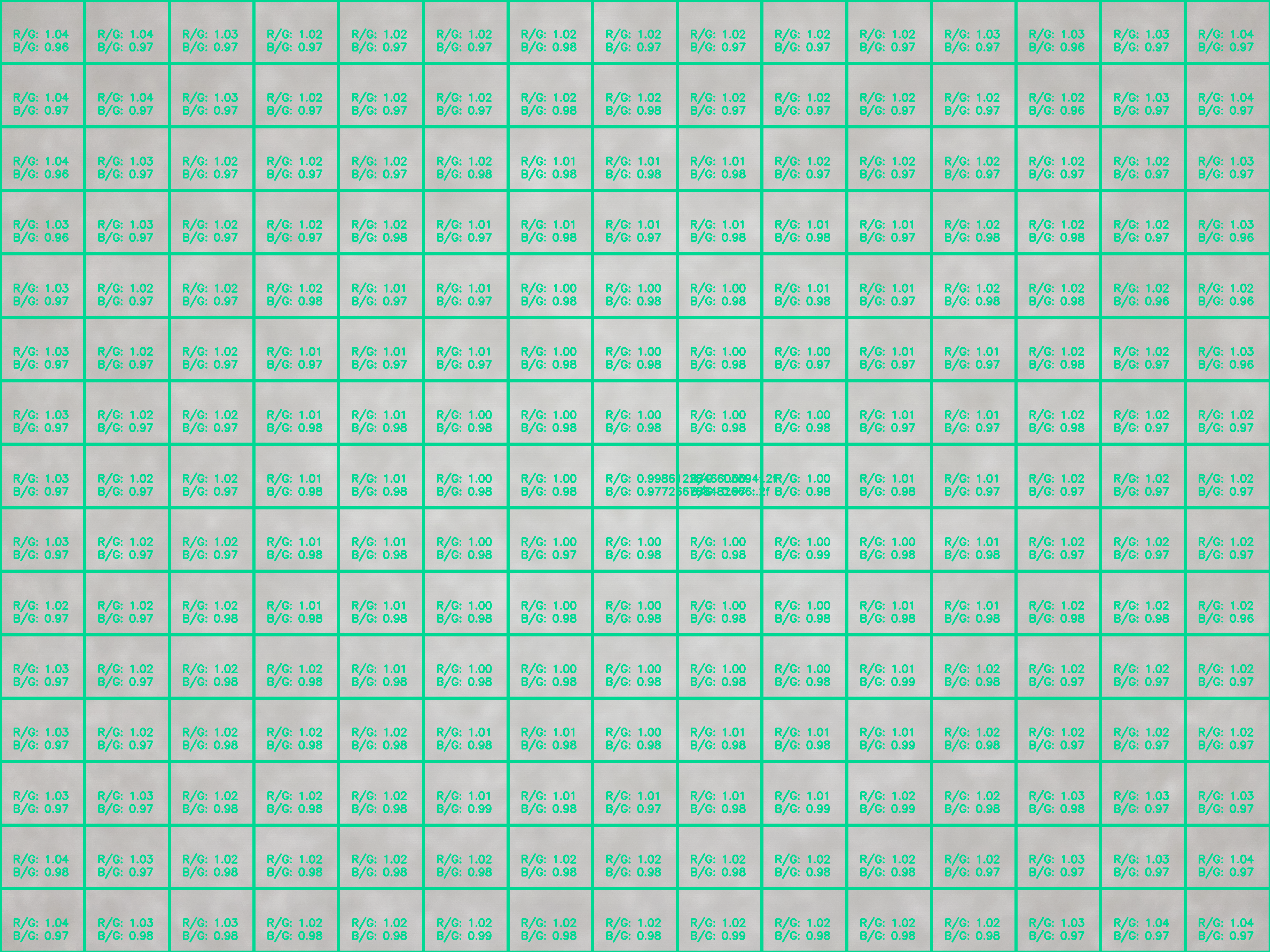
Рисунок 159. test_lens_shading_and_color_uniformity_color_uniformity.
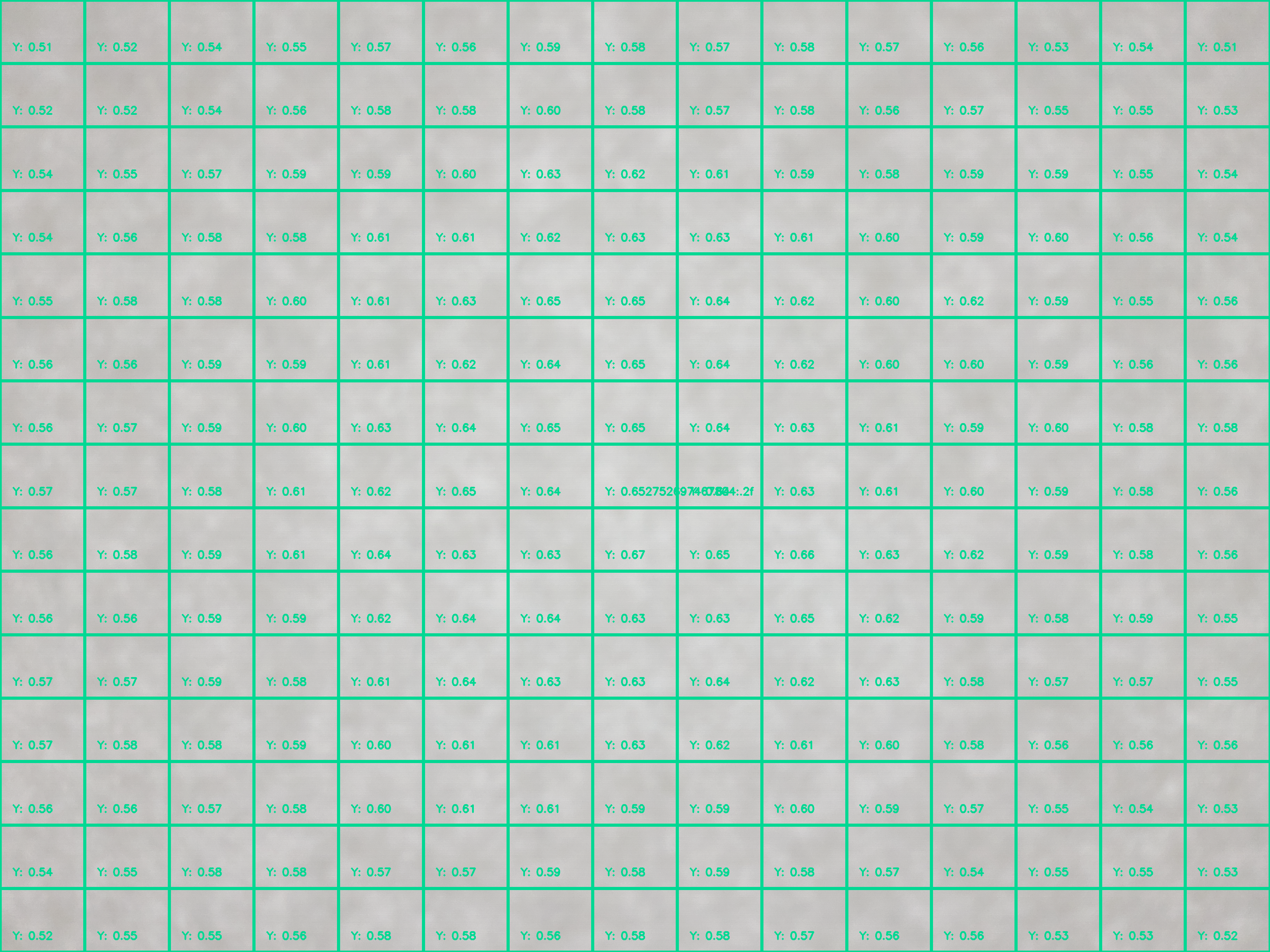
Рисунок 160. test_lens_shading_and_color_uniformity_lens_shading_result.
Тестовая сцена на планшете с широкой цветовой гаммой
scene_wide_gamut
scene_wide_gamut – прямоугольная рамка, разделенная на четыре равных квадранта, каждый из которых закрашен своим цветом. Для этого на планшете должна отображаться диаграмма в широкой гамме, а тестируемое устройство должно сделать фотографию экрана в широкой гамме.
Эти тесты проверяют, соответствует ли полученное изображение правильному цветовому профилю и цветовому диапазону.
test_display_p3
Тестирует съемку в цветовом пространстве Display P3 в формате JPEG с помощью API ColorSpaceProfiles. Проверяет, есть ли в заголовке JPEG-файла подходящий профиль ICC и содержит ли изображение определенный процент цветов за пределами цветовой гаммы sRGB.
Протестированные API:
android.hardware.camera2.params.ColorSpaceProfilesandroid.hardware.camera2.params.SessionConfiguration#setColorSpace
Проверка пройдена. Файл JPEG содержит профиль ICC Display P3 и более 1 % цветов за пределами гаммы sRGB.
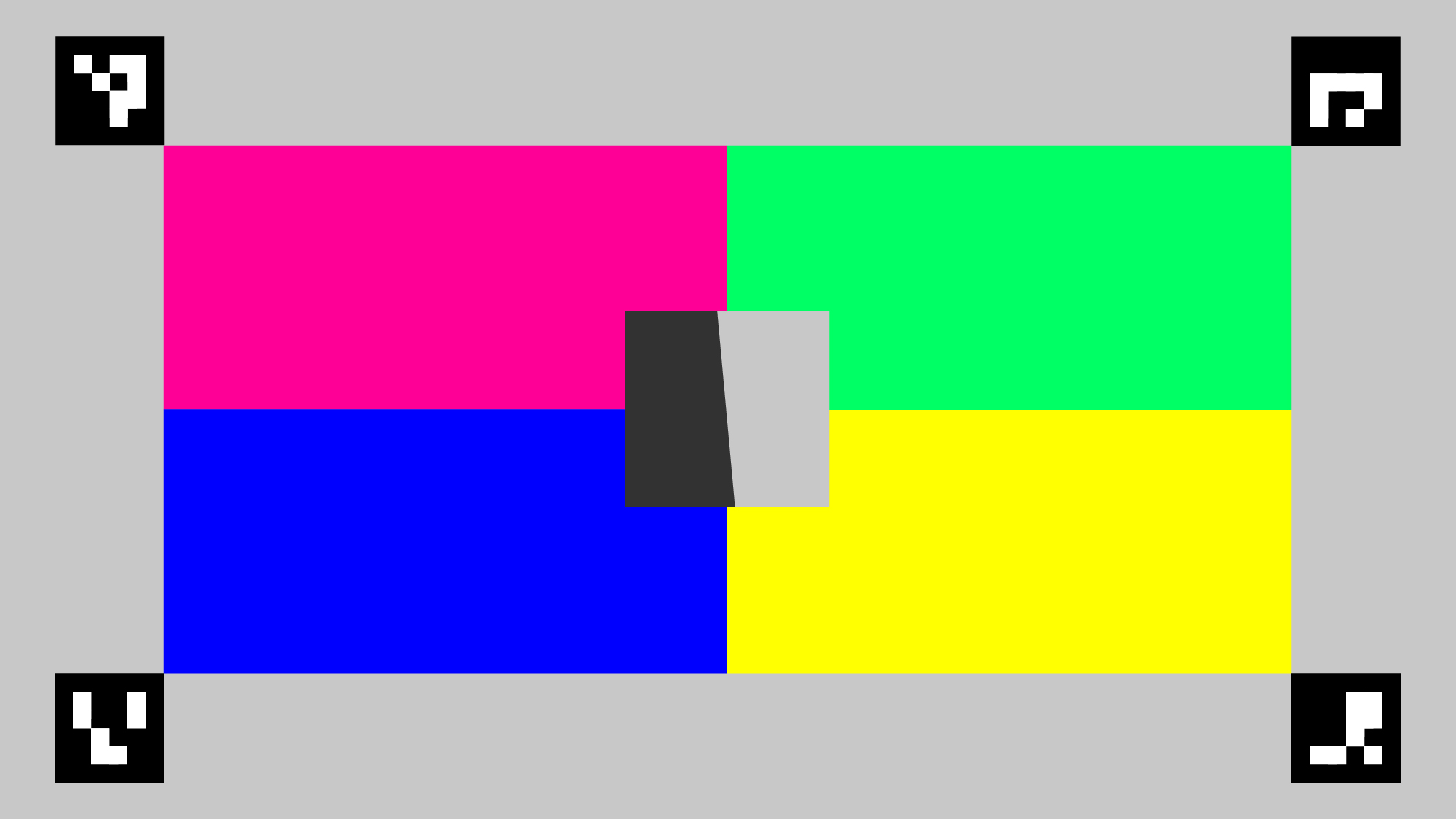
Рисунок 161. Пример test_display_p3.